24
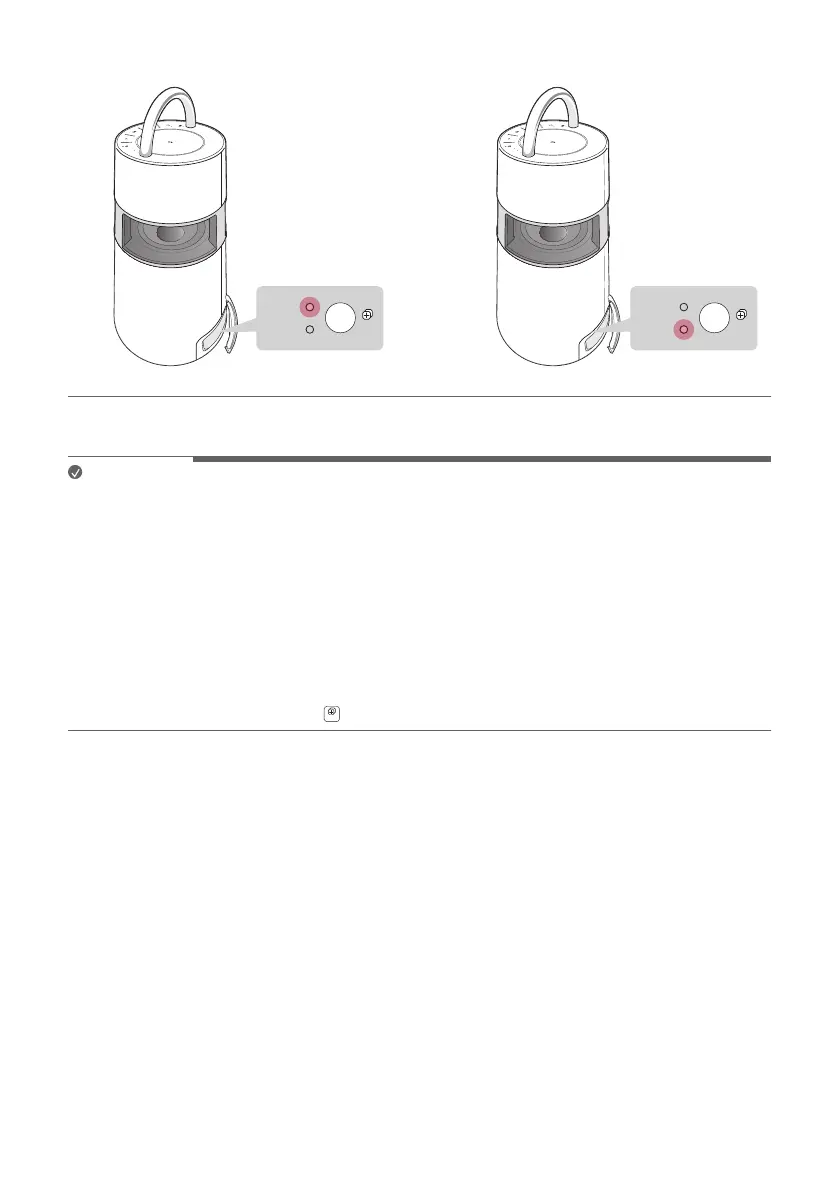
b When they are connected to the Wireless Party Link-Twin mode, the MAIN LED and OTHER LED will turn on.
AUX
USB
BT
AUX
USB
BT
TWIN
MAIN
OTHER
MAIN
OTHER
TWIN
a b
c Play the music you want on the MAIN product.
Note
• You can operate only some functions on the OTHER product while using the Wireless Party Link-Twin mode.
• If even one of the two products is connected to the television via Bluetooth, you cannot use the Wireless Party
Link-Twin mode. In this case, the MAIN and OTHER LEDs will blink twice. To use the Wireless Party Link-Twin
mode, disconnect the product and the television before trying to connect the Wireless Party Link-Twin mode
again.
• Wireless Party Link-Twin connection is supported only on smartphones. (Wireless Party Link connection may
not be connected depending on smartphone specications or OS.)
• While using the Wireless Party Link-Twin mode, you can connect only one Bluetooth device to the MAIN
product. The OTHER product cannot be connected to the Bluetooth device.
• If one of the two products in connection with the Wireless Party Link-Twin mode is turned off, connected to the
television via Bluetooth, or the TWIN
button is pressed, it will be disconnected.


 To Next Page