EasyManua.ls Logo

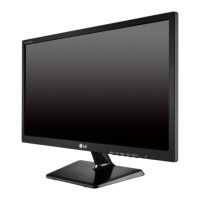
LG E2042C - User Manual

LG E2042C
28 pages
Print Icon
To Next Page IconTo Next Page
Loading...
www.lg.com
OWNER’S MANUAL
LED LCD MONITOR
E1642C
E1942C
E2042C
E2242C
Please read this manual carefully before operating
your set and retain it for future reference.
LED LCD MONITOR MODEL
ENGLISH

Questions and Answers

  • H
    Hannah HancockAug 19, 2025
    What to do if my LG Monitor has no image?
    • T
      Teresa JohnsonAug 19, 2025
      If no image appears on your LG Monitor, start by checking the power cord to ensure it's properly connected to the power outlet. If the power indicator light is off, try pressing the power button. If the power indicator is red, adjust the brightness and contrast settings. If the power indicator is flickering, the monitor might be in power saving mode; try moving the mouse or pressing a key on the keyboard, and also ensure your PC is turned on. If you see an 'OUT OF RANGE' message, refer to the 'Specifications' section of the manual to configure your display settings. Finally, if you see a 'CHECK SIGNAL CABLE' message, verify that the signal cable between your PC and the monitor is securely connected.
  • M
    Michael CopelandAug 21, 2025
    What to do if no image appears on my LG E2042C?
    • A
      anitayoungAug 22, 2025
      If no image appears on your LG Monitor, here are some things to try: First, ensure the power cord is properly connected to the power outlet. Next, press the Power button on the monitor. If the power indicator is red, adjust the brightness and contrast. If the power indicator is flickering, the display might be in power saving mode; try moving the mouse or pressing any key on the keyboard. Also, ensure that your PC is turned on. If none of these steps work and you see 'No-Signal' for 5 minutes, the monitor goes to DPM mode.
  • N
    Nancy CraigAug 23, 2025
    How to stop my LG E2042C Monitor screen from blinking?
    • T
      Tricia Solis DDSAug 25, 2025
      To stop your LG Monitor screen from blinking, check if the screen is set to interlace mode. If it is, change it to the recommended resolution.
  • J
    Jose RivasAug 26, 2025
    Why is my LG E2042C Monitor screen blinking?
    • M
      millerjustinAug 26, 2025
      If your LG Monitor screen is blinking, check if the screen is set to interlace mode. If it is, change it to the recommended resolution.
  • D
    Daniel TuckerAug 28, 2025
    How to fix a screen that blinks on my LG Monitor?
    • J
      Julia WarnerAug 28, 2025
      If your LG Monitor screen blinks, check if the screen is set to interlace mode. If it is, change it to the recommended resolution.
  • B
    Brittany MckinneyAug 29, 2025
    How to fix LG E2042C Monitor when no image appears?
    • M
      Mary MartinezAug 29, 2025
      If your LG Monitor displays no image, start by checking that the power cord is correctly plugged into the power outlet. Next, ensure the monitor is powered on by pressing the power button. Adjust the brightness and contrast settings to see if the image appears. If the monitor is in power saving mode, try moving the mouse or pressing a key on the keyboard. Verify that your PC is turned on and check the signal cable. If the signal from the PC exceeds the frequency range of the display, refer to the 'Specifications' section of this manual to configure your display settings.
  • S
    sharonjohnsonAug 31, 2025
    Why does my LG E2042C Monitor have no image?
    • R
      ronaldnelsonSep 1, 2025
      If your LG Monitor is not displaying an image, there could be several reasons. First, check that the power cord is securely connected to the power outlet and that the monitor is turned on. Try adjusting the brightness and contrast. If the monitor is in a power saving mode, moving the mouse or pressing any key may bring up the screen. Ensure that your PC is also powered on. A missing image can also indicate that the signal cable is not properly connected. In some cases, the signal from the PC might be outside the monitor's supported frequency range, requiring you to reconfigure the display settings as described in the 'Specifications' section of the manual.
  • N
    Nicole Morgan PhDSep 2, 2025
    How to fix an incorrect display image on my LG E2042C?
    • S
      Susan HernandezSep 3, 2025
      If the display image on your LG Monitor is incorrect, and the display position is off, or you notice vertical bars or stripes on the screen, try pressing the AUTO button to automatically adjust the display image to the ideal setting. If you see any horizontal noise or characters that are not clearly portrayed, press the AUTO button. Also, check the display settings in the Control Panel and adjust the display to the recommended resolution, and set the color setting higher than 24 bits (true color).
  • F
    fredtaylorSep 4, 2025
    What to do if my LG Monitor display image is incorrect?
    • S
      Steven SteeleSep 4, 2025
      If the display image on your LG monitor is incorrect, press the AUTO button to automatically adjust the image to the ideal setting. You can also adjust the display to the recommended resolution in Control Panel ? Display ? Settings, or ensure the color setting is higher than 24 bits (true color).
  • A
    Anne ThomasSep 6, 2025
    Why is the display image incorrect on my LG E2042C Monitor?
    • M
      Megan WattsSep 7, 2025
      To correct the display image on your LG Monitor, first press the AUTO button to automatically adjust the image to the ideal setting. Also, check the display settings in your computer's Control Panel to ensure the resolution is set to the recommended level and that the color setting is higher than 24 bits (true color).

LG E2042C Specifications

General IconGeneral
Screen Size20 inches
Resolution1600 x 900
Panel TypeTN
Brightness250 cd/m²
Response Time5 ms
Aspect Ratio16:9
Contrast Ratio1000:1
ConnectivityVGA
Dynamic Contrast Ratio5, 000, 000:1
Viewing Angle90° horizontal, 65° vertical
Power Consumption25 W

Related product manuals