EasyManua.ls Logo

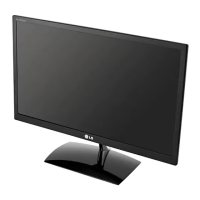
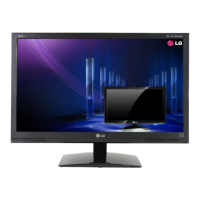
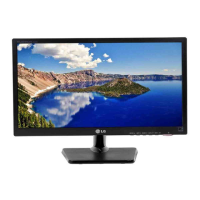
LG E2042C - User Manual

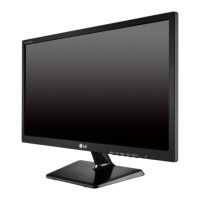
LG E2042C
28 pages
Print Icon
To Next Page IconTo Next Page
Loading...
www.lg.com
OWNER’S MANUAL
LED LCD MONITOR
E1642C
E1942C
E2042C
E2242C
Please read this manual carefully before operating
your set and retain it for future reference.
LED LCD MONITOR MODEL
ENGLISH

Questions and Answers

  • P
    princecarlaSep 8, 2025
    Why is the screen color mono or abnormal on my LG E2042C Monitor?
    • R
      Rebecca PenaSep 9, 2025
      If the screen color on your LG Monitor is mono or abnormal, check the following: Ensure the signal cable is properly connected, using a screwdriver to fasten it if necessary. Also, make sure the video card is properly inserted in its slot. Finally, verify that the color setting is set higher than 24 bits (true color) in Control Panel ? Settings.
  • J
    Joshua Arnold MDSep 12, 2025
    What to do if I see an 'Unrecognized monitor, Plug&Play (VESA DDC) monitor found' message on my LG E2042C?
    • R
      Ryan MullinsSep 12, 2025
      If you see an 'Unrecognized monitor, Plug&Play (VESA DDC) monitor found' message on your LG Monitor, ensure that you install the display driver from the display driver CD (or diskette) that came with your display. Also, make sure to check if the video card supports Plug&Play function.
  • D
    dfrazierSep 12, 2025
    How to unlock OSD on LG E2042C?
    • M
      monique45Sep 13, 2025
      To unlock the OSD controls on your LG Monitor, push the MENU button for several seconds until the message 'OSD UNLOCKED' appears.
  • J
    Joseph GrahamSep 14, 2025
    Why is my LG E2042C Monitor screen color mono or abnormal?
    • E
      Eric BrownSep 14, 2025
      If the screen color on your LG monitor is mono or abnormal, check that the signal cable is properly connected, tightening it with a screwdriver if needed. Also, ensure the video card is correctly inserted in its slot. Verify that the color setting is higher than 24 bits (true color) in Control Panel settings.
  • J
    james78Sep 16, 2025
    What to do if the screen color is mono or abnormal on my LG E2042C?
    • G
      grahamtamaraSep 17, 2025
      If the screen color on your LG Monitor is mono or abnormal, check if the signal cable is properly connected and tighten it with a screwdriver if necessary. Also, ensure that the video card is properly inserted in its slot. Finally, set the color setting higher than 24 bits (true color) in Control Panel ? Settings.

LG E2042C Specifications

General IconGeneral
Screen Size20 inches
Resolution1600 x 900
Panel TypeTN
Brightness250 cd/m²
Response Time5 ms
Aspect Ratio16:9
Contrast Ratio1000:1
ConnectivityVGA
Dynamic Contrast Ratio5, 000, 000:1
Viewing Angle90° horizontal, 65° vertical
Power Consumption25 W

Related product manuals