Remote control
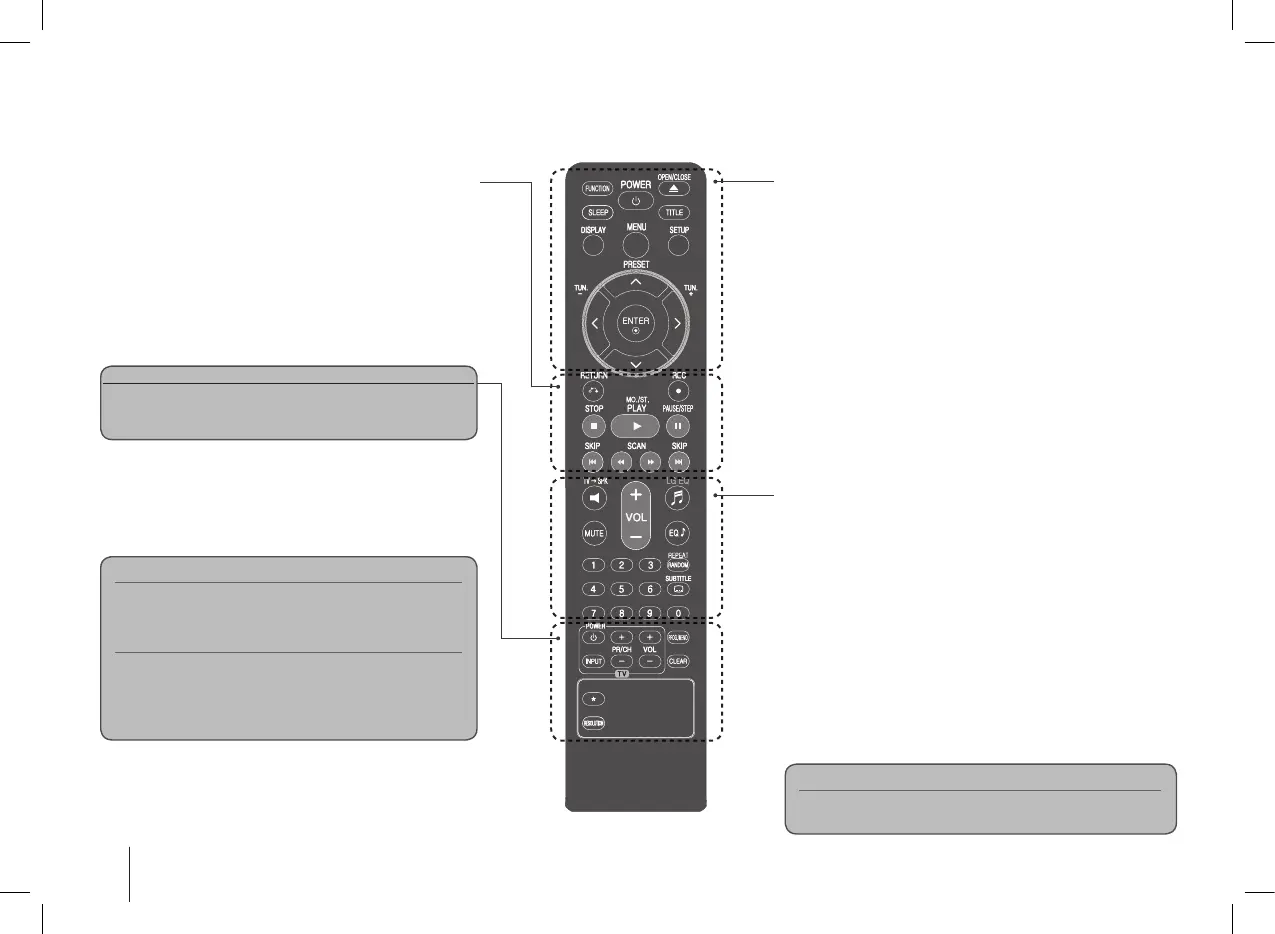
FUNCTION : Selects the function and input source.
SLEEP : You can select delay time between 10 and 180 min-
utes, after the player will turn off. To check the remaining time,
press SLEEP. (Dimmer : Dims the LED (Light-emitting diode) of
front panel by half in power-on status.)
1
POWER : Switches the unit ON or OFF.
Z
OPEN/CLOSE : Opens and closes the disc Drawer.
TITLE : If the current DVD title has a menu, the title menu
appears on the screen. Otherwise, the disc menu may not
appear.
DISPLAY : Accesses On-Screen Display.
MENU : Accesses the menu on a DVD disc.
SETUP : Accesses or removes setup menu
PRESET (
U u
) : Selects programme of Radio.
TUN. (-/+) : Tunes in the desired radio station.
U u I i
(left/ right/ up/ down): Used to navigate onscreen
displays.
ENTER : Acknowledges menu selection.
TV
t
SPK : To select the AUX OPT directly.
REPEAT/RANDOM : To select a play mode. (random/ repeat)
MUTE : To mute the sound.
VOL (Volume) (+/-) : Adjusts speaker volume.
EQ/ LG EQ (Equalizer effect) : You can choose sound
impressions.
SUBTITLE : During playback, you can select a desired subtitle
language.
0-9 numerical buttons : Selects numbered options in a menu.
RETURN (
O
) : Moving backwards in the menu or exited the
setup menu.
REC (
z
) : USB Direct Recording
STOP (
x
) : Stops playback or recording.
PLAY (
B
), MO./ST. : Starts playback. Selects Mono/ Stereo.
PAUSE/STEP (
X
) : Pause playback
SKIP (
./ >
) : Go to next or previous chapter/ track/ le.
SCAN (
bb/BB
) : Search backward or forward.
TV Control buttons : Controls the TV. (LG TV only)
PROG./MEMO. : Accesses or removes Program menu.
CLEAR : Removes a track number on the Program List.
RESOLUTION : Sets the output resolution for HDMI and
COMPONENT VIDEO OUT jacks.
*
: This button is not available.
Controlling the TV.
You can control the sound level, input source, and power
switching of LG TVs as well. Hold POWER (TV) and press
PR/CH (+/–) button repeatedly until the TV turns on or off.
Screen Saver
The screen saver appears when you leave the unit in
Stop mode for about five minutes.
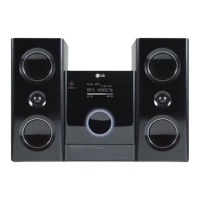
System Select - Optional
You must select the appropriate system mode for your
TV system. If “NO DISC” appears in the display
window, press and hold PAUSE/STEP (X) for more
than five seconds to be able to select a system. (PAL/
NTSC)
Put the battery into the remote control.
Make sure that the + (plus) and - (minus) on the battery
match those on the remote control.


 To Next Page