EasyManua.ls Logo

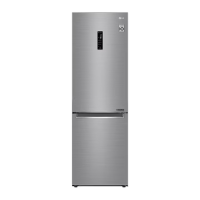
LG GC-B459NL - User Manual

LG GC-B459NL
30 pages
Print Icon
To Next Page IconTo Next Page
Loading...
www.lg.com
Read this owner's manual thoroughly before operating the appliance and keep it handy for reference at all
times.
OWNER'S MANUAL
FRIDGE&FREEZER
Copyright © 2019 LG Electronics Inc. All Rights Reserved
EN ENGLISH ES ESPAÑOL FR FRANÇAIS
MFL71400021
Rev.00_081219

Questions and Answers

  • R
    Russell SchultzAug 14, 2025
    Why is my LG GC-B459NL Refrigerator not cooling properly?
    • G
      gfranklinAug 14, 2025
      If you're having trouble with poor refrigeration or freezing in your LG Refrigerator, consider the following: * Ensure the fridge or freezer temperature is set to ‘Medium’. * Check if the appliance is in direct sunlight or near heat sources; if so, reinstall it away from heat. * Always cool hot food before storing it. * Avoid overfilling the fridge to maintain space between items. * Make sure the doors are completely closed and not obstructed by food. * Ensure there's enough space around the appliance for proper ventilation.
  • D
    David RayAug 18, 2025
    Why won't my LG Refrigerator connect to Wi-Fi?
    • C
      Christina MorenoAug 18, 2025
      To connect your LG Refrigerator to Wi-Fi, ensure the Wi-Fi password is correct. If incorrect, remove the Wi-Fi network from your smartphone and re-register the appliance on LG SmartThinQ. Turn off mobile data on your smartphone and use the Wi-Fi network for registration. The wireless network name (SSID) should use only English letters and numbers, without special characters. Only a 2.4 GHz router frequency is supported, so set your wireless router accordingly. If the distance between the appliance and the router is too far, move the router closer to the appliance.
  • B
    bennettdanielleAug 20, 2025
    How to prevent frost in my LG GC-B459NL Refrigerator freezer?
    • C
      Cody WilliamsAug 21, 2025
      If you find frost forming in the freezer compartment of your LG Refrigerator, make sure that food items are not blocking the door and that the door is tightly closed. Also, cool hot food before storing it in the freezer. Ensure that the air entry and exit are not blocked to allow proper air circulation, and avoid overfilling the freezer to maintain appropriate space between items.
  • R
    Robert HessAug 25, 2025
    Why is my LG GC-B459NL making strange noises?
    • A
      Angela JacobsAug 25, 2025
      If your LG Refrigerator is noisy and generating abnormal sounds, make sure it's installed on a solid, flat surface. Adjust its position to allow enough clearance around it and ensure the rear of the appliance isn't touching the wall. Remove any objects scattered behind or on top of the appliance.
  • D
    David CarrAug 27, 2025
    Why is there condensation in my LG GC-B459NL Refrigerator?
    • M
      Michael SimsAug 28, 2025
      If you see condensation inside your LG Refrigerator or on the bottom of the vegetable drawer cover, make sure you cool hot food before storing it. If you left the door open, close it and wipe away any condensation with a dry cloth. Avoid opening and closing the door too frequently, and store warm or moist food in sealed containers.
  • V
    Vanessa SmithAug 31, 2025
    Why is there frost or condensation on my LG Refrigerator?
    • K
      Kyle Hayes DVMAug 31, 2025
      If you notice frost or condensation forming inside or outside your LG Refrigerator, it might be due to frequent door openings or an improperly closed door, which allows outside air to penetrate. Also, condensation can appear on the exterior if the installation environment is humid; wipe off any moisture with a dry cloth.
  • A
    Amy VazquezSep 3, 2025
    Why does my LG GC-B459NL smell bad and how to fix it?
    • Y
      yroblesSep 4, 2025
      If your LG Refrigerator has a bad smell, try these steps: First, make sure the fridge or freezer temperature isn't set too warm; set it to ‘Medium’. Second, store strong-smelling foods in sealed containers. Finally, check for spoiled vegetables or fruit in the drawer, throw away any rotten items, and clean the drawer. Avoid storing vegetables for too long.
  • B
    Billy BentleySep 7, 2025
    What to do if my LG Refrigerator door won't close properly?
    • D
      danieljohnSep 7, 2025
      If your LG Refrigerator door isn't closing tightly, adjust the front feet to raise the front side slightly. Also, check if the shelves are properly assembled and refit them if necessary. Avoid slamming the door closed; close it gently without excessive force.
  • M
    Matthew FaulknerSep 10, 2025
    Why is it hard to open my LG GC-B459NL Refrigerator door?
    • R
      Rick LawrenceSep 10, 2025
      If you're having difficulty opening the door of your LG Refrigerator, it might be due to pressure inside the appliance if you've just closed it. Wait a few minutes for the internal pressure to stabilize before trying to open it again.

Summary

Safety Instructions

Important Safety Instructions

Key precautions to reduce risks like explosion, fire, electric shock, and injury.

Installation Safety Precautions

Precautions for safe transportation, grounding, and electrical connections.

Operation Safety Precautions

Safe practices during operation, avoiding electrical hazards and child safety.

Maintenance Safety Precautions

Safety rules for cleaning, unplugging, and service procedures.

Disposal, Technical Safety & Fire Risks

Covers disposal, technical safety, refrigerants, and fire warnings.

Cautions for Use

General cautions for installation, operation, and maintenance safety.

Installation

Dimensions and Clearances

Specifies required distances from adjacent walls for optimal performance.

Ambient Temperature Guidelines

Details climate classes and their corresponding ambient temperature operating ranges.

Door Reversal and Levelling

Instructions for reversing doors and levelling the appliance.

Connecting and Moving the Appliance

Steps for connecting power and safely moving the appliance.

Operation

Parts and Functions Overview

Identifies and describes the main parts and functions of the refrigerator.

General Operation and Energy Saving

Tips for preventing frost, energy saving, and effective food storage.

Control Panel and Settings

Explanation of temperature settings, special functions, and lock features.

Water and Ice Dispensing

Instructions for using the water dispenser and ice tray.

Special Compartments Usage

Details on fresh vegetable drawer, converter, and folding shelf usage.

Other Functions

Information on Door Open Alarm and Failure Detection.

Smart Functions

LG SmartThinQ Application

Guide to connecting and using the LG SmartThinQ smartphone application.

Smart Diagnosis Function

Procedure for using the Smart Diagnosis function for troubleshooting.

Maintenance

General Cleaning Notes

General guidelines and precautions for cleaning the appliance.

Cleaning Specific Components

Instructions for cleaning door baskets, shelves, drawers, and dispenser.

Troubleshooting

Refrigeration and Temperature Issues

Troubleshooting for no/poor refrigeration, temperature settings, and door closure.

Odors, Lamp, and Alignment

Solutions for bad smells, non-working lamp, and appliance leaning.

Condensation and Frost Issues

Causes and remedies for condensation and frost formation.

Noises and Water Dispenser Problems

Diagnosing and resolving abnormal noises and water dispenser issues.

Wi-Fi Connectivity Issues

Solutions for problems connecting the appliance to the Wi-Fi network.

Overview

This document is an owner's manual for an LG fridge and freezer appliance.

Function Description

This appliance serves as a refrigerator and freezer for domestic household food storage. It is designed to store refrigerated foods and other items in the fridge compartment, and frozen items for long-term storage in the freezer compartment. Some models include a water dispenser and icemaker for convenience. The appliance features SmartThinQ technology for smartphone connectivity and Smart Diagnosis for troubleshooting.

Important Technical Specifications

  • Climate Class: The appliance is designed to operate within specific ambient temperature ranges depending on its climate class (SN, N, ST, T). Appliances rated from SN to T are intended for use at ambient temperatures between 10 °C and 43 °C.
  • Refrigerant: Uses isobutane refrigerant (R600a), which is combustible. The amount of refrigerant is specified on the identification plate inside the appliance.
  • Power Cord: Equipped with an equipment-grounding conductor and a grounding power plug, requiring connection to a properly grounded socket outlet.
  • Wi-Fi Network: Supports 2.4 GHz Wi-Fi networks only for SmartThinQ functionality.
  • Water Tank Capacity (Water Dispenser models): Up to 2.3 L.

Usage Features

  • Temperature Control: Users can set the fridge temperature (from 1 °C to 7 °C) and freezer temperature (from -15 °C to -23 °C) via the control panel. Default settings are typically 3 °C for the fridge and -18 °C for the freezer.
  • Express Cool: Quickly cools a large amount of food in the fridge compartment. This function automatically terminates after approximately 7 hours.
  • Express Freeze: Quickly freezes a large amount of ice or frozen foods in the freezer compartment. This function automatically terminates after approximately 24 hours.
  • Eco Friendly Mode: Reduces energy consumption, useful when away for extended periods. When activated, other buttons on the control panel will not operate until the mode is turned off.
  • Lock Function: Locks the buttons on the control panel to prevent accidental changes.
  • Reversible Doors (Optional): Some models allow the doors to be reversed to open from either the left or right side, suiting kitchen design. This must be performed by qualified LG Electronics personnel.
  • Water Dispenser (Optional): Provides cold water by pressing a lever. The water dispenser tank requires manual filling with potable water only.
  • Ice Tray (Optional): Produces and stores ice. The ice tray can be removed for more space.
  • Folding Shelf (Optional): Allows for storage of taller items by pushing the front half of the shelf underneath the back half.
  • Fresh Vegetable Drawer (Optional): Stores fruits and vegetables, with adjustable humidity via a knob to maintain freshness.
  • Fresh Converter (Optional): Functions as a chill compartment for meat, fish, or vegetables, with temperature controlled by a sliding lever.
  • Movable Egg Tray (Optional): Stores eggs and can be moved to a desired position.
  • Door Open Alarm: Sounds if the fridge door is left open or not completely closed for one minute.
  • Failure Detection: The appliance can automatically detect problems and display an error code. Users are advised not to turn off the power when an error code is displayed, but to contact LG Electronics customer information centre.
  • SmartThinQ Application: Allows communication with the appliance via a smartphone for features like firmware updates and Smart Diagnosis.
  • Smart Diagnosis™: Provides useful information and helps diagnose malfunctions when contacting LG Electronics customer information centre. This involves holding a smartphone to a speaker on the appliance while specific buttons are pressed.

Maintenance Features

  • Cleaning:
    • Disconnect the power cord before cleaning.
    • Remove shelves and drawers for cleaning with water, ensuring they are dry before replacing.
    • Regularly wipe door gaskets with a wet soft towel.
    • Clean door basket spills and stains promptly.
    • Keep exterior air vents clean.
    • Wax external painted metal surfaces at least twice a year for rust protection.
    • Clean interior and exterior with a clean sponge or soft cloth and mild detergent in warm water. Avoid rough brushes, toothpaste, flammable substances (alcohol, thinner, bleach, benzene, abrasive liquids), or harsh cleaners.
    • Do not clean shelves or containers in a dishwasher as heat may deform them.
    • For LED lamps, contact LG Electronics customer information centre for service; do not attempt to repair or remove lamp covers.
  • Defrosting: The appliance features an automatic defrosting system.
  • Disposal: When discarding, remove the door gasket, leave shelves and baskets in place, and keep children away. Dispose of packaging materials safely. Consult a service agent for refrigerant and insulation blowing gas disposal.

LG GC-B459NL Specifications

General IconGeneral
BrandLG
ModelGC-B459NL
CategoryRefrigerator
LanguageEnglish

Related product manuals