94
ENGLISH
Network Connection Problems
You can check the network connection status as shown below.
• (Q. Settings) [Network] [Wired Connection (Ethernet)]
• (Q. Settings) [Network] [Wi-Fi Connection] [Advanced Wi-Fi
Settings]
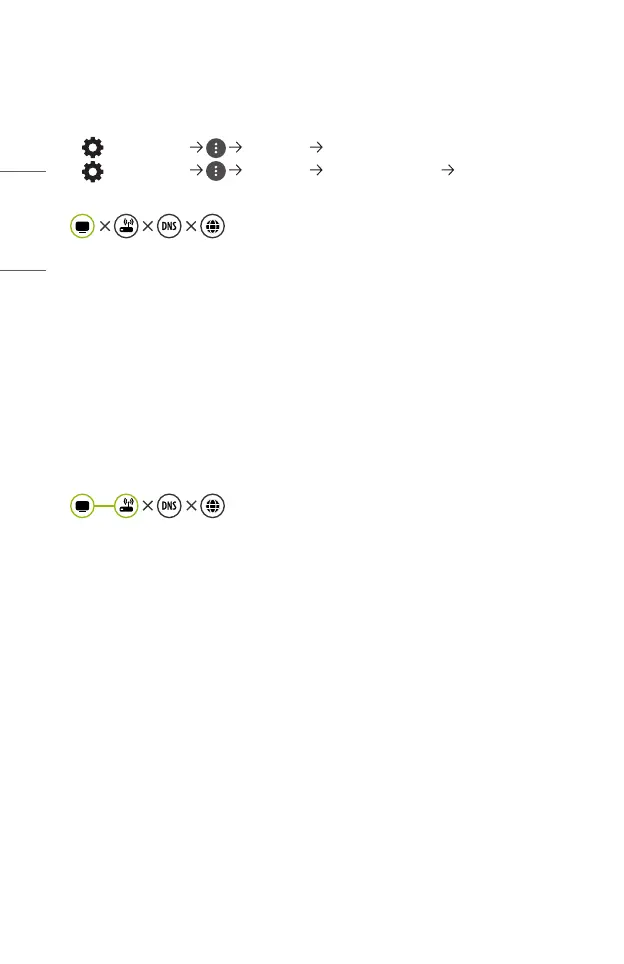
When X appears next to projector
• Check the projector or the AP (Router).
• Check the connection status of the projector, AP (Router) and Cable Modem.
• Power off and power on in the following order;
1. The Cable Modem, wait for the Cable Modem to reset.
2. The AP (Router), wait for the AP (Router) to reset.
3. The projector.
• If you are using a wireless connection, change the SSID (Network name) and
wireless channel of AP (Router).
• If you are using a static IP, enter the IP directly.
• Contact internet service provider or AP (Router) companies.
When X appears next to Gateway
• Check the AP (Router) or consult your Internet service provider.
• Unplug the power cord of the AP (Router), Cable Modem, wait 10 seconds.
Reapply power.
• Initialize (Reset) on the AP (Router) or Cable Modem.
• Contact internet service provider or AP (Router) companies.
• Check the AP (Router) manufacturer’s website to make sure your router has the
latest firmware version installed.



 To Next Page