EasyManua.ls Logo

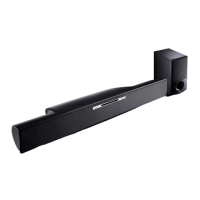
LG HLB34S - User Manual

LG HLB34S
59 pages
Print Icon
To Next Page IconTo Next Page
Loading...
MODEL
HLB34S (HLB34S/ SHB34-L)
OWNER'S MANUAL
DVD Receiver System
Please read this manual carefully before operating
your set and retain it for future reference.
P/NO : MFL63726943
ENGLISH FRANÇAIS DEUTSCH
NEDERLANDS
SLOVENŠČINA
ITALIANO
HLB34S-DP_BFRALLK_ENG_6943.indd 1HLB34S-DP_BFRALLK_ENG_6943.indd 1 2010-03-10 ¿ÀÈÄ 2:59:132010-03-10 ¿ÀÈÄ 2:59:13

Questions and Answers

  • J
    James EspinozaAug 6, 2025
    What to do if my LG HLB34S has no sound?
    • M
      mary18Aug 7, 2025
      If there is no sound from your LG Receiver, consider the following: * The equipment connected with the audio cable is not set to receive the disc signal output. Select the correct input mode on the audio receiver. * The equipment connected with the audio cable is turned off. Turn on the equipment. * The player is in reverse play, fast forward, slow motion, or pause mode. Return to normal playback.
  • K
    Katherine WarrenAug 11, 2025
    Why does my LG HLB34S Receiver have no picture?
    • P
      Paula WoodAug 11, 2025
      If your LG Receiver shows no picture, it might be due to several reasons: * The TV is not set to receive the video signal output. Ensure you select the appropriate video input mode on your TV. * The video cable isn't securely connected. Check and connect the video cable securely. * The selected resolution is not compatible with your TV. Try selecting another resolution using the RESOLUTION button.
  • S
    Samantha BenjaminAug 15, 2025
    Why does my LG HLB34S not start playback?
    • H
      Heidi MilesAug 15, 2025
      If your LG Receiver isn't starting playback, check these possible causes: * The disc is upside down. Insert the disc with the playback side down. * An unplayable disc is inserted. Insert a playable disc, checking the disc type and regional code. * The rating level is set. Change the rating level. * The disc was recorded on another unit and was not finalized. Finalize the disc on that unit. * The Remote Control is not pointed at the remote sensor on the player. Point the Remote Control at the remote sensor of the player.
  • A
    Ashlee ScottAug 20, 2025
    Why do streaming video services often stop on my LG Receiver?
    • K
      Katherine FuentesAug 20, 2025
      If streaming video services on your LG Receiver often stop or buffer, it may be due to your broadband service speed not being fast enough to stream video services. Contact your Internet Service Provider (ISP) and increasing the broadband speed is recommended.
  • C
    Colleen SchwartzAug 23, 2025
    What to do if shared files from media server are not played on the LG HLB34S?
    • T
      Tyler LarsenAug 23, 2025
      If shared files from your media server aren't playing on the [My Media] menu of your LG Receiver, the shared file may not be playable on the player. See “File requirement” on page 44.
  • J
    john04Aug 28, 2025
    How to fix LG HLB34S when shared folder is not displayed?
    • C
      Christina MorrisAug 28, 2025
      If shared folders or files from the media server are not displayed on the [My Media] menu of your LG Receiver, it could be due to: * The firewall or anti-virus software on your media server is running. Turn off the firewall or anti-virus software. * The folders or files have been added or removed after a directory has been indexed already. Rescan the shared folder on your media server.
  • A
    Antonio GonzalezSep 1, 2025
    Why is the YouTube ID not automatically stored in the ID list on my LG HLB34S?
    • M
      Meagan AdkinsSep 1, 2025
      If the YouTube ID is not automatically stored in the ID list on your LG Receiver, it is possible that the ID list is full. Delete one of the stored IDs and sign in with the ID again.

LG HLB34S Specifications

General IconGeneral
BrandLG
ModelHLB34S
CategoryReceiver
LanguageEnglish

Related product manuals