EasyManua.ls Logo

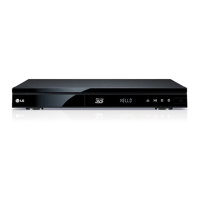
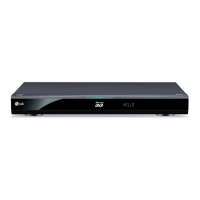
LG HR925D - User Manual

LG HR925D
94 pages
Print Icon
To Next Page IconTo Next Page
Loading...
OWNER’S MANUAL
Blu-ray Disc
/DVD Player
with built-in HDD & HD
Tuner
HR925D/HR929D
www.lg.com
Please read this manual carefully before operating
your set and retain it for future reference.
ENGLISH

Table of Contents

Questions and Answers

  • P
    Patricia JacksonSep 12, 2025
    Why is access point not displayed on the list of my LG HR925D?
    • E
      Eugene BarrySep 12, 2025
      If your access point isn't showing up on the “Access point name” list on your LG Blu-ray Player, set your access point to broadcast its SSID through your computer, as the access point or wireless LAN router may not broadcast its SSID.
  • L
    lindajonesSep 15, 2025
    Why the angle cannot be changed on LG HR925D Blu-ray Player?
    • S
      sherreraSep 15, 2025
      The angle cannot be changed because multi-angles are not recorded on the DVD Video being played.

Summary

Getting Started

Safety Information

Essential safety warnings and precautions for operating the player, covering electric shock, laser, and power cord.

Remote Control Functions

Detailed description and function of each button on the supplied remote control.

Main Unit Ports and Controls

Identification and description of the player's physical ports and front/rear panel controls.

Connecting Your Player

HDMI Connection Guide

Detailed steps for connecting the player to a TV or monitor via HDMI for optimal audio/video.

Audio Output Connections

Methods for connecting the player to an amplifier via HDMI or digital audio outputs for enhanced sound.

System Settings Configuration

Initial Setup and Basic Configuration

Guide to initial setup, language selection, time setting, and basic menu navigation.

Operating Your Player

Digital TV Operations

Watching, recording, and managing digital TV programs and the program guide.

Playback Features and Controls

General playback operations for discs, including navigation, playback controls, and disc menus.

Troubleshooting Common Issues

Recording and Timer Issues

Addressing problems with recording, timer setup, and program overlaps.

LG HR925D Specifications

General IconGeneral
TypeBlu-ray Player
3D PlaybackYes
Weight3.3 kg
DVD Region CodeRegion 2
Hard Drive Capacity500 GB
Disc PlaybackBlu-ray, DVD, CD
Region CodeRegion B
Internet ConnectivityEthernet, Wi-Fi
Dimensions430 x 54 x 219 mm
Video UpscalingYes
ConnectivityHDMI, USB, Ethernet

Related product manuals