Function
25
Adjusting Speaker Balance
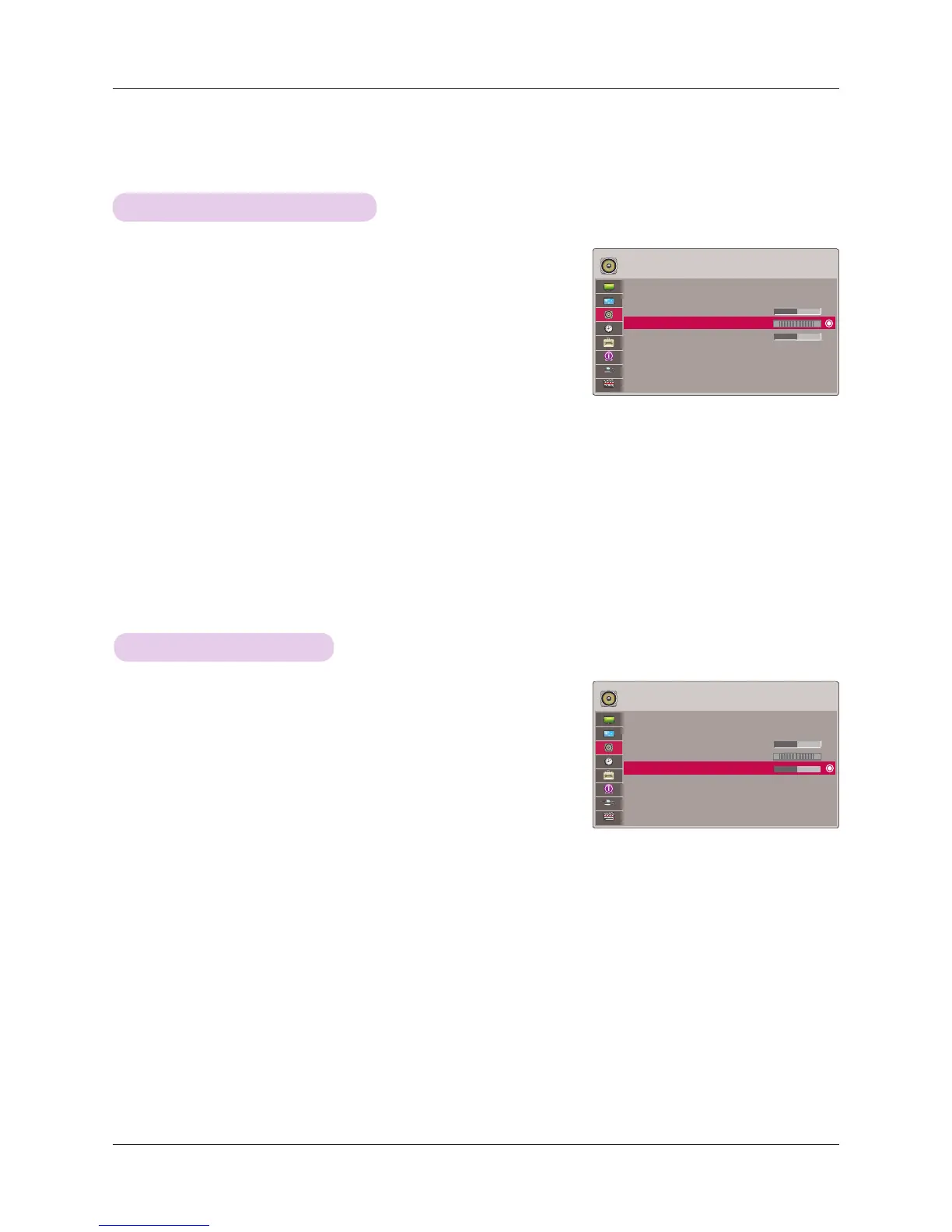
Adjusting Treble
AUDIO
FM Wireless Audio : Off
• Frequency 88.5 MHz
Volume 50
Balance 0
Treble 0
L R
AUDIO
FM Wireless Audio : Off
• Frequency 88.5 MHz
Volume 50
Balance 0
Treble 0
L R
1. Press the MENU button. Then, move to AUDIO with the ∧, ∨, <, >
buttons and press the ◉OK button.
2. Press the ∧, ∨ buttons to move to Treble and press the ◉OK button.
3. Press the <, > buttons to adjusting audio treble and press the ◉OK
button.
• If FM Wireless Audio is on, it does not function. Adjust with FM receiver.
• Press the MENU or RETURN button to exit the menu screen.
* Adjust the treble your taste and room situations.
* Adjust the left/right sound of speaker to suit your taste and room situations.
1. Press the MENU button. Then, move to AUDIO with the ∧, ∨, <, >
buttons and press the ◉OK button.
2. Press the ∧, ∨ buttons to move to Balance and press the ◉OK
button.
3. Press the <, > buttons to adjusting audio balance and press the
◉OK button.
• If FM Wireless Audio is on, it does not function. Adjust with FM receiver.
• Press the MENU or RETURN button to exit the menu screen.
ꔂMove ꔉOK
ꔂMove ꔉOK



 To Next Page