2
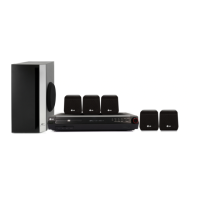
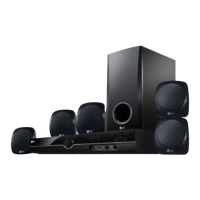
Speaker System Connection
Connect the speaker wires the speaker terminals.
To obtain the best possible surround sound, adjust
the speaker parameters (volume, distance, etc.).
Notes:
Be sure to match the speaker wires to the
appropriate terminal on the components, + to +
and – to –. If the cables are reversed, the sound
will be distorted and will lack bass.
If you use front speakers with low maximum input
rating, adjust the volume carefully to avoid
excessive output on the speakers.
5.1 Speaker Setup
Make the following settings for the built-in5.1channelsurround decoder.
1.Press ENTER and 5.1 Speaker Setup menu appears. 2.Use b / B to select the desired speaker.
3.Adjust options using v / V / b / B buttons. 4.Press ENTER to confirm your selection. Returns to the previous menu.
Speaker selection: Select a speaker that you want to adjust. [Front speaker (Front L), Front speaker (Front R),
Center Speaker (Center), Subwoofer (SubWoofer), Rear speaker (Rear L), Rear speaker (Rear R)]
Note: Certain speaker settings are prohibited by the Dolby Digital licensing agreement.
Size: Since the speaker settings are fixed, you cannot change the settings.
Volume: Press b / B to adjust the output level of the selected speaker. (-5dB ~ 5dB)
Distance: If you connected speakers to your DVD/CD Receiver, setting the Distance lets the speakers know how far
the sound has to travel to reach your set listening point. This allows the sound from each speaker to reach the listener
at the same time. Press b / B to adjust the Distance of the selected speaker. (You can’t adjust front / Woofer
speakers)
Test: Press b / B to test the signals of each speaker. Adjust the volume to match the volume of test signals
memorized in the system. Front Left (L) → Center → Front Right (R) → Rear Right (R) → Rear Left (L) →
SubWoofer
QUICK SETUP GUIDE
Installation
Before Use . . . . . . . . . . . . . . . . . . . . . . . . . . . . . . . .3
TV Connection . . . . . . . . . . . . . . . . . . . . . . . . . . . . .4
Antenna Connection . . . . . . . . . . . . . . . . . . . . . . . .4
Speaker System Connection . . . . . . . . . . . . . . . . .4
Optional Equipment Connection . . . . . . . . . . . . . .4
Operation
Operate using the Front Panel . . . . . . . . . . . . . . . .5
Operate using the Remote Control . . . . . . . . . . .5-7
Setup
Initial Settings . . . . . . . . . . . . . . . . . . . . . . . . . . . . .7
General Operation . . . . . . . . . . . . . . . . . . . . . . . . . .7
Language . . . . . . . . . . . . . . . . . . . . . . . . . . . . . . .7
Display . . . . . . . . . . . . . . . . . . . . . . . . . . . . . . . . .7
Audio . . . . . . . . . . . . . . . . . . . . . . . . . . . . . . . . . .7
Others . . . . . . . . . . . . . . . . . . . . . . . . . . . . . . . . .7
5.1 Speaker Setup . . . . . . . . . . . . . . . . . . . . . . . .8
Lock (Parental Control) . . . . . . . . . . . . . . . . . . . . .8
Presetting the Radio Stations . . . . . . . . .8
Playing an Audio CD or
MP3/WMA/JPG/DivX file
Playing an Audio CD or MP3/WMA file . . . . . . . . . .9
Viewing a JPEG file . . . . . . . . . . . . . . . . . . . . . . . . .9
Playing a DivX Movie file . . . . . . . . . . . . . . . . . .9-10
Reference
Language Codes . . . . . . . . . . . . . . . . . . . . . . . . . .10
Area Codes . . . . . . . . . . . . . . . . . . . . . . . . . . . . . .10
Troubleshooting . . . . . . . . . . . . . . . . . . . . . . . . . .11
Additional features . . . . . . . . . . . . . . . . . . . . . . . .12
Specifications . . . . . . . . . . . . . . . . . . . . . . . . . . . .12


 To Next Page
 Loading...