System Setting 15
System Setting
3
[Original]
Refers to the original language in which the
disc was recorded.
[Other]
To select another language, press numeric
buttons and then ENTER to enter the
corresponding 4-digit number according to
the language code list on the page 27. If you
enter the wrong language code, press CLEAR.
[O (for Disc Subtitle)]
Turn o Subtitle.
DISPLAY
TV Aspect
Select which screen aspect to use based on the
shape of your TV screen.
[4:3]
Select when a standard 4:3 TV is connected.
[16:9]
Select when a 16:9 wide TV is connected.
Display Mode
The Display Mode setting works only when the TV
Aspect mode is set to 4:3.
[Letterbox]
Displays a wide picture with bands on the
upper and lower portions of the screen.
[Panscan]
Automatically displays the wide picture on the
entire screen and cuts o the portions that do
not t. (If the disc/le is not compatible with
Pan Scan, the picture is displayed at Letterbox
ratio.)
AUDIO
DRC (Dynamic Range Control)
Make the sound clear when the volume is turned
down (Dolby Digital only). Set to [On] for this eect.
Vocal
Select [On] to mix karaoke channels into normal
stereo.
This function is eective for multi-channel karaoke
DVDs only.
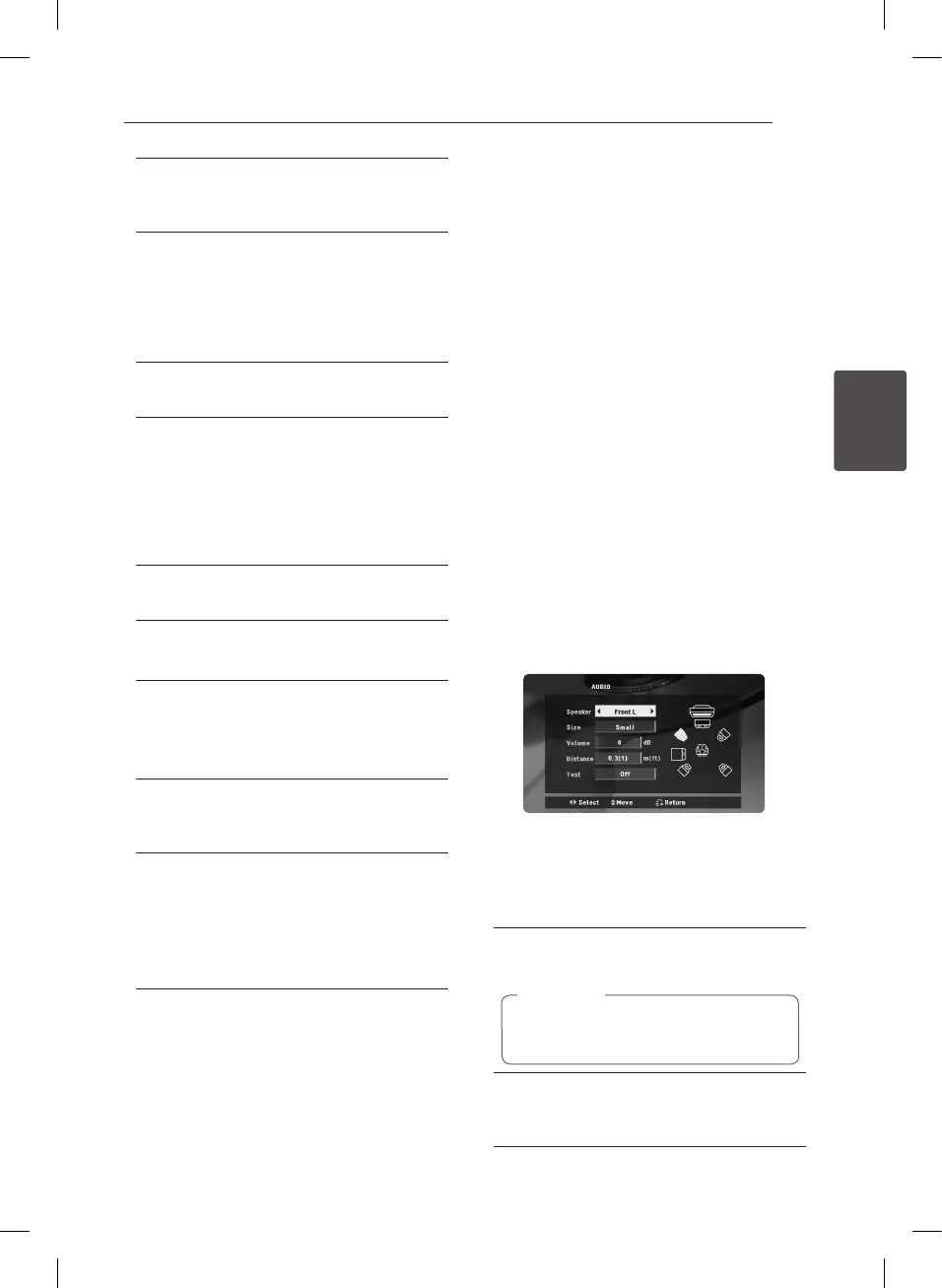
5.1 Speaker Setup
Make the following settings for the built-in 5.1
channel surrounds decoder.
1. Press SETUP.
2. Use
w/s
to select AUDIO menu and then
press
d
.
3. Use
w/s
to select [5.1 Speaker setup] menu
and then press
d
.
4. Press ENTER
The [5.1 Speaker setup] appears.
5. Use
a/d
to select the desired speaker.
6. Adjust options using
w/s/a/d
buttons.
7. Press BACK to confirm your selection. Return to
the previous menu.
[Speaker]
Select a speaker that you want to adjust.
Certain speaker settings are prohibited by
the Dolby Digital licensing agreement.
,
Note
[Size]
Since the speaker settings are xed, you cannot
change the settings.
DH3140S-F0_ANGAFLK_ENG_5469.indd 15 2014-06-30 2:14:15


 To Next Page