Operating 21
Operating
4
Viewing a PHOTO file
i
This unit can play discs with photo les.
1. Select the DVD/CD or USB function by pressing
FUNCTION.
2. Press
w/s
to select a folder, and then press
ENTER.
A list of files in the folder appears.
If you want to return to the previous folder list, use
the
w/s
buttons on the remote to highlight
and press ENTER.
3. If you want to view a particular file, press
w/s
to highlight a file and press ENTER or
d
. While
viewing a file, you can press
Z
to move to the
previous menu (JPEG menu).
Viewing photo files as a slide
show
i
1. Use
w/s/a/d
to highlight (
`
) icon then
press ENTER to start slide Show.
2. You can change slide show speed using
a/d
when (
J
) icon is highlighted.
About help menu for slide show
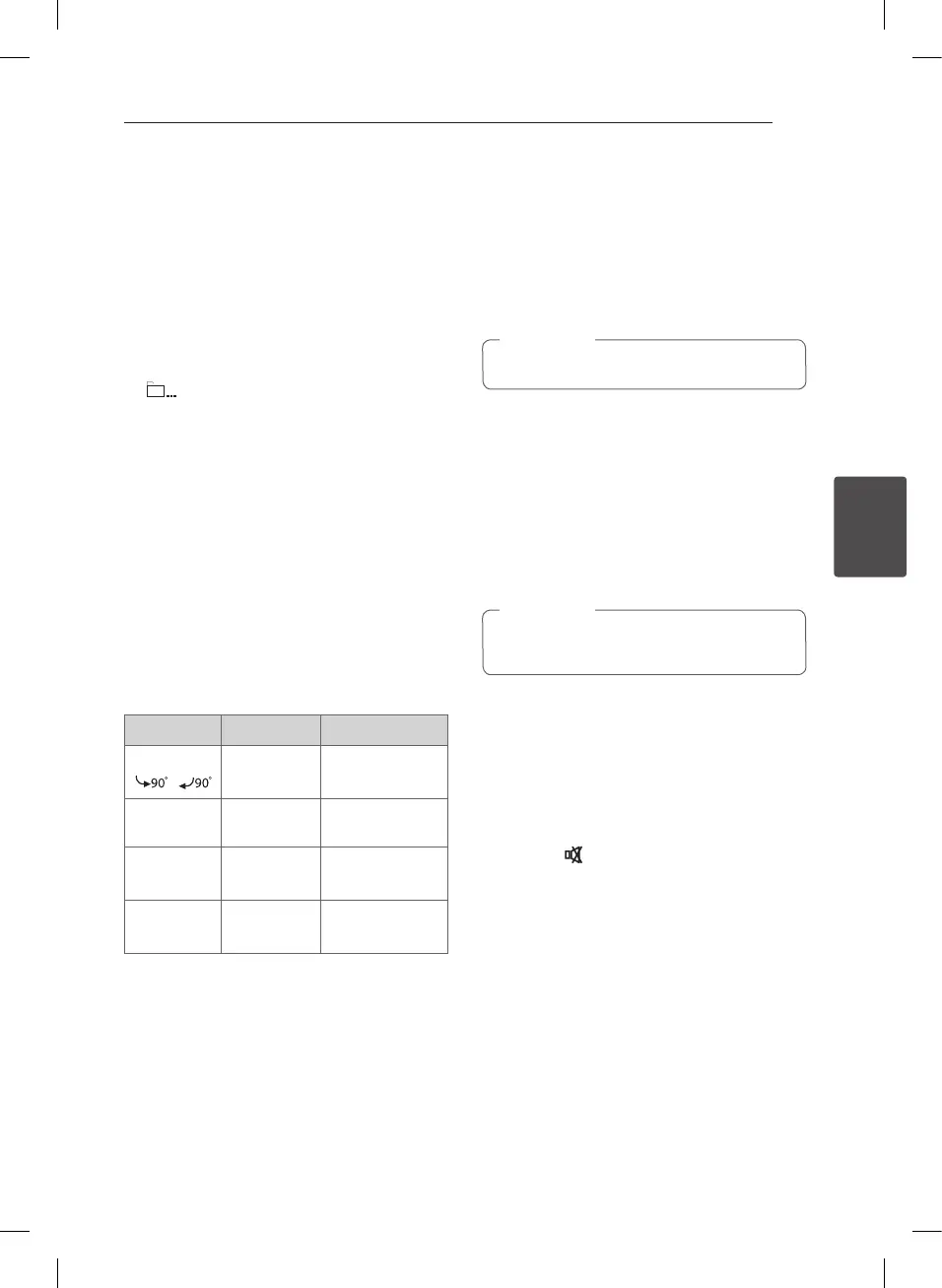
Menu Buttons Operation
w/s
/
w/s
Rotating the
picture
C
/
V
Prev./ Next
a/d
Moving to
another le
x
Hide
BACK
Hiding the help
menu
Z
STOP
Closing the slide
show
Listening to music during slide
show
i
You can listen to music during slide show, if the disc
contain music and photo les together. Use
w/s/
a/d
to highlight (
~
) icon then press ENTER
to start slide show.
This function is available only in disc.
,
Note
Sleep Timer Setting
Press SLEEP one or more times to select delay time
between 10 and 180 minutes, after the unit will
turn o.
To check the remaining time, press SLEEP.
To cancel the sleep function, press SLEEP
repeatedly until “SLEEP 10” appears, and then press
SLEEP once again while “SLEEP 10” is displayed.
You can check the remaining time before the
unit turns o.
,
Note
Dimmer
Press SLEEP once. The display window will be
darken by half. To cancel it, press SLEEP repeatedly
until dimmer gets o.
Turn off the sound temporarily
Press MUTE ( ) to mute your unit.
You can mute your unit, for example, to answer
the telephone, the “MUTE” displayed in the display
window.
Auto Power Down
This unit will power o itself to save electric
consumption in the case main unit is not
connected to external device and is not used for 20
minutes.
This unit will power o after six hours when
connected to a device using an analog input.
DH3140S-F0_ANGAFLK_ENG_5469.indd 21 2014-06-30 2:14:16


 To Next Page