25
Operation
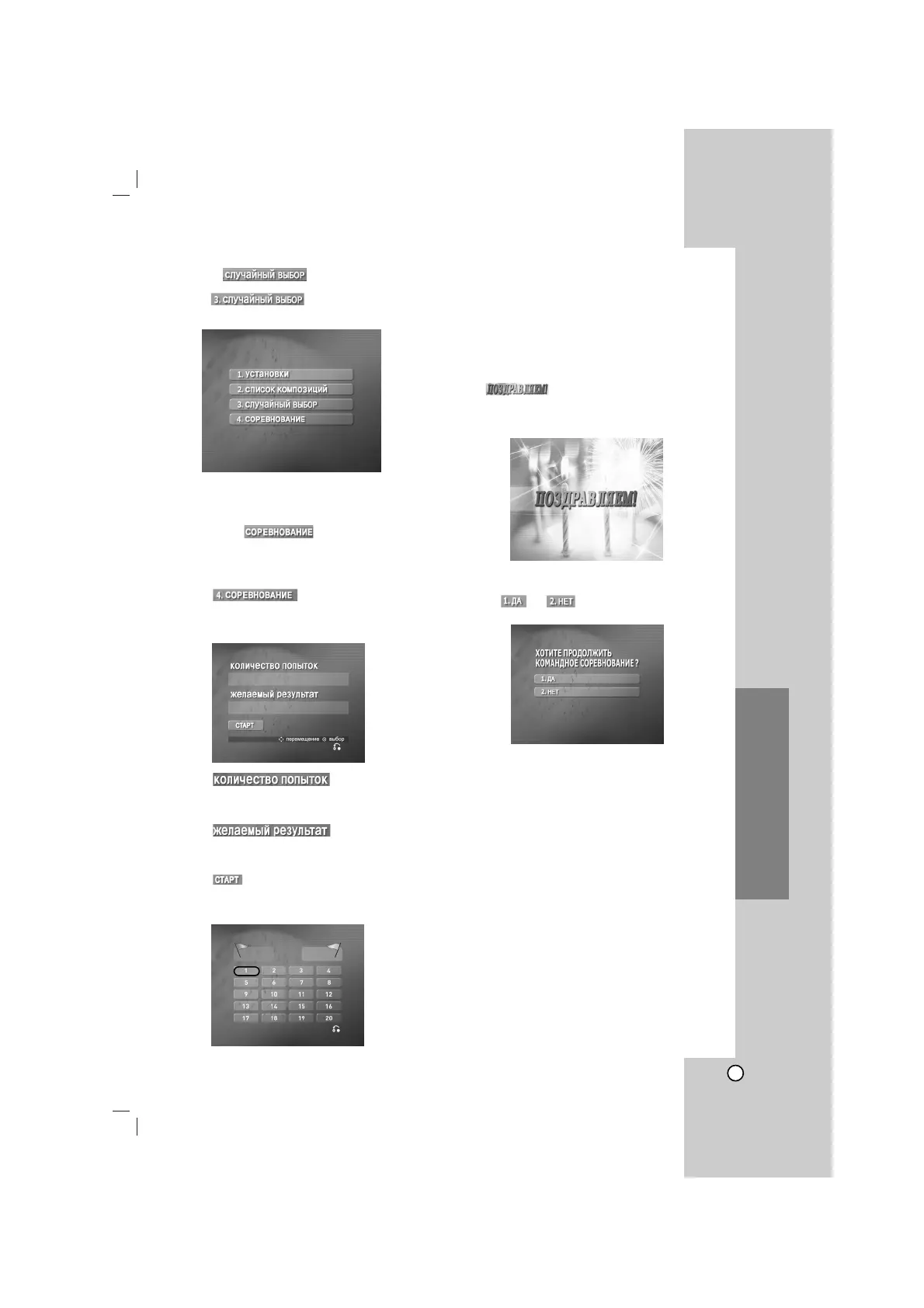
RANDOM ( )
1. Select by pressing v/V on the
main menu.
2. Press ENTER to begin randomly.
CHALLENGE ( )
It has a function which enjoy a song game dividing by
two teams of red team & blue team.
1. Select by pressing v/V on
the main menu.
It appears as below.
2. Select by pressing v/V,
and select one of NUMERIC buttons 1~9 by
pressing b/B to select winner’s number.
3. Select by pressing v/V,
and select one of 60,70,80 or 90 by pressing
b/B to select success score.
4. Select by pressing vV, then press
ENTER.
It appears as below.
5. Select number you want by pressing v/V/b/B
and press ENTER.
Sing along with the accompaniment.
6. Repeat step 4-5.
Change the team of red team or blue team
alternately.
7.
When reaching the targeted winning number,
the will be shown on the TV
screen.
It appears as below.
8. Whether you keep going the song game or not,
select or by pressing v/V as
below.
1 2 3 4 5 6 7 8 9
60 70 80 90
0
0



 To Next Page