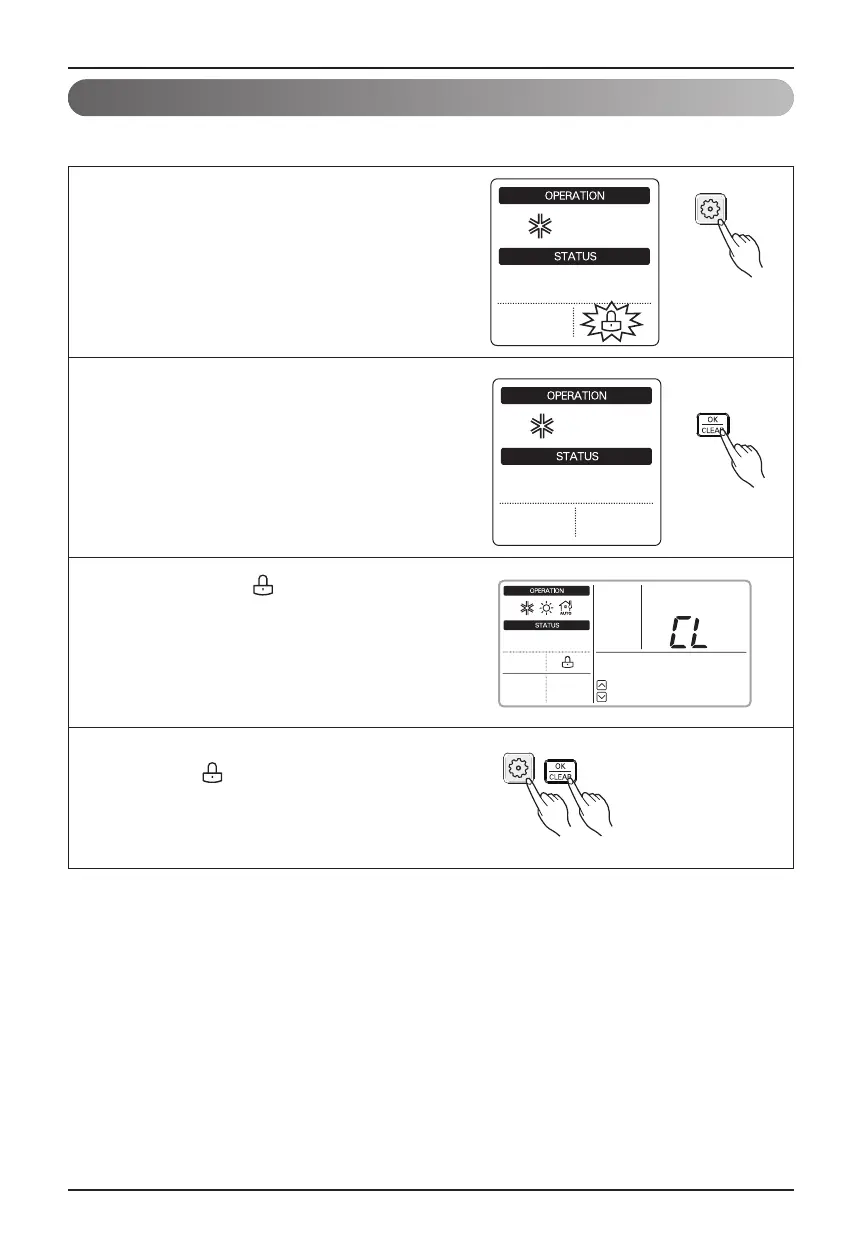
This function is to prevent children or other people from using controller.
Child Lock
12 Hydro Kit
Owner's instruction
1
Press Function Setting Button to enter
user setting mode. (The segment will be flashed)
2
Press set/clear button to finish the selection.
The segment will disappear.
4
To release this setting, press function Setting
button until icon flashes and then enter
setting/clear button.
3
During Child Lock, icon and 'CL' will be
displayed during 3 seconds whenever entering
any kind of buttons except for view temperature
button and setting/clear button.





 To Next Page