5. DOWNLOAD
- 148 -
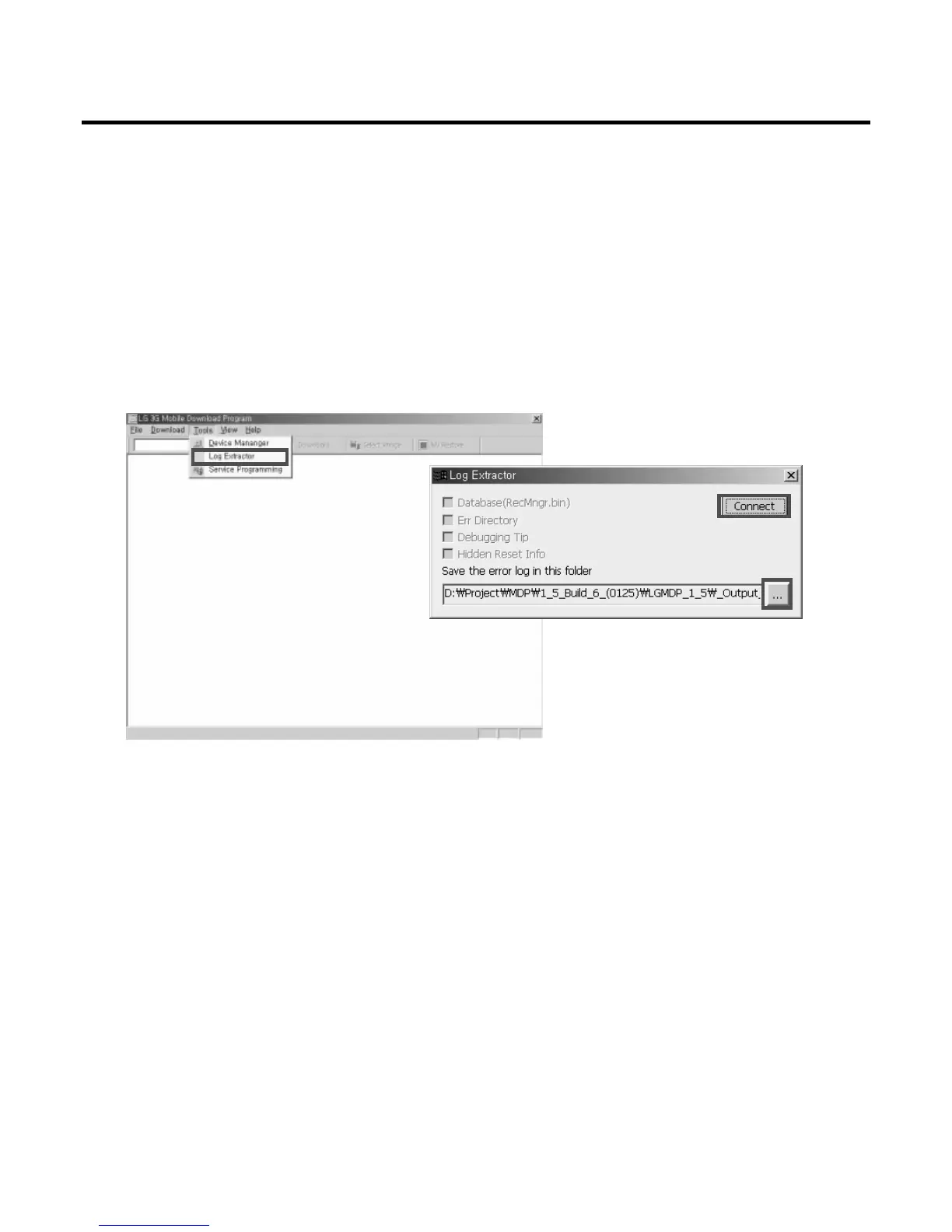
Log Extractor is designed to extract log information from handset and store log related files in the
selected root path in PC. This function is very useful for debugging. Select Log Extractor from the
Tools of the file menu, and connect the phone with LGMDP by clicking on the Connect button. When
clicking on the Connect button, this checks if the appropriate files such as LGAPP/RecMngr.bin, err
directory, Debugging_Tip.txt, or Hidden_info.bin are placed on the handset. If they are exist, then
appropriate check boxes are checked accordingly. Select directory to store log files by clicking on the
... button.


 To Next Page