5. DOWNLOAD
- 149 -
5.3 Troubleshooting download errors
1) When the phone does not work
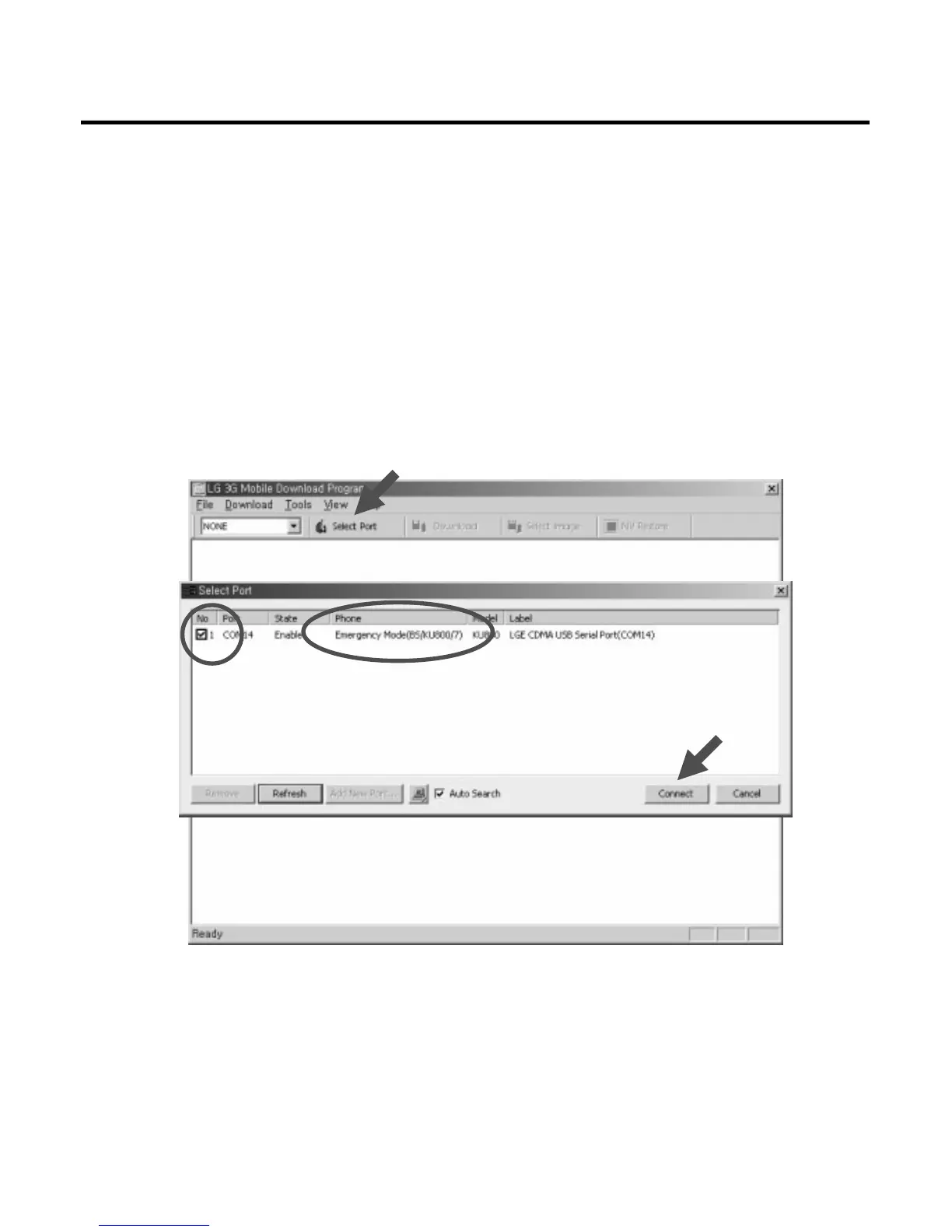
➜ Reboot the phone as the emergency mode (keep pressing “2” and “5” key while the phone
is being booted). and then try to download the images again.
★
The phone supports a special mode named emergency mode. In this mode, minimum units for
downloading is running so that users can download the images again in case of emergency
situation. (AMSS Modem, Media and Module Images don’t be running in this mode.)
➜ Connect to the phone.



 To Next Page