1 To register automatically,
turn the TV on and press the
Wheel(OK) button. When
registration is completed, the
completion message appears
on the screen.
2 If registration fails, turn the TV
off and back on, then press the
Wheel(OK) button to complete
registration.
How to re-register the Magic Remote Control
BACK
SMART
1 Press and hold the BACK
and SMART
buttons together
for 5 seconds to reset, then
register it by following “How
to register the Magic Remote
Control” above.
2 To re-register the Magic
Remote Control, press and
hold the BACK button for 5
seconds toward the TV. When
registration is completed, the
completion message appears
on the screen.
How to use Magic Remote
Control
1 If the pointer disappears,
move the Magic Remote
Control slightly to left or right.
Then, it will automatically
appear on the screen.
»
If the pointer has not been
used for a certain period
of time, it will disappear.
»
You can move the pointer
by aiming the Pointer
Receiver of the Magic
Remote Control at your
TV then move it left, right,
up or down.
»
If the pointer does not
work properly, leave the
Magic Remote Control for
10 seconds then use it
again.
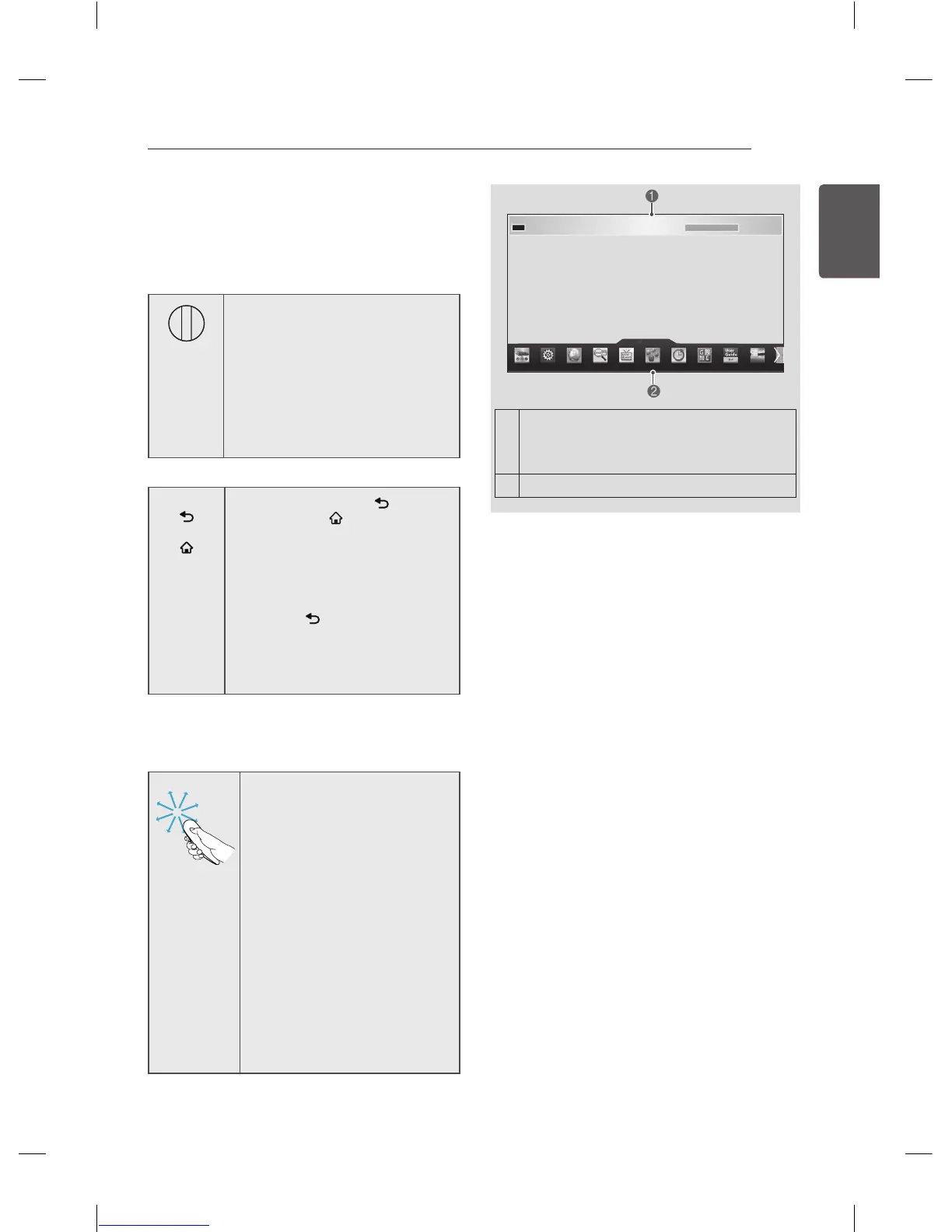
1
If you press Wheel(OK) on the Magic
Remote Control, the following screen
appears. Shows information about the
current programme and screen.
2
You can select More Menu.
More
Precautions to Take when Using
the Magic Remote Control
y
Use the Magic Remote Control within the
maximum communication distance (10 m).
Using the Magic Remote Control beyond
this distance, or with an object obstructing
it, may cause a communication failure.
y
A communication failure may occur due
to nearby devices. Electrical devices such
as a microwave oven or wireless LAN
product may cause interference, as these
use the same bandwidth (2.4 GHz) as the
Magic Remote Control.
y
The Magic Remote Control may be
damaged or may malfunction if it is
dropped or receives a heavy impact.
y
Take care not to bump into nearby
furniture or other people when using the
Magic Remote Control.
y
Manufacturer and installer cannot provide
service related to human safety as the
applicable wireless device has possibility
of electric wave interference.
y
It is recommended that an Access Point
(AP) be located more than 1 m away from
the TV. If the AP is installed closer than
1 m, the Magic Remote Control may not
perform as expected due to frequency
interference.



 To Next Page