1-4
• USB update for LAP340/341
MICOM_LAP340_XXXXXXX.hex is an update fi le for IO MICOM Software.
DSP_LAP340_XXXXXXX.ROM is an update fi le for Main/DSP Software.
EQ_PRG.bin is an update fi le for EQ Software.
Step 1 : Creating a Firmware Update Device
You can create a fi rmware update fi les on your USB memory device (FAT32).
To create a fi rmware update in a USB memory device, copy the update fi le to the USB device.
Preparation:
The USB memory device should have at least 2MB of free space to save the fi rmware update fi les.
1) Insert a USB memory device into the PC.
2) Copy the latest version of fi rmware update fi les to the USB drive.
(You do not need to create directory, the fi les will be saved in the root directory.)
3) It is impossible to multiple update at same time.
(It can’t select update fi le. But, it has an update priority. An update priority is as follows. <DSP, IO MICOM, EQ Bin>)
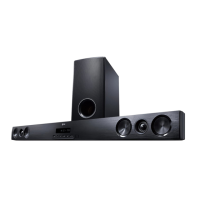
Step 2 : Updating the speaker bar(LAP340/341)
If you copy a update fi le to an USB memory, you can update.
1) Turn on the speaker bar and move to USB function with FLD jig.
2) Insert USB memory that contains the update fi le of the latest fi rmware version into the speaker bar.
- Insert the USB memory device to the USB port on the right side of the speaker bar.
3-1) If you insert an USB memory that contains the IO MICOM update fi le, it displays “MICOM UP” on FLD.
And it starts IO MICOM update. Updating IO MICOM Software will take about 2 minutes.
3-2) If you insert an USB memory that contains the DSP update fi le, it displays “DSP UP”on FLD.
And it starts DSP update. Updating DSP Software will take about 1 minutes.
3-3) If you insert an USB memory that contains the EQ Binary update fi le, it displays “EQ UP” on FLD.
And it starts Touch key update. Updating Touch key Software will take about 1 minute.
CAUTION: Do not turn off the power during fi rmware update.
4) After update, it turns off power automatically.
5) Turn the power back on. The system now operates with the new version.
SOFTWARE UPDATE METHOD



 To Next Page