1-8
2. SOFTWARE DOWNLOAD
2-1. Micom Download
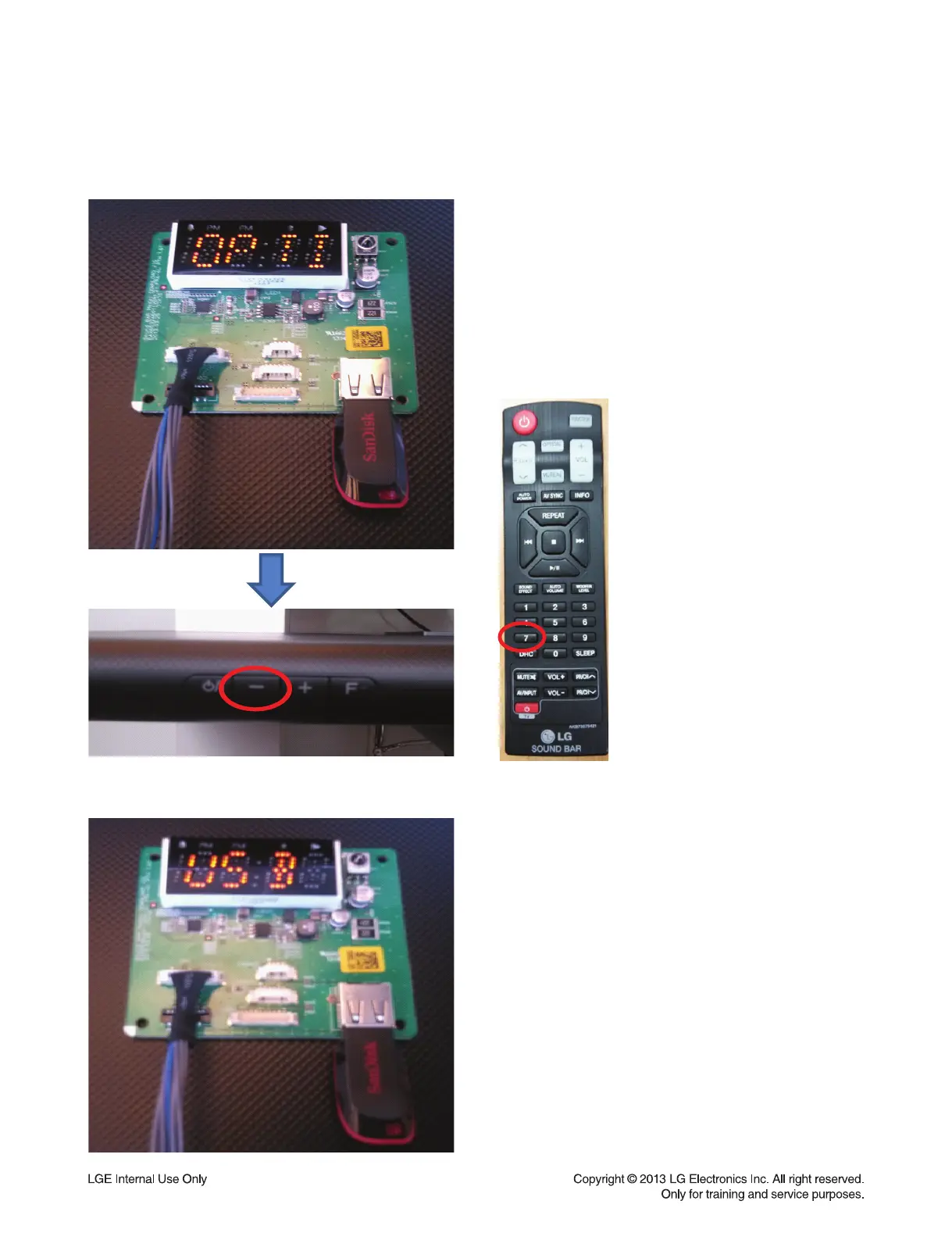
1) Insert the USB memory in display jig.
* Micom fi le must be inside of USB memory.
2) Push continuallythe “-” button at the back
side of main set and push continually the “7”
button of bar remote control until “USB”
massage is diplay in the display jig.



 To Next Page