UNCTION OF CONTROL BUTTON
F
10
①①
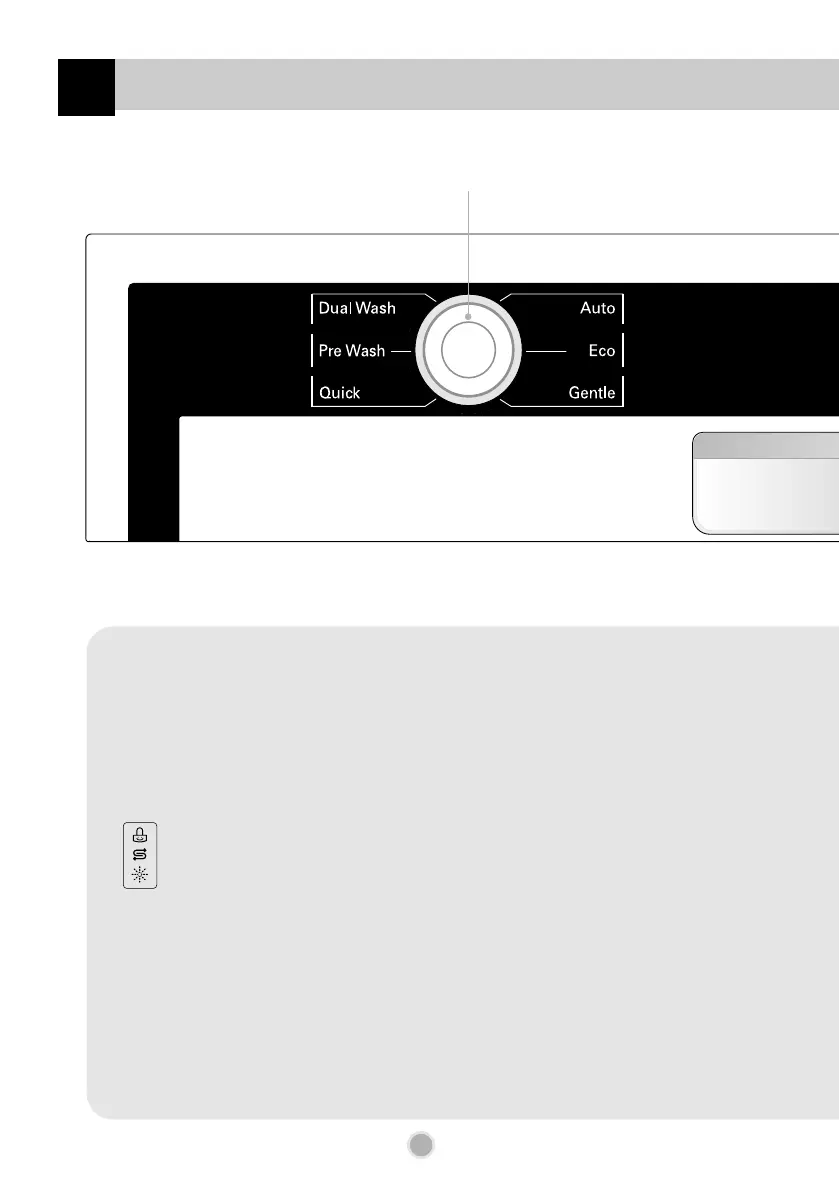
Program
①①
Program
• When you want to select program, press this button.
②②
Cool Dry
• When you want better drying performance, press this button.
• This process is not part of the program.
• After drying cycle, the fan will operate for a few more minutes to diminish any remaining moisture.
At this time, “Cd” code is displayed in display window.
• If you want, you can open the door and unload the dishes at any time.
③③
Indicator
• Child Lock.
• Refill with special salt.
• Refill with rinse aid.
④④
Time Left
• Before starting, the display window shows the running time of the selected program.
• After starting, the display window shows the remaining time.
• If the dishwasher has a trouble, the trouble type is displayed.
“OE”, “FE”, “IE”, “EI”, “HE”, “CE”, “LE”, “tE”
• If this error letters are displayed, please refer to the trouble shooting guide page 22 and follow the guide.
⑤⑤
Beep On/Off
• The dishwasher must be switched on.
• The beep on/off function can be set by pressing the Half Load and Spray button simultaneously for a few seconds.
Then, a “On” will appear in the display.
• The beep on/off function is automatically canceled when power failure occur.
MFL30149726 2008.3.19 4:57 PM 페이지10 001 GateRip_A4



 To Next Page