Search and Playback 41
Search and Playback
Playback
It is possible to play a recorded image without stopping
recording.
1. Select a channel you want to playback.
2. Press bB to play a recorded image of the previous 1 or
2 minutes of recording.
The playback image will be displayed on the full screen
window.
3. Press x (STOP) to stop the playback.
Search
The various search functions of this unit can be used to
go to the beginning of the desired picture. This unit is
equipped with 3 search functions.
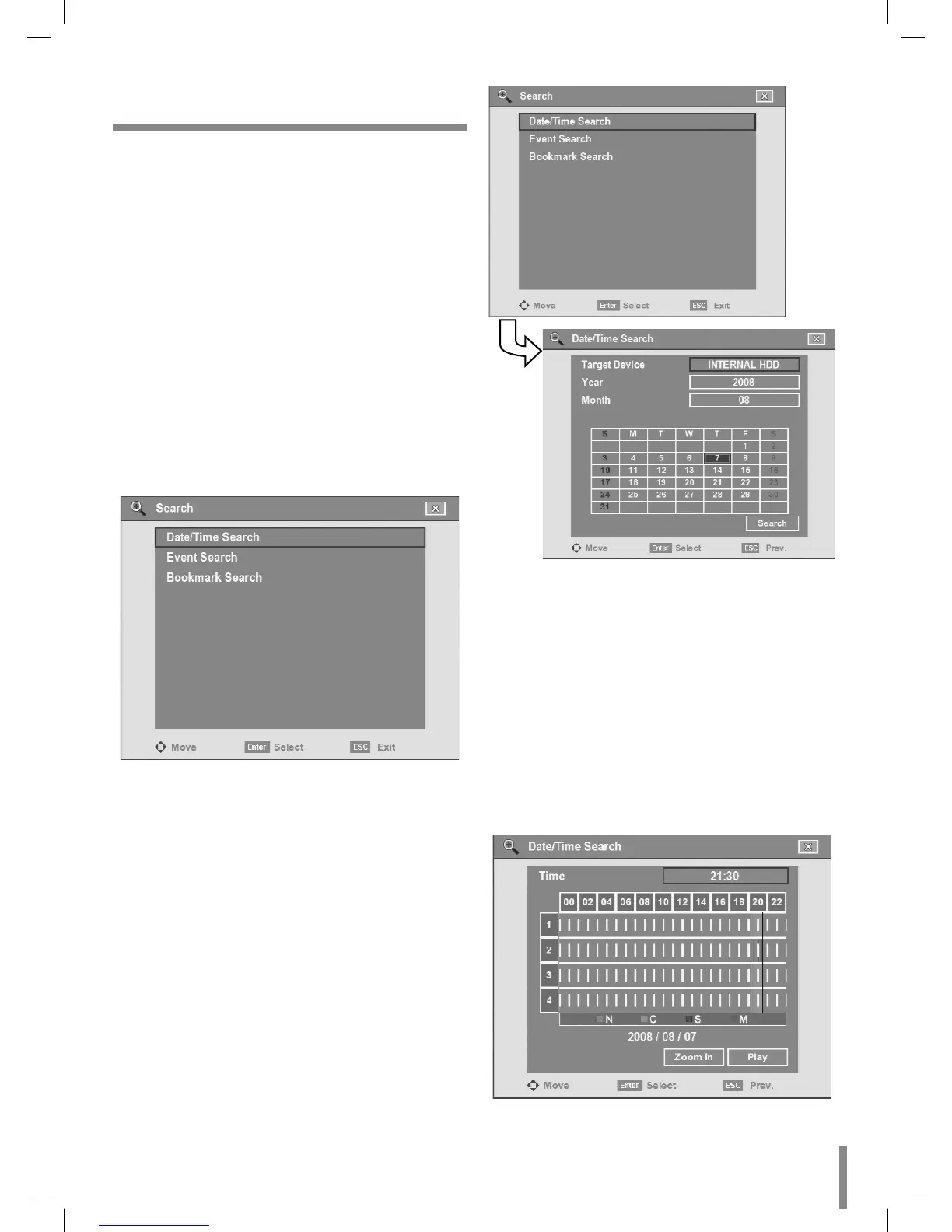
When the SEARCH button is pressed the search menu is
displayed.
Date/Time Search
Use to search recorded pictures by specifying date and
time.
1. Use v/V to select the [Date/Time Search] option then
press ENTER.
2. Select [Target Device] then press ENTER.
3. Use b/B to select the desired source device.
INTERNAL HDD: Plays back or searches recorded
contents of the internal HDD device.
Source Device: Plays back or searches backup con-
tents of the source device.
4. Press ENTER to confirm it.
5. Select year or month option then press ENTER.
6. Use b/B to input the year or month.
7. Press ENTER to confirm it.
8. Use b/B/v/V to select the day then press ENTER.
9. Select the [Search] icon then press ENTER.
The search result is displayed.
•
•



 To Next Page