56 Additional programs
Additional programs
Emergency Agent Program
If you set the notification in the emergency option to ON,
the system sends a message according to the settings of
the notification options in the setup menu. (See page 33-
34).
1. Double-click the [LG Emergency Agent] icon to start the
emergency agent program.
The Emergency icon is displayed in the system tray on
the bottom right of the screen.
2. Whenever a notification function occurs, a message box
is displayed on the bottom right of the screen.
The message box is displayed for 5 seconds.
3. Check the message.
4. Click the message box within 5 seconds to display the
[Received Messages] window.
or
Right click the mouse on the program icon in the sys-
tem tray and select the [Check Message Box] option to
display the [Received Messages] window.
5. You can check all the subjects of received
messages.
6. Click the [CLOSE] button to close the [Received
Messages] window.
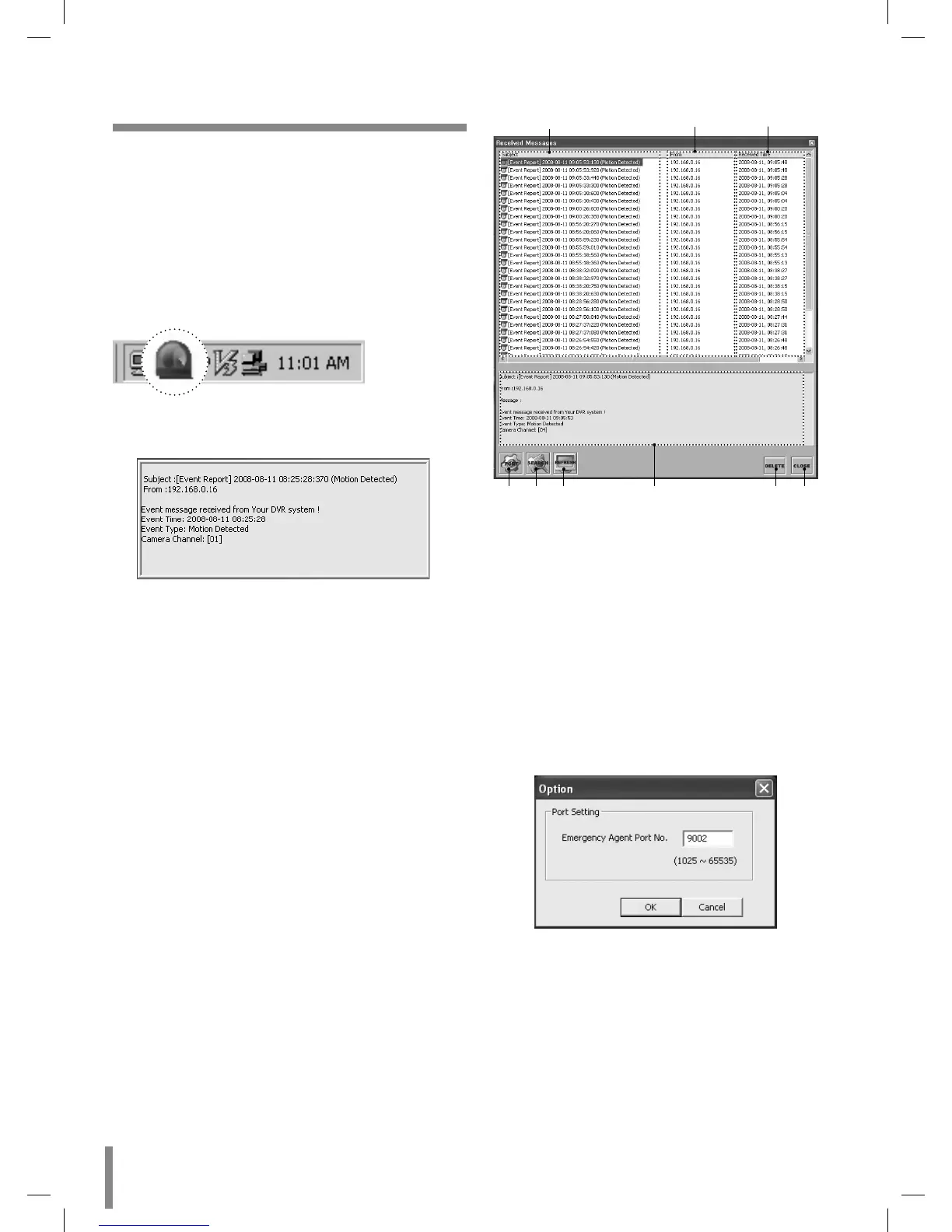
Main Screen of Emergency Agent
abc
def g h
i
a Displays message type.
b Displays IP Address.
c Displays received time.
d Displays the port change window.
e Displays the search window.
f Refreshes the received message on the list.
g Detailed view of the received message.
h Deletes the selected message from the list.
i Closes the [Received Messages] window.
Port Setting
1. Click the PORT button.
The option window is displayed.
2. Enter the port number of the emergency agent
listening port. The factory default port is 9002. However
in some cases it is better to change this port number for
added flexibility or security. If desired change the port
number (1025 ~ 65535).
3. Click the OK button to exit.


 To Next Page