17
Hookup and
Settings
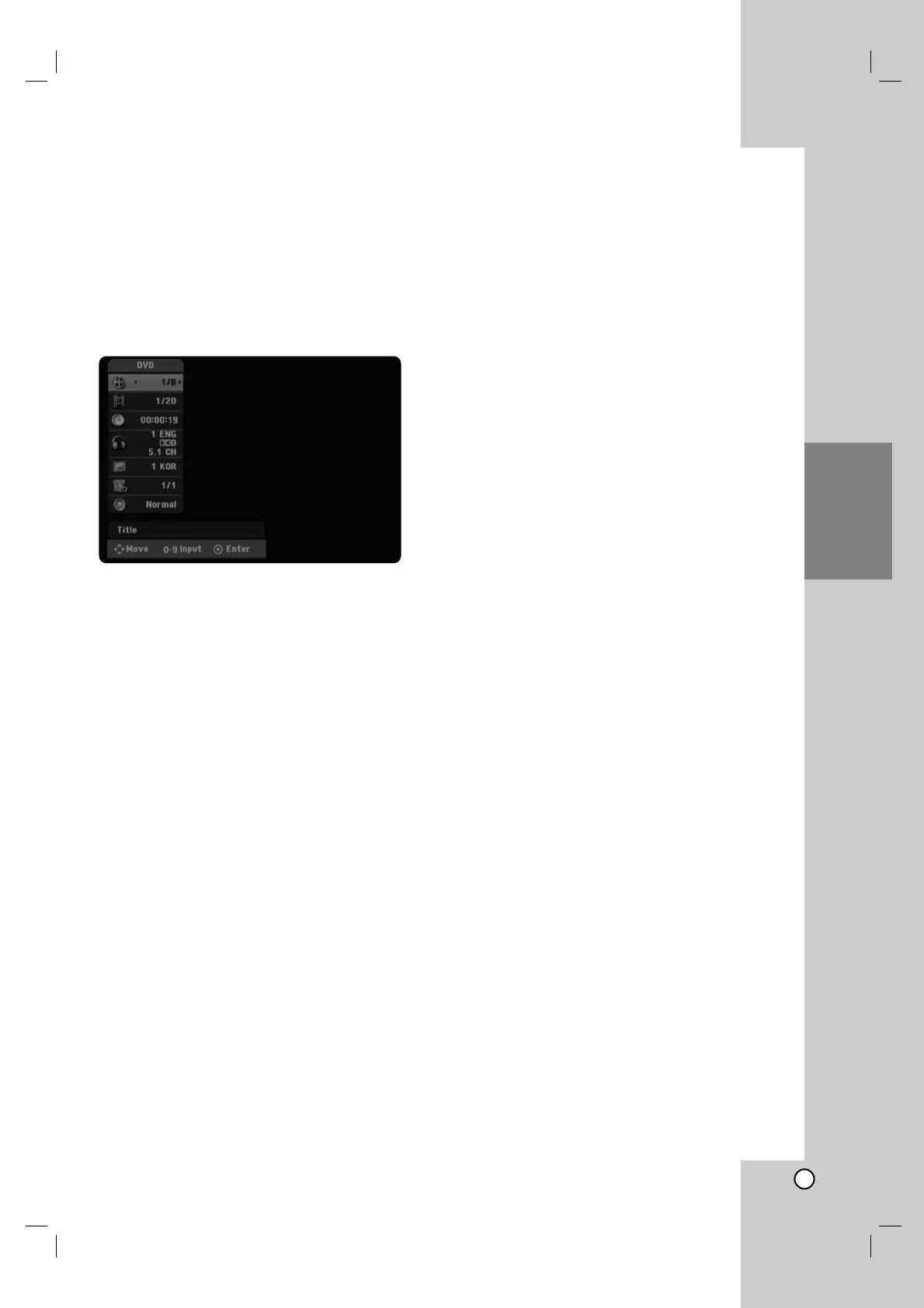
Displaying Disc Information
on-screen
You can display various information about the disc
loaded on-screen.
1. Press DISPLAY to show various playback
information.
The items displayed differ depending on the disc
type or playing status.
2. You can select an item by pressing v / V and
change or select the setting by pressing b / B.
For details about each item, see the pages in
parentheses.
[Title]: Current title (or track) number/total
number of titles (or tracks)
[Chapter]: Current chapter number/total number
of chapters.
[Time]: Elapsed playing time (See page 20)
[Audio]: Selected audio language (DVD VIDEO
only) or audio channel (See page 19)
[Subtitle]: Selected subtitle (See page 19)
[Angle]: Selected angle/total number of angles
(See page 20)
[Sound]: Selected sound mode (See page 20)
Note:
If no button is pressed for 10 seconds, the on-screen
display disappears.



 To Next Page