22
Playing an Audio CD or
MP3/WMA file
The unit can play audio CDs and MP3/WMA files.
Before playing MP3/WMA files, read “MP3/WMA audio
file requirement” on right.
1. Press HOME.
The HOME menu appears.
2. Select [MUSIC] option.
3. Select a media that contains MP3/WMA or audio
title then press ENTER.
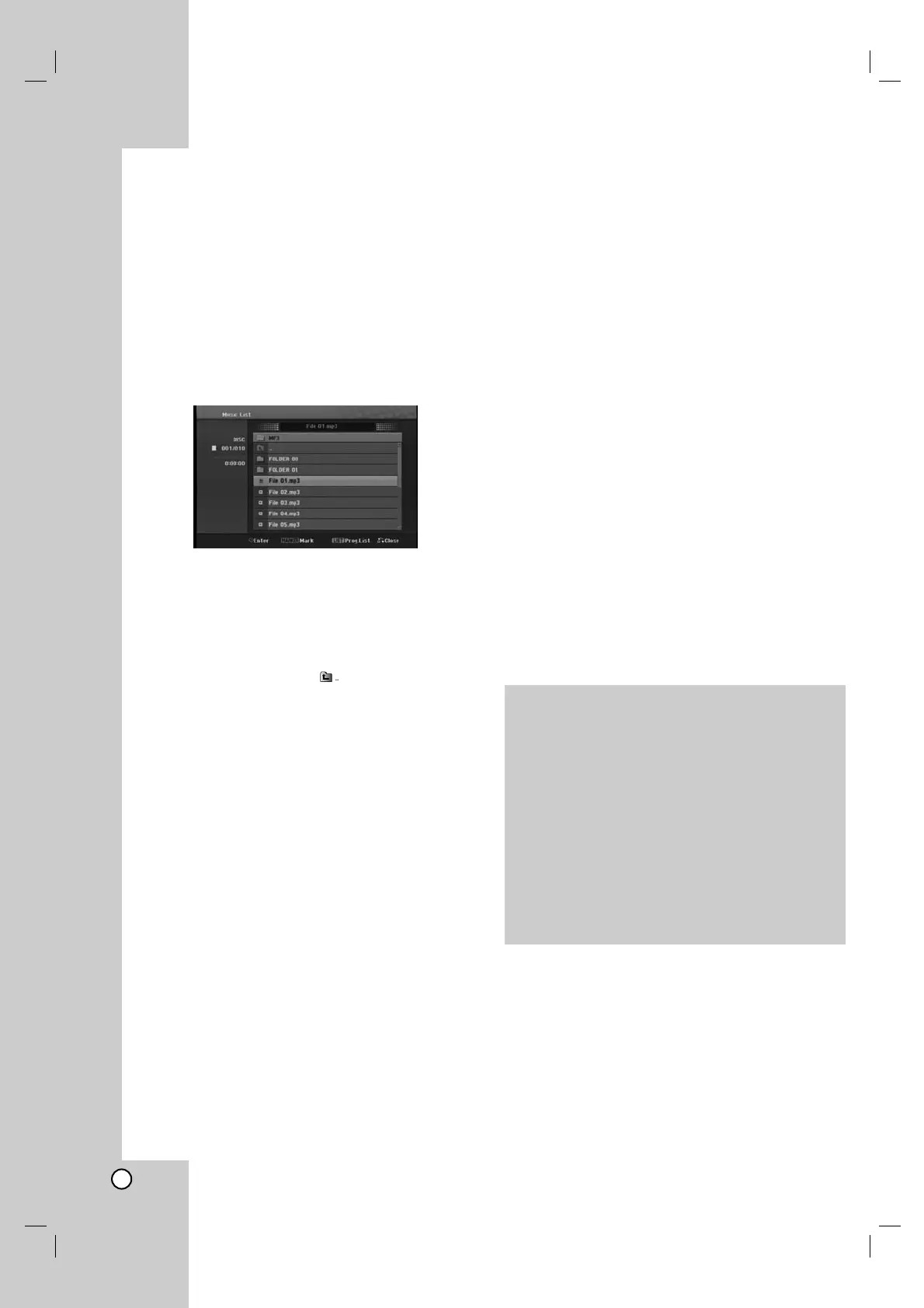
The [Music List] menu appears on the TV screen.
4. Use v/V to select a track then press B (PLAY).
Playback starts.
You can use variable playback functions.
Refer to pages 18-19.
Tips:
If you want to move to the upper directory, use
the v / V to highlight and press ENTER.
Press and hold v to move to the previous
page.
Press and hold V to move to the next page.
5. To stop playback at any time, press STOP.
Audio CD and Music menu options
1. Press v / V to select a folder/file on the Audio CD
or Music menu then press ENTER.
The menu options appear.
The menu options displayed differ depending on
the selected media.
2. Press v / V / b / B to select an option, and press
ENTER.
[Play] Start playback the selected title.
[Random] Start or cancel random playback.
[Open] Opens the folder and a list of files in the
folder appears.
[Prog. add] Adds the track(s) to Program list.
Random
1. Press v / V to select a file then press ENTER.
The menu options appear.
2. Press v / V to select [Random] option then press
ENTER.
The unit automatically begins random playback
and “RANDOM” appears on the menu screen.
3. To return to normal playback, select [Random]
option again then press ENTER.
Tip:
By pressing > during Random playback, the unit
selects another track and resumes Random playback.
MP3/WMA audio file requirement
File extensions
“.mp3”, “.wma (v2, v4, v7, v8 available)”.
Sampling frequency:
within 16 - 48 kHz (MP3), within 8 - 48kHz (WMA)
Bit rate:
within 32 - 320kbps (MP3), 5 - 192kbps (WMA)
CD-R Format:
ISO 9660 and JOLIET.
DVD±R/RW Format:
ISO 9660 (UDF Bridge format)
Maximum Files/Disc:
Less than 999 (total number of files and folders)



 To Next Page