EasyManua.ls Logo

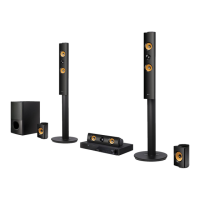
LG LHB725W - User Manual

LG LHB725W
78 pages
Print Icon
To Next Page IconTo Next Page
Loading...
P/NO : MFL69146623_1.0
Please read this manual carefully before operating
your set and retain it for future reference.
LHB725W (LHB725W, S75B1-F/S, S74T1-C, S75T1-W, W4-2)
OWNER’S MANUAL
3D Blu-ray™ /
DVD Home
Theater System

Table of Contents

Questions and Answers

  • D
    David MartinAug 20, 2025
    Why is the LG Home Theater System remote control not working?
    • R
      Robert NicholsonAug 20, 2025
      If your LG Home Theater System remote control isn't working, make sure it's pointed directly at the unit's remote sensor and is not too far away. Also, check for any obstacles between the remote and the unit. Finally, verify that the batteries in the remote control are not exhausted.
  • F
    frank28Aug 22, 2025
    What to do if my LG LHB725W Home Theater System does not start playback?
    • D
      Dr. Fernando SchwartzAug 22, 2025
      If your LG Home Theater System isn't playing, try these steps: 1. Ensure you've inserted a playable disc, checking its type, color system, and regional code. 2. Place the disc with the playback side facing down. 3. Make sure the disc is correctly placed on the tray inside the guide. 4. Clean the disc. 5. Cancel the Rating function or change the rating level.
  • B
    Billy HarrisonAug 25, 2025
    What to do if my LG LHB725W Home Theater System doesn't work properly?
    • B
      Brian MoralesAug 25, 2025
      If your LG Home Theater System isn't working correctly, try turning off the power to both the unit and any connected external devices like your TV, Woofer, DVD-player, or Amplifier, and then turn them back on. If that doesn't work, disconnect the power cord of the unit and all connected external devices, wait a few seconds, and then reconnect them.
  • S
    Stephanie BurnsAug 26, 2025
    What to do if the LG LHB725W Home Theater System is plugged in, but the power will not turn on or off?
    • C
      crystal43Aug 26, 2025
      To reset your LG Home Theater System, unplug the power cord, wait at least five seconds, and then plug it back in.
  • T
    Thomas LeblancAug 28, 2025
    Why won't my LG LHB725W power on?
    • B
      Brandon CummingsAug 28, 2025
      To solve the problem, ensure the power cord of your LG Home Theater System is securely plugged into the wall outlet.
  • J
    Jack LynnAug 29, 2025
    What to do if my LG Blu-ray home theater system does not start playback?
    • J
      Joyce WigginsAug 30, 2025
      If your LG Blu-ray home theater system isn't playing, ensure you've inserted a playable disc with the correct type, color system, and regional code, placing the playback side down correctly inside the guide. Try cleaning the disc. Also, check and cancel the Rating function or change the rating level.
  • J
    jeanwilliamsSep 1, 2025
    Why is my LG Blu-ray home theater system not recognizing my USB device?
    • J
      Johnny MasonSep 1, 2025
      If your LG Blu-ray home theater system doesn't recognize the USB storage device, try a different USB cable. Some USB cables may not support enough current for normal USB operation. If you're using a USB extension cable or USB hub, that might be the issue. Note that the unit doesn't support USB devices requiring additional program installation on a computer. The unit supports only USB Flash Drives and USB External HDDs with FAT32 or NTFS format.
  • J
    john49Sep 3, 2025
    What to do if my LG Blu-ray home theater system does not work properly?
    • C
      Cassandra FosterSep 3, 2025
      If your LG Blu-ray home theater system isn't working properly, try turning off the power of both the unit and any connected external devices like TVs, woofers, DVD players, or amplifiers, and then turn them back on. If that doesn't work, disconnect the power cord of the unit and the connected external devices, and then reconnect them.
  • A
    Adam Cruz PhDSep 4, 2025
    Why can't my LG Blu-ray home theater system play video, photo, or audio files?
    • A
      alexander12Sep 4, 2025
      Your LG Blu-ray home theater system may not be able to play the files if they aren't recorded in a supported format or if the unit doesn't support the video file's codec.
  • S
    Sean WrightSep 7, 2025
    How to reset LG Blu-ray home theater system if power won't turn on or off?
    • L
      Laura FarmerSep 7, 2025
      To reset your LG Blu-ray home theater system, unplug the power cord, wait at least five seconds, and then plug it back in.

Summary

Safety Information

Power Cord and Laser Safety Precautions

Essential safety warnings regarding the power cord and laser system.

Remote Control Operation

Connecting the System

Speaker Setup and Connections

Step-by-step instructions for connecting speakers to the player and receiver.

Wireless Speaker Setup and Pairing

Guide for setting up and manually pairing wireless speakers.

TV Connection and Network Setup

Connecting to TV and setting up home network.

System Setting Menu

Initial Setup Wizard

Step-by-step guide for initial product configuration.

Operating the Player

Troubleshooting

General Troubleshooting Solutions

Solutions for common issues like unit not working or playback errors.

LG LHB725W Specifications

General IconGeneral
Number of Channels5.1
BluetoothYes
Blu-ray Disc PlayerYes
USB PlaybackYes
HDMI OutputYes
Smart TV ConnectivityYes
3D PlaybackYes
DLNA CertifiedYes
Total Harmonic Distortion0.1%
Audio Formats SupportedDolby Digital, DTS
Video Formats SupportedMPEG-2, MKV, AVCHD
Audio DecodingDolby Digital, DTS
UpscalingYes
Media TypeBlu-ray, DVD, CD, USB
FunctionsBlu-ray disc player
SourceBlu-ray, USB
ConnectivityBluetooth, Wi-Fi

Related product manuals