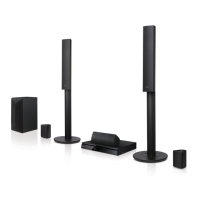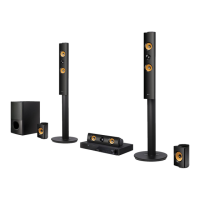
EasyManua.ls Logo

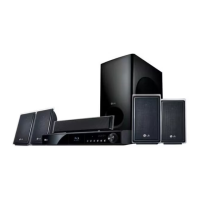
LG LHB976 - User Manual

LG LHB976
78 pages
Print Icon
To Next Page IconTo Next Page
Loading...
OWNER’S MANUAL
Network 3D Blu-ray™
Home Theater
Please read this manual carefully before operating
your set and retain it for future reference.
LHB976
P/NO : SAC35095601
www.lg.com

Table of Contents

Other manuals for LG LHB976

Questions and Answers

  • M
    Misty HickmanSep 12, 2025
    Why is access point not displayed on the access point name list of my LG Home Theater System?
    • S
      Scott BurgessSep 12, 2025
      If the access point isn't showing up on the “Access point name” list on your LG Home Theater System, it could be because the access point or wireless LAN router isn't broadcasting its SSID. Set your access point to broadcast its SSID. Also, your network device such as access point may not set with available frequency range and channel that this player can support. Try setting the frequency range and channel on the network device setting.
  • L
    Lucas AverySep 13, 2025
    Why I cannot play video files on my LG Home Theater System?
    • J
      Joseph AllenSep 13, 2025
      If you cannot play video, photo or audio files on your LG Home Theater System, it might be because the files are not recorded in a format that the unit can play, or the unit does not support the codec of the video file.
  • T
    Tyler BryantSep 15, 2025
    Why the angle cannot be changed on my LG Home Theater System?
    • A
      Andrew GarrettSep 15, 2025
      If the angle cannot be changed on your LG Home Theater System, it means multi-angles are not recorded on the DVD Video being played.

Summary

Safety Information

CAUTION concerning the Power Cord

Warnings and guidelines regarding the use of the power cord.

Introduction

Playable Discs and symbols used in this manual

Information on supported disc types and their symbols.

File compatibility

Video files

Details on supported video file formats and codecs.

Remote control

Battery Installation

Instructions for installing batteries in the remote control.

Front panel

Rear panel

Connecting

Connecting to Your TV

Connecting the player to a TV using an HDMI cable.

Connecting to your Home Network

Setting up network connections for online features.

USB device connection

Connecting and playing files from USB devices.

System Setting

[DISPLAY] Menu

Adjusting display settings like aspect ratio and resolution.

[NETWORK] Menu

Configuring network settings for online services and updates.

Operating

Playing a Disc

Procedures for playing various disc types.

Playing Blu-ray 3 D disc

Instructions for playing 3D Blu-ray discs.

Basic operations for video and audio content

Common playback controls for video and audio.

Advanced Playback

Features like repeat playback and repeating portions.

Radio Operations

Tuning and managing radio stations.

Using the TV Apps

Downloading and using LG applications.

Troubleshooting

General

Solutions for common operational issues.

Picture

Resolving issues with video display.

Sound

Resolving issues with audio output.

Appendix

Network Software Update

Steps to update the player's software.

Specifications

Technical specifications of the home theater system.

Maintenance

Instructions for cleaning and maintaining the unit.

LG LHB976 Specifications

General IconGeneral
ModelLHB976
TypeHome Theater System
Number of Channels5.1
Total Output Power1000W
Blu-ray PlaybackYes
3D PlaybackYes
Smart TV FeaturesYes
Wi-FiYes
HDMI Inputs4
USB Ports1
BluetoothNo
EthernetYes
HDMI Output1

Related product manuals