EasyManua.ls Logo

LG LS180HEV1 - User Manual

LG LS180HEV1
24 pages
Print Icon
To Next Page IconTo Next Page
Loading...
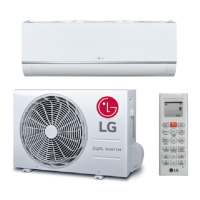
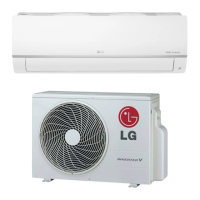
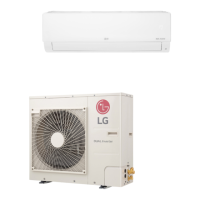
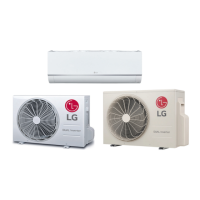
SINGLE ZONE MEGA AND MEGA 115V
WALL MOUNTED OWNER’S MANUAL
Single Zone Mega Wall Mount Systems
LS090HEV1
LS120HEV1
LS180HEV1
LS240HEV1
LS090HXV
LS120HXV

Other manuals for LG LS180HEV1

Questions and Answers

  • T
    Tina BurnsSep 18, 2025
    What does it mean when my LG LS180HEV1 says the outdoor unit coil outlet (liquid line) thermistor is disconnected or shorted out?
    • A
      Angel GonzalesSep 19, 2025
      If your LG Air Conditioner displays an error indicating that the outdoor unit coil outlet (liquid line) thermistor is disconnected or shorted out, contact LG Support. You can also try turning the air conditioner off and on again to see if that fixes the problem.
  • B
    Betty JonesAug 25, 2025
    What to do if LG Air Conditioner does not generate cool air?
    • R
      Raymond CrossAug 25, 2025
      If your LG air conditioner isn't generating cool air, consider the following: * Ensure that curtains, blinds, or furniture aren't blocking the front of the unit, as this can impede air circulation. * Clean the air filter every 2 weeks. * If the room temperature is too high, especially in summer, select jet cool operation to cool the room quickly. * Make sure cold air isn't escaping through ventilation points. * Set the desired temperature lower than the current room temperature. * Avoid using heat sources like ovens or gas burners while the air conditioner is running. * Ensure the air conditioner is not in air circulation mode; switch to cooling mode. * If the outside temperature is too high, the air conditioner's cooling capacity may be insufficient.
  • J
    jriceAug 25, 2025
    Why LG LS180HEV1 does not generate warm air?
    • D
      deanjeffreyAug 26, 2025
      If your LG air conditioner isn't generating warm air, it could be due to these reasons: * When heating mode is first started, the unit prepares warm air as part of its normal operation. * The outdoor unit might be in defrost mode, which removes frost from the coil when the outside temperature is low. Wait approximately 15 minutes for this operation to complete.
  • K
    Kendra DavisAug 27, 2025
    What to do if my LG LS180HEV1 stops during operation?
    • J
      James AndersonAug 27, 2025
      If your LG air conditioner stops during operation, check the following: * Verify if the timer function has been set to turn off the unit at a specific time and adjust the timer settings as needed. * If a power failure occurred during operation, the system might be rebooting with the auto restart default setting. If power failures are frequent, ensure the system is set to auto restart for quick power up.
  • K
    Kristin WrightSep 23, 2025
    What does it mean if the condenser coil pipe thermistor temperature is too low in my LG LS180HEV1?
    • R
      Ryan JonesSep 23, 2025
      If your LG Air Conditioner displays an error indicating that the condenser coil pipe thermistor temperature is too low, contact LG Support. You can also try turning the air conditioner off and on again to see if that fixes the problem.
  • J
    Jessica StewartSep 23, 2025
    What does it mean if the heat sink thermistor has disconnected or has shorted out in my LG LS180HEV1?
    • L
      Leslie TorresSep 23, 2025
      If your LG Air Conditioner displays an error indicating that the heat sink thermistor has disconnected or has shorted out, contact LG Support. You can also try turning the air conditioner off and on again to see if that fixes the problem.
  • S
    slopezSep 10, 2025
    What does it mean when my LG Air Conditioner says the current-to-current transformer (CT) thermistor is too low?
    • M
      Michelle HarperSep 10, 2025
      If your LG Air Conditioner displays an error indicating that the current-to-current transformer (CT) thermistor is too low, contact LG Support. You can also try turning the air conditioner off and on again to see if that fixes the problem.
  • B
    barnettelizabethSep 12, 2025
    What does Inverter Compressor Discharge Pipe (D-Pipe) Overheat mean on my LG Air Conditioner and how can I fix it?
    • G
      gsolomonSep 12, 2025
      If your LG Air Conditioner displays an error indicating Inverter Compressor Discharge Pipe (D-Pipe) Overheat, contact LG Support. You can also try turning the air conditioner off and on again to see if that fixes the problem.
  • J
    Jacob PerrySep 3, 2025
    What does DC Peak (IPM Fault) mean on my LG LS180HEV1 and how can I fix it?
    • D
      Donna SandersSep 4, 2025
      If your LG Air Conditioner displays a DC Peak (IPM Fault) error indicating that the compressor DC voltage was too high, contact LG Support. You can also try power cycling the unit by turning it off and then back on.
  • D
    Debra ScottSep 1, 2025
    What to do if there is a communication failure from outdoor unit to indoor unit in my LG LS180HEV1 Air Conditioner?
    • D
      David YoungSep 1, 2025
      If your LG Air Conditioner displays a communication failure from the outdoor unit to the indoor unit, please contact LG Support. You might also try turning the unit off and then back on to see if that resolves the problem.

Summary

Safety Instructions

General and Electrical Safety

General precautions and specific electrical safety measures.

Installation and Usage Safety

Safety guidelines for installation and operating the unit.

Maintenance Safety Precautions

Safety rules to follow during maintenance.

Unit Parts Identification

Indoor and Outdoor Unit Basic Components

Identifies main parts of the indoor and outdoor units.

Unit Operation and Control

Remote Controller Functions Overview

Details remote controller buttons and operations.

Installing Remote Controller Components

Guide to installing batteries and the remote controller holder.

Initializing Remote Control Operation

Steps to establish communication between remote and unit.

Basic Functions and Modes

Core Operation Modes

Details cooling, heating, dehumidifying, and air circulation operations.

Air Flow and Fan Speed Adjustment

Adjusting air direction, swing, and fan speed.

Timer Settings and Sleep Mode

Programming timer settings and sleep mode for unit control.

Advanced Functions

Special Operation Modes

Covers Jet Cool/Heat, Auto Clean, Auto Operation, and Auto Changeover.

Energy Saving, Manual Control, and Auto Restart

Energy saving, manual operation, and auto restart features.

Maintenance and Cleaning

Cleaning Intervals and Precautions

Recommended cleaning frequency and safety warnings.

Air Filter Cleaning Procedure

Step-by-step instructions for cleaning the air filter.

Troubleshooting and Support

Self-Diagnosis and Contact Information

Using self-diagnosis and finding support contacts.

Common Unit Issues and Solutions

Addresses common problems and provides corrective actions.

Wired Remote Controller Troubleshooting

Solutions for issues related to wired remote controllers.

Overview

This document is an owner's manual for LG Single Zone Mega and Mega 115V Wall Mounted air conditioning systems. It provides comprehensive information on the device's functions, usage, and maintenance.

Function Description:

The LG Single Zone Mega and Mega 115V Wall Mounted systems are air conditioning units designed for single-zone applications. They offer various operational modes including cooling, heating, dehumidifying, and air circulation. The systems are controlled via a remote controller, which allows users to adjust temperature, fan speed, and air flow direction, as well as set timers for automatic operation. Some models feature "Jet Cool" and "Jet Heat" operations for rapid temperature changes, "Auto Changeover" to automatically maintain a set temperature, and an "Energy Saving" mode to minimize power consumption during cooling. The units also include an "Auto Clean" function for indoor air purification and a "Self-diagnosis" function to alert users to potential issues.

Important Technical Specifications:

The manual lists several models for both Single Zone Mega and Mega 115V systems, including:

  • Single Zone Mega:
    • Outdoor Units: LSU090HEV1, LSU120HEV1, LSU180HEV1, LSU240HEV1
    • Indoor Units: LSN090HEV1, LSN120HEV1, LSN180HEV1, LSN240HEV1
    • Controller: AKB73835318
  • Single Zone Mega 115V:
    • Outdoor Units: LSU090HXV, LSU120HXV
    • Indoor Units: LSN090HXV, LSN120HXV
    • Controller: AKB73456121

The cooling temperature range is 64 °F (18 °C) - 86 °F (30 °C). For heating, the temperature range is 60.8 °F (16 °C) - 86 °F (30 °C). In sleep mode, the temperature increases by 1.8 °F (1 °C) after 30 minutes and an additional 1.8 °F (1 °C) after another 30 minutes, for a total increase of up to 3.6 °F (2 °C) from the present temperature. The auto changeover function maintains a set temperature within ± 3.6 °F (± 2 °C). The remote controller uses AAA (1.5V) batteries.

Usage Features:

  • Remote Controller Operation: The manual details the functions of various buttons on the remote controller, including On/Off, Temperature Adjustment, Operation Mode Selection (Cooling, Auto, Dehumidifying, Heating), Fan Speed, Surge (rapid heating/cooling), Air Flow Direction (Swing), Room Temperature Display (°C/°F toggle), Sleep Mode Auto, and 1 Touch Soft Air (deflects supply air).
  • Timer Settings: Users can program the unit to turn on and off automatically at set times, which helps save energy. The "Sleep Mode Auto" feature allows setting a countdown timer for up to 7 hours before the unit automatically turns off.
  • Air Flow Adjustment: The "Swing" buttons allow users to adjust the vertical and horizontal air flow directions. The "1 Touch Soft Air" button sets the vane to a preset position to deflect air away from occupants.
  • Manual Operation: In case the remote control is unavailable, the unit can be operated manually using the On/Off button located on the indoor unit. When operating manually, the fan speed is automatically set to high.
  • Auto Restart: The unit can be programmed to automatically restart with previous settings after a power failure. This is a factory default setting but can be disabled or re-enabled.
  • Temperature Display: The system can display temperature in either Celsius (°C) or Fahrenheit (°F).

Maintenance Features:

  • Cleaning Intervals: Regular cleaning is recommended to maintain optimal performance.
    • Air Filter: Should be cleaned every 2 weeks or more often if necessary. Cleaning involves removing the filter, washing it with a vacuum cleaner or warm water (with detergent if needed), drying it completely, and re-installing. Water hotter than 104 °F (40 °C) should not be used.
    • Indoor Unit Surface: Should be cleaned regularly with a soft dry cloth. Bleach or abrasives should not be used.
    • Outdoor Unit: Heat exchanger coils and panel vents should be cleaned regularly using steam. For proper outdoor unit care, consulting a technician is recommended.
  • Battery Replacement: Batteries in the remote controller should be replaced when the display screen starts to fade. When batteries are removed, the temperature unit resets to Celsius as the default.
  • General Safety: The manual emphasizes the importance of turning off power and unplugging the cord before performing any maintenance to avoid electric shock. It also warns against using strong cleaning agents or solvents.


LG LS180HEV1 Specifications

General IconGeneral
RefrigerantR410A
Indoor Unit Weight26.5 lbs
Cooling Capacity18000 BTU/h
Power Supply208/230V, 60Hz
Indoor Unit Noise Level42 dB

Related product manuals