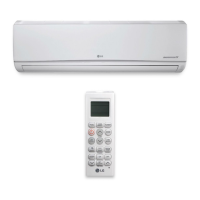
This document is an Owner's Manual for LG Single Zone Extended Pipe Wall Mounted air conditioning systems, covering models LS240HLV, LS300HLV, and LS360HLV. It provides comprehensive instructions for operation, maintenance, and troubleshooting.
Function Description
The LG Single Zone Extended Pipe Wall Mounted air conditioners are designed to provide cooling, heating, dehumidifying, and air circulation for indoor spaces. These systems utilize a remote controller for operation and offer various advanced functions to enhance user comfort and energy efficiency. The "Extended Pipe" designation suggests flexibility in installation distance between the indoor and outdoor units.
Important Technical Specifications
The manual lists specific indoor and outdoor unit models that are paired together:
- Outdoor Unit Models: LSU240HLV, LSU300HLV, LSU360HLV
- Indoor Unit Models: LSN240HLV, LSN300HLV, LSN360HLV
- Controller Model: AKB74055401 (Remote Controller)
Key operational temperature ranges include:
- Cooling Temperature Range: 64.4°F (18°C) - 86°F (30°C)
- Heating Temperature Range: 60.8°F (16°C) - 86°F (30°C)
- Sleep Mode Temperature Increase (Cooling/Dehumidifying): 1.8°F (1°C) after 30 minutes, and an additional 1.8°F (1°C) after another 30 minutes, for a total increase of up to 3.6°F (2°C) from the present temperature.
- Auto Changeover Set Temperature Maintenance: ± 3.6°F (± 2°C)
The remote controller uses AAA (1.5V) batteries.
Usage Features
The air conditioner offers a variety of operational modes and settings:
-
Basic Operation:
- On/Off: Turns the unit on or off.
- Cooling Operation: Adjusts room temperature within the specified range.
- Heating Operation: Adjusts room temperature within the specified range (not available on cooling-only models).
- Dehumidifying Operation: Removes excess moisture, automatically adjusting room temperature and fan speed. Room temperature cannot be manually adjusted in this mode.
- Air Circulation Operation: Circulates indoor air without cooling or heating.
- Fan Speed Adjustment: Allows selection of various fan speeds (High, Medium-High, Medium, Medium-Low, Low) or "Natural Wind" (automatic adjustment).
- Air Flow Direction (Swing) Adjustment: Controls vertical and horizontal airflow direction through louvers.
-
Advanced Functions:
- Timer Setting Functionality:
- Setting Current Time: Allows users to set the actual time on the remote controller.
- Setting Air Conditioner On Time: Programs the unit to turn on automatically at a set time.
- Setting Air Conditioner Off Time: Programs the unit to turn off automatically at a set time.
- Sleep Mode Auto Button: Activates a countdown timer (up to 7 hours) for automatic unit shutdown. In cooling/dehumidifying mode, the temperature gradually increases for comfortable sleep.
- Cancelling Timer Settings: Clears all programmed timer settings.
- Jet Cool/Jet Heat Operation: Provides rapid cooling (64.4°F/18°C for 30 minutes) or heating (86°F/30°C for 30 minutes) of the room temperature.
- Auto Clean Operation: Purifies indoor air by removing moisture generated during cooling and dehumidifying modes. The fan operates for 30 minutes after power-off to clean the indoor unit's interior.
- °C/°F Screen Display: Allows users to switch the temperature display between Celsius and Fahrenheit on the remote controller.
- Auto Operation (Cooling Models Only): Automatically adjusts fan speed and temperature based on room temperature, with numerical operation codes for cooling/heating strength. Fan speed cannot be adjusted in this mode.
- Auto Changeover Operation: Automatically switches between operation modes (cooling/heating) to maintain a set temperature within a ± 3.6°F (± 2°C) range.
- Energy Saving Operation (Cooling): Minimizes power consumption during cooling by increasing the set temperature to an optimal level.
- Manual Operation: Allows basic on/off control from the indoor unit itself if the remote controller is unavailable. The fan speed is automatically set to high.
- Auto Restart: After a power failure, the unit can automatically restart with previous settings. This is a factory default but can be disabled or re-enabled. A "test operation mode" is also mentioned for quick testing.
Maintenance Features
Regular maintenance is crucial for optimal performance and longevity of the air conditioner.
-
Cleaning Intervals:
- Air Filter: Clean at least once every 2 weeks or more often if necessary.
- Indoor Unit Surface: Clean regularly with a soft dry cloth.
- Outdoor Unit: Clean regularly as needed, including heat exchanger coils and panel vents.
-
Cleaning Instructions:
- Air Filter Cleaning:
- Turn off power and unplug the cord.
- Open the indoor unit front cover by lifting both sides.
- Grasp the knob/tab at the bottom of the air filter, lift, and slide it out.
- Clean the filter with a vacuum cleaner or warm water. For stubborn dirt, use lukewarm water with detergent.
- Completely dry the filter before reinstallation.
- Replace the filter by sliding it back into the unit and lowering it.
- Close the front panel.
- General Cleaning Precautions:
- Always turn off power and unplug the cord before maintenance to avoid electric shock.
- Do not use water hotter than 104°F (40°C) on filters to prevent warping or discoloration.
- Avoid volatile substances (gasoline, benzene, thinners, solvents) when cleaning filters as they can damage the product surface.
- Use a soft dry cloth for the indoor unit surface; avoid bleach or abrasives.
- Use steam to clean outdoor unit heat exchanger coils and panel vents.
- Consult a technician for proper outdoor unit care if needed.
- Never touch metal parts of the air conditioner when removing the air filter to avoid injury.
- Use a sturdy stool or ladder for cleaning/maintenance at height to prevent injury.
Troubleshooting
The manual includes a self-diagnosis function where the indoor unit lamp blinks in 2-second intervals if an error occurs. It provides detailed troubleshooting tables for common issues, causes, and corrective actions for both the main system and wired remote controllers. Users are advised to contact their installing contractor or LG Service Center if problems persist.
Safety Instructions
The manual emphasizes safety with DANGER, WARNING, and CAUTION symbols to highlight potential risks. Key safety points include:
- Installation and repair must be performed by qualified technicians and conform to local and national electrical codes.
- Proper grounding and circuit breaker installation are essential.
- Do not modify or extend power cables, and replace damaged cords.
- Avoid operating the unit with wet hands.
- Do not install near flammable substances or in unstable locations.
- Ensure proper drainage of condensed water.
- Ventilate the area immediately if a refrigerant leak occurs.
- Do not insert hands or objects into air inlets/outlets during operation.
- Do not expose people, animals, or plants to direct airflow for extended periods.
- Do not drink drained water.
- Turn off main power before cleaning or repairing.
- Do not recharge or disassemble batteries.
- Dispose of batteries safely.
- Do not use strong cleaning agents or solvents.
- Do not block air inlets or outlets.
- Do not use the product for special purposes (e.g., preserving food, artwork).
- Ventilate rooms when using the air conditioner simultaneously with heating appliances.
- Children should not climb on the outdoor unit.
- If a gas leak is suspected, ventilate the area before using the air conditioner.



 To Next Page

 General