EasyManua.ls Logo

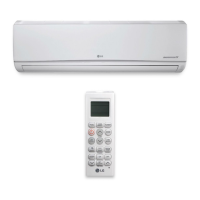
LG LS360HV3 - User Manual

LG LS360HV3
34 pages
Print Icon
To Next Page IconTo Next Page
Loading...
MODEL : LS240HSV3
LS307HV3
LS360HV3
P/NO : MFL67502008
http://www.lghvac.com
www.lg.com
OWNER’S MANUAL
Please read this manual carefully before operating
your set and retain it for future reference.
TYPE : WALL MOUNTED
AIR
CONDITIONER
ENGLISH
FRANCAIS
ESPAÑOL

Other manuals for LG LS360HV3

Questions and Answers

  • J
    Joseph GonzalezSep 8, 2025
    What does CT Sensor Error mean on my LG LS360HV3 and how can I fix it?
    • J
      Jacob OconnorSep 8, 2025
      If your LG Air Conditioner displays a CT Sensor Error, indicating that the thermistor is disconnected or shorted out, contact LG Support. You can also try turning the air conditioner off and on again to see if that fixes the problem.
  • Z
    Zachary MyersAug 23, 2025
    What to do if there is a communication failure from outdoor unit to indoor unit in my LG LS360HV3 Air Conditioner?
    • S
      Sandra HayesAug 23, 2025
      If your LG Air Conditioner displays a communication failure from the outdoor unit to the indoor unit, please contact LG Support. You might also try turning the unit off and then back on to see if that resolves the problem.
  • M
    Melissa CarrilloAug 25, 2025
    What to do if the outdoor unit condenser coil temperature is too high in my LG LS360HV3?
    • R
      Robert AlexanderAug 25, 2025
      If your LG Air Conditioner displays an error indicating that the outdoor unit condenser coil temperature is too high, contact LG Support. Additionally, try power cycling the unit by turning it off and then back on.
  • D
    David JohnsonAug 26, 2025
    What does DC Peak (IPM Fault) mean on my LG Air Conditioner and how can I fix it?
    • K
      Karen ChambersAug 27, 2025
      If your LG Air Conditioner displays a DC Peak (IPM Fault) error indicating that the compressor DC voltage was too high, contact LG Support. You can also try power cycling the unit by turning it off and then back on.
  • E
    Edward AllenAug 27, 2025
    What does PSC Fault mean on my LG LS360HV3 Air Conditioner and how can I fix it?
    • J
      Joshua LarsonAug 28, 2025
      If your LG Air Conditioner shows a PSC Fault, indicating that the current to the inverter compressor between the AC and DC converter circuit is too high, it's recommended to contact LG Support. A simple power down and restart might also help.
  • C
    Charles MccannSep 22, 2025
    What does it mean if the heat sink thermistor has disconnected or has shorted out in my LG LS360HV3?
    • M
      Michael ValdezSep 22, 2025
      If your LG Air Conditioner displays an error indicating that the heat sink thermistor has disconnected or has shorted out, contact LG Support. You can also try turning the air conditioner off and on again to see if that fixes the problem.
  • D
    Donald LaneSep 16, 2025
    What does it mean when my LG LS360HV3 Air Conditioner says the outdoor unit coil outlet (liquid line) thermistor is disconnected or shorted out?
    • K
      kristina35Sep 16, 2025
      If your LG Air Conditioner displays an error indicating that the outdoor unit coil outlet (liquid line) thermistor is disconnected or shorted out, contact LG Support. You can also try turning the air conditioner off and on again to see if that fixes the problem.
  • C
    Cindy DanielsSep 18, 2025
    What does it mean if the condenser coil pipe thermistor temperature is too low in my LG LS360HV3 Air Conditioner?
    • J
      Joshua BauerSep 18, 2025
      If your LG Air Conditioner displays an error indicating that the condenser coil pipe thermistor temperature is too low, contact LG Support. You can also try turning the air conditioner off and on again to see if that fixes the problem.
  • H
    hernandezscottSep 7, 2025
    What does Inverter Compressor Discharge Pipe (D-Pipe) Overheat mean on my LG Air Conditioner and how can I fix it?
    • A
      Amy CarpenterSep 7, 2025
      If your LG Air Conditioner displays an error indicating Inverter Compressor Discharge Pipe (D-Pipe) Overheat, contact LG Support. You can also try turning the air conditioner off and on again to see if that fixes the problem.
  • N
    nmooreSep 4, 2025
    What does it mean when my LG Air Conditioner says the current-to-current transformer (CT) thermistor is too low?
    • C
      Cory RoseSep 4, 2025
      If your LG Air Conditioner displays an error indicating that the current-to-current transformer (CT) thermistor is too low, contact LG Support. You can also try turning the air conditioner off and on again to see if that fixes the problem.

Summary

Energy Saving Tips

Warranty Record Keeping

Space to record purchase details like model and serial numbers for warranty purposes.

Important Safety Instructions

General Safety Warnings and Cautions

General warnings and cautions regarding potential hazards, injury, or damage.

Power Supply Safety Precautions

Precautions for safe power plug, socket, wiring, and circuit breaker usage.

Important Safety Instructions

Installation Safety Guidelines

Safety guidelines for installation to prevent falling, injury, fire, or explosion.

Safe Appliance Usage Practices

Safety guidelines for appliance use, including parts, cords, batteries, and cleaning.

Important Safety Instructions

Safe Operation Procedures

Safety precautions during operation: ventilation, children, gas leaks, and exposure.

Maintenance Safety Advice

Safety advice for maintenance: power off, unplugging, and handling components.

Installation Cautions and Considerations

Cautions for installation: sunlight, disposal, sea wind, drain hose, noise.

Important Safety Instructions

Remote, Battery, and Humidity Safety

Safety guidelines for remote control, batteries, and operation in high humidity.

Before Using Your Air Conditioner

Indoor and Outdoor Unit Components Overview

Details about the indoor and outdoor unit components.

Acceptable Operation Temperature Ranges

Specifies the acceptable indoor and outdoor temperature ranges for operation.

Before Using Your Air Conditioner

Wireless Remote Control Operation Guide

Instructions on using the wireless remote control and its buttons.

Before Using Your Air Conditioner

Remote Control Battery and Holder Installation

Steps for inserting batteries and installing the remote control holder.

Basic Air Conditioner Functions

Cooling Operation Mode

How to operate the air conditioner for cooling the room.

Heating Operation Mode

How to operate the air conditioner for heating the room.

Dehumidifying Operation Mode

How to operate the air conditioner to remove excess moisture from the air.

Basic Air Conditioner Functions

Air Circulation Operation Mode

How to circulate indoor air without changing room temperature.

Fan Speed and Airflow Direction Adjustment

Instructions for adjusting fan speed and vertical/horizontal airflow direction.

Timer Function Setup

How to use the timer function for energy saving and convenience.

Basic Air Conditioner Functions

Timer Cancellation and Sleep Mode Activation

Steps to cancel timer settings and activate sleep mode.

Setting Automatic On;Off Times

How to set automatic on and off times for the air conditioner.

Advanced Air Conditioner Functions

Quick Cooling and Heating (Jet Mode)

Quickly cools or warms the room with strong airflow for a short period.

Auto Clean Function Operation Guide

Removes moisture inside the unit to prevent mold and odor.

Advanced Air Conditioner Functions

Automatic Operation Modes (AI & Changeover)

Automatically adjusts settings based on room conditions or maintains set temperature.

Temperature Unit Conversion (°C;°F)

How to switch the temperature display between Celsius and Fahrenheit.

Advanced Air Conditioner Functions

Energy Saving Mode and Display Brightness Control

Adjusts settings for energy efficiency and controls display brightness.

Operation Without Remote Control

How to operate the unit using the On/Off button on the indoor unit.

Advanced Air Conditioner Functions

Auto Restart Functionality

Restores previous settings after a power failure.

WLAN Connectivity (Optional)

Connectivity Requirements and Specifications

Minimum OS, resolution, and WLAN device specifications for connectivity.

Mobile App Setup and User Guide

Information on mobile app installation, updates, and general usage.

WLAN Connectivity (Optional)

Membership Sign-up Process Details

Detailed steps for signing up for membership via app or web page.

WLAN Connectivity (Optional)

Email Verification for Service Activation

Process of receiving and confirming an email verification code to complete sign-up.

WLAN Connectivity (Optional)

App Usage and Verification Troubleshooting Reference

Details on app usage, firmware updates, and handling verification failures.

Product Registration for WLAN

Wi-Fi Configuration for Product Registration

Steps for configuring Wi-Fi on smartphone and air conditioner for registration.

Product Registration for WLAN

Setting the Product Registration Mode

Instructions to set the air conditioner into registration mode using the remote control.

Product Registration for WLAN

Product Search and Network Connection Steps

Steps for product search, initialization, and connecting to a Wi-Fi network.

Completing Product Registration with Nickname

Final steps to complete product registration by entering a nickname.

Product Registration for WLAN

Registration Confirmation and Multiple Product Handling

Confirmation of successful registration and handling multiple product searches.

Product Registration for WLAN

iPhone Wi-Fi Connection and Password Entry

Wi-Fi connection issues on iPhone apps and manual password entry.

Product Registration for WLAN

Router Credentials and User Management for Registration

Guidelines for remembering router credentials and managing user IDs.

Troubleshooting Product Search and Connection Failures

Steps to take if product search or connection fails.

Product Registration for WLAN

Product Not Registered and Server Connection Status

Displays when product is not registered or not connected to the server.

Air Conditioner Maintenance

Storage Preparation and Regular Cleaning Schedule

How to prepare for storage and a schedule for regular cleaning.

Air Filter and 3 M Protection Filter Maintenance

Details on cleaning the standard air filter and the 3M Micro Protection Filter.

Air Conditioner Maintenance

Maintenance Safety Precautions and Filter Notes

Cautions during maintenance and notes on filter location and heat exchanger cleaning.

Air Conditioner Maintenance

Step-by-Step Air Filter Cleaning

Detailed instructions for cleaning the air filter.

Step-by-Step 3 M Micro Protection Filter Cleaning

Detailed instructions for cleaning the 3M Micro Protection Filter.

Troubleshooting Common Issues

Self-Diagnosis Function and Initial Checks

Explains the self-diagnosis feature and checks before contacting service.

Common Problem Resolution Steps

Solutions for common issues like burning smell, water leaks, or power problems.

Troubleshooting Common Issues

Troubleshooting Cool Air Generation Issues

Solutions for poor air circulation, dirty filters, or high room temperature.

Troubleshooting Mode-Related Restrictions

Explains when fan speed or temperature adjustment is restricted by operation mode.

Troubleshooting Common Issues

Wired Remote Control Functions and Limitations

Details functions and limitations of wired remote controls for different models.

LG LS360HV3 Specifications

General IconGeneral
RefrigerantR410A
Cooling Capacity (BTU)36000
Voltage208-230V
Power SupplySingle Phase
Indoor Unit Noise Level45 dB(A)

Related product manuals