Connections
8
USB Function
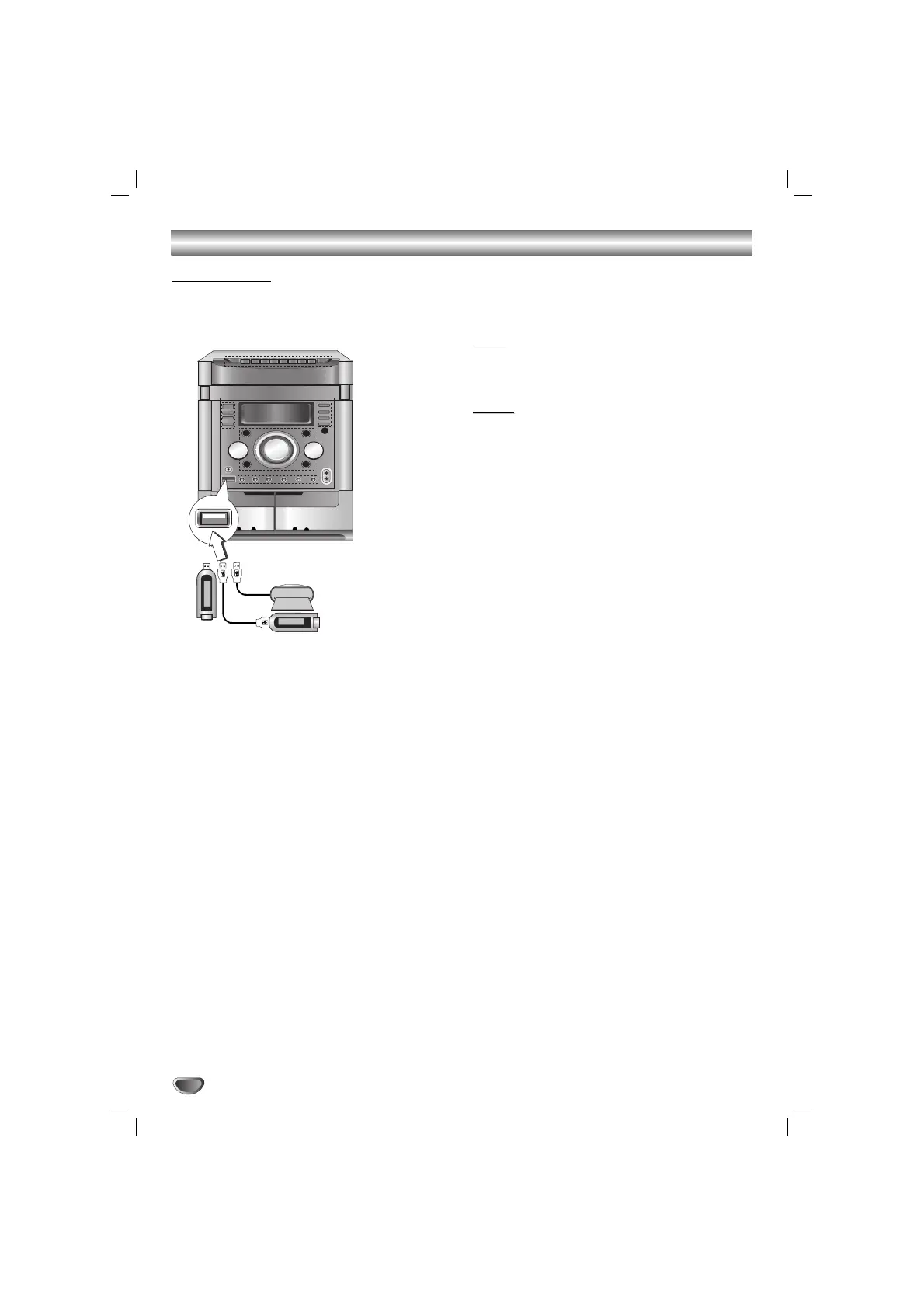
You can enjoy the media files such as tunes
(MP3/WMA) saved in an MP3 player or USB memory
by connecting the storage device to the USB port of
this unit.
To Remove the USB from the unit
1. Choose the other functions except USB
function in order to remove the USB.
2. Remove the USB from the unit.
Note
Note
Besides Basic Playback, if you want to operate other
functions, see the CD Playback section.
Notes
Notes
• Do not extract the USB device in operating.
• Music files (MP3/WMA),Image Files (JPEG) and
Video Files can be played.
• A back up demands to prevent a data damage.
• If you use a USB extension cable or USB hub, the
USB device might not be recognized.
• A device using NTFS file system is not supported.
(Only FAT (16/32) file system is supported.)
• The USB function of this unit does not support all
USB devices.
• Digital camera and mobile phone are not supported.
• This unit is not supported when the total number of
files is 1000 or more..
Compatible Devices
1. Devices which require additional program installa-
tion when you have connected it to a computer, are
not supported.
2. MP3 Player : Flash type MP3 player.
T
he MP3 player requiring installation of a driver is
not supported.
3. USB Flash Drive : Devices that support USB2.0 or
USB1.1.
USB Memory, MP3 Player
(or Memory Card Reader, etc.)



 To Next Page