3-7
ONE POINT REPAIR GUIDE
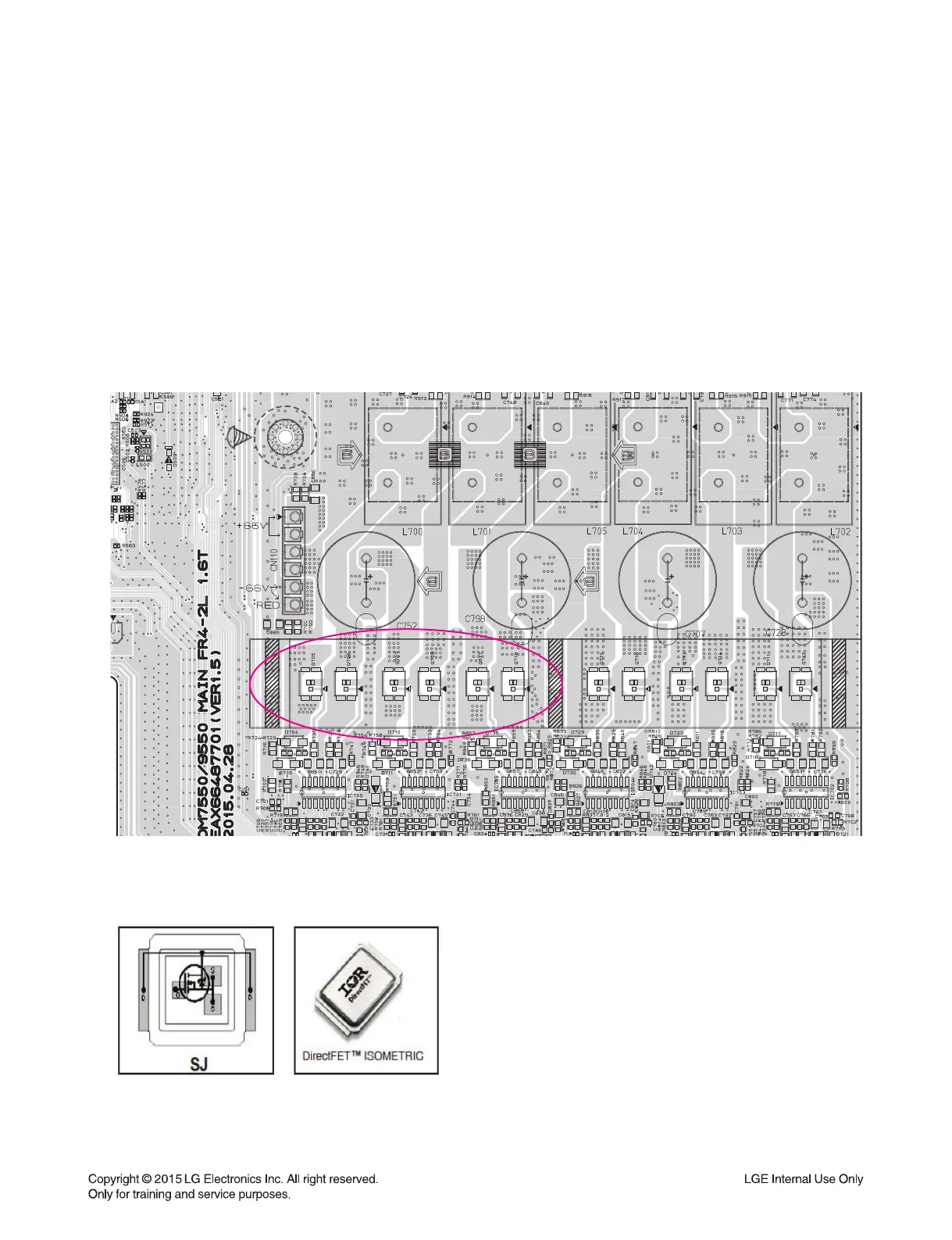
AMP FET : IRF6775
< MAIN board top view >
6. NO POWER ON (STANDBY LED IS BLINKING)
It doesn’t turn on, and blinks standby LED(Red).
6-1. AMP FETs
6-1-1. Solution
Replace AMP FET on MAIN board.
6-1-2. How to troubleshoot (Countermeasure)
1) This symptom occurs, when DC protection is detected. Main reasons are like below.
- When some of AMP FETs dead.
6-1-3. Service hint (Any picture / Remark)
Notice for FET service
- In case of RF6775, Metal case, FET Drain,
has electric potential. So be careful when you
deal with it.
* You can see FET after removing heatsink.
* Notice for Service
Before repair Main Assy, you need to discharge SMPS.
After then, open the connector.
You should try to change both of +/- FET and Driver IC
as a pair.
AMP FETs
(Q705~Q708, Q717, Q718)



 To Next Page