4
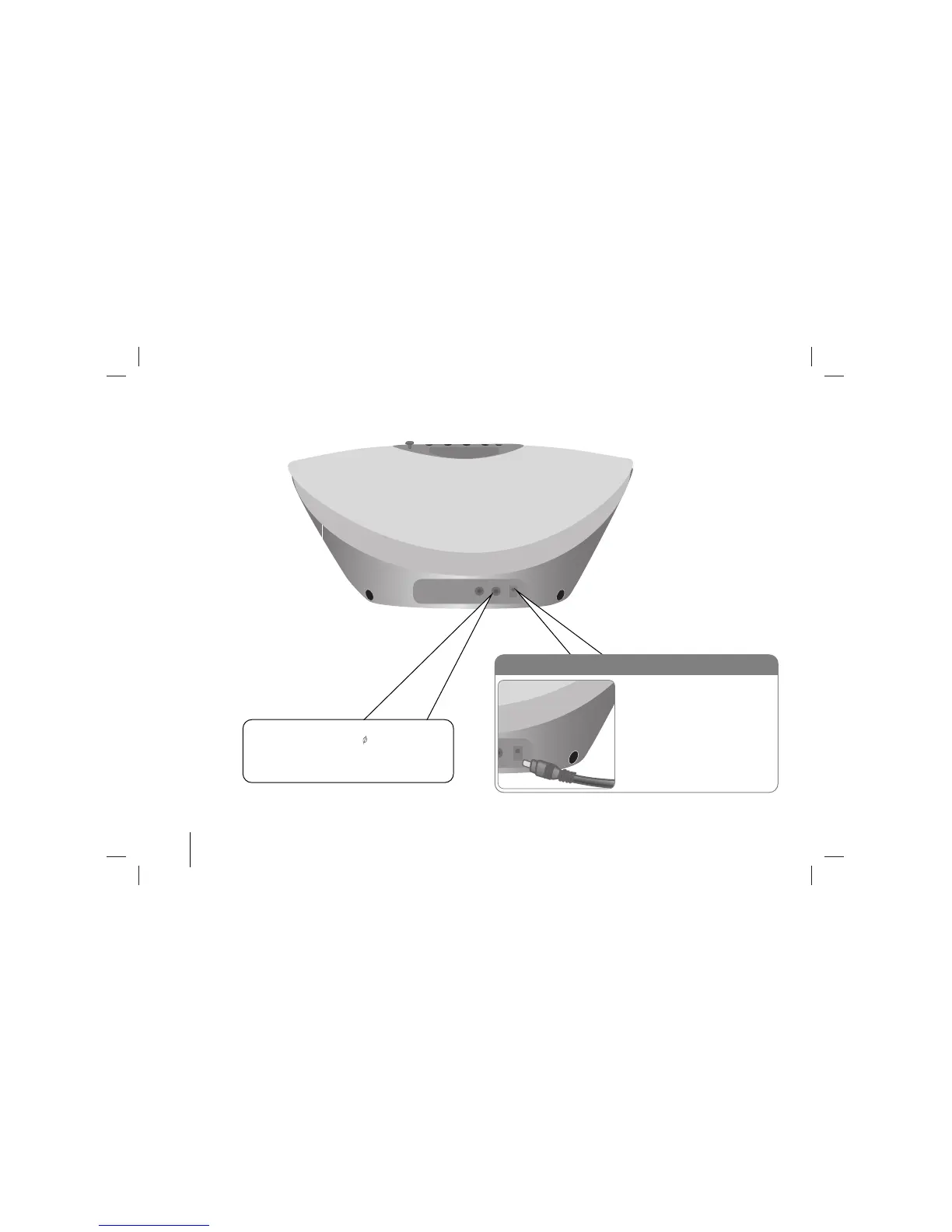
Hooking up the Unit (Back Panel)
Plug the power Cord into a wall socket
a. Before connecting the AC power
cord, check whether the operating
voltage of your unit is identical with
the voltage of your local power
supplied.
b. Conn.ect one end of the AC power
cord (supplied) to the AC IN socket
located at the backside of your unit.
c. Plug the other end into the wall
outlet.
PHONES (Headphone jack)
Connect a headphone plug ( 3.5 mm) into the
jack to listen to the sound through headphones.
Connecting headphones (not supplied) will
switch off the speakers.



 To Next Page