8
Using an iPod
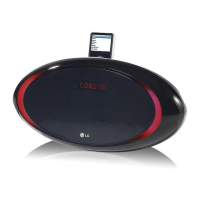
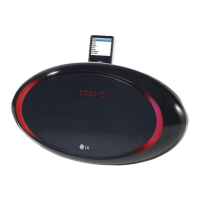
You can listen to music by connecting iPod to the player. Connect iPod to
“iPod DOCK” on the upper part of the unit.
1. Select the iPod function
2. “IPOD” displays
3. Start the playing
4. Before disconnecting the iPod,
change to any other function
by pressing
5. Remove iPod
ON UNIT ON REMOTE
INPUT/FUNC.
BB
/
xx
INPUT/FUNC.
F
BB
/
XX
F
Using an iPod - more you can do
Listening to music from your iPod
Operate iPod by using the unit or the remote control after connected to the
unit. When connected, the unit operates as the connected iPod does and
the states like FOLDER •PRESET are changed by the iPod setting.
For “iPod Touch” model, the explanation of some functions may not be
applicable.
NOTE :
• When the connection with iPod is not solid and the remaining battery is
not enough, the message “ERROR” is displayed.
• iPod is automatically charged when connected to the player.
• While operating iPod to change the iPod sleep mode, press and hold
BB
/
XX
on the remote control for about 5 seconds and to exit the iPod
sleep mode by pressing
BB
/
XX
again.
ON REMOTE
BB
/
XX
./ >
REPEAT/MENU
FOLDER •PRESET
Operations
Pause or restart
Skip or Search
Moves to the previous menu
Move to a desired item
Choose a item
Using the remote control
BB
/
xx
bb / BB
-
-
ON UNIT



 To Next Page