7
NOTE :
• This unit cannot be operated by 8cm disc. (Using 12cm disc only)
• when you insert disc in the during play mode it plays the disc
automatically .
About MP3/ WMA
MP3/ WMA Disc compatibility with this unit is limited as follows:
• Sampling Frequency : 32 - 48 kHz (MP3), 32 - 48 kHz (WMA)
• Bit rate : 32 - 320 kbps (MP3), 40 - 320 kbps (WMA)
• CD-R physical format : ISO 9660/ JOEILT
• If you record MP3/ WMA files using the software which cannot create a
FILE SYSTEM, for example “Direct-CD” etc., it is impossible to playback
MP3 files. We recommend that you use “Easy-CD Creator”, which creates
an ISO 9660 file system.
• Do not use special letters such as “/ : * ? “ < >”etc.
• Even if the total number of files on the disc has more than 1000, it will
only be shown up to 999.
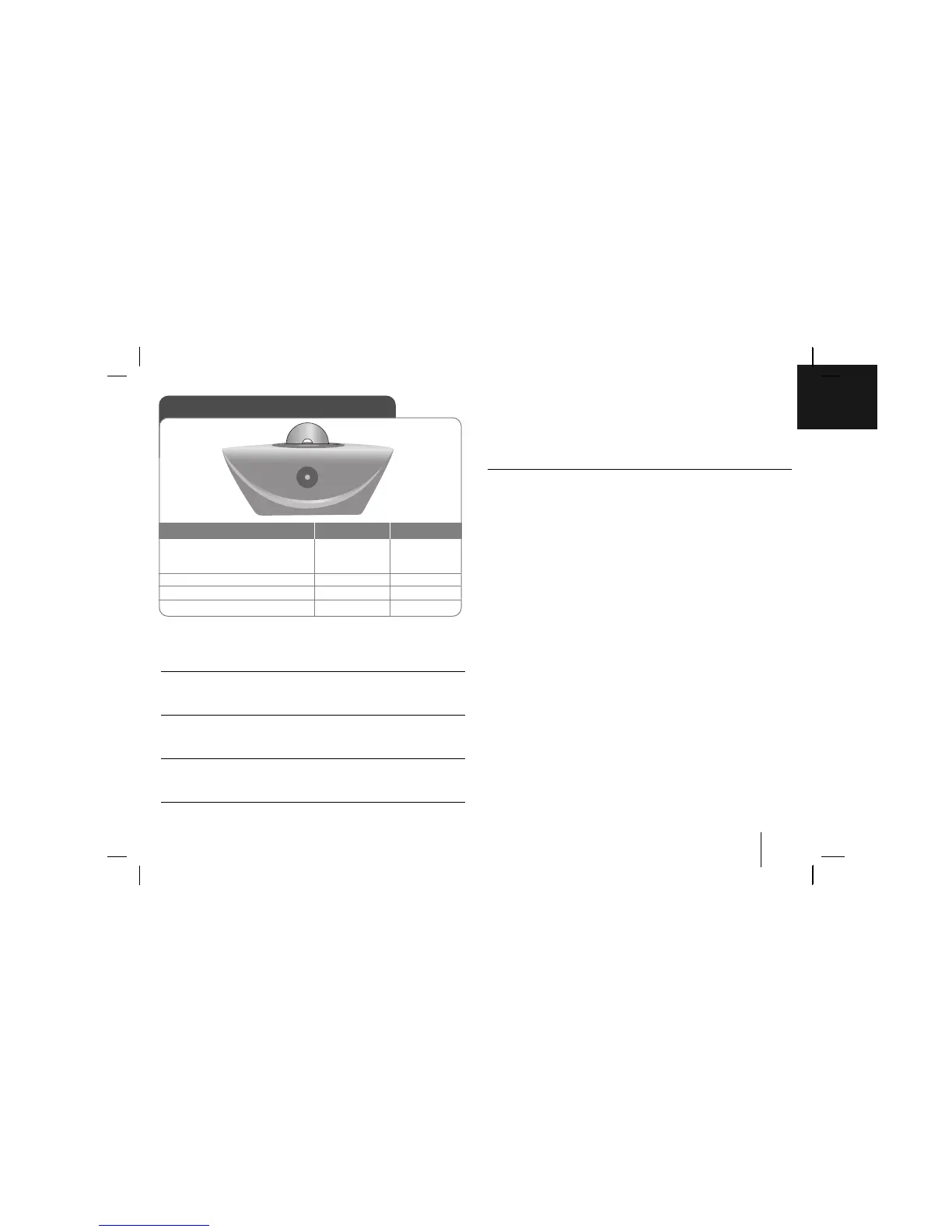
Listening to CDs
1. Insert the CD:
The display will show the total
number of tracks (files).
2. Select the CD function
3. Start the CD playing
4. To stop a CD playing
ON UNIT ON REMOTE
INPUT/FUNC.
BB
/
xx
BB
/
xx
F
BB
/
XX
xx
ENTER
Listening to CDs - more you can do
Pausing or restarting a CD
1 Press
BB
/
[]
during playback.
2 Press this button again to resume play.
Searching for a section within a track
Hold bb / BB on the unit or ./> on the remote control
during
playback
and release it at the point you want to listen to.
Skipping to another track (files)
Press bb / BB on the unit or ./> on the remote control in stop
status.
Listening to your tracks (files) repeatedly or randomly
Press REPEAT/MENU on the remote control repeatedly, the display
changes in the following order, RPT 1 - RPT ALL - RANDOM - OFF.



 To Next Page