Remote control
6
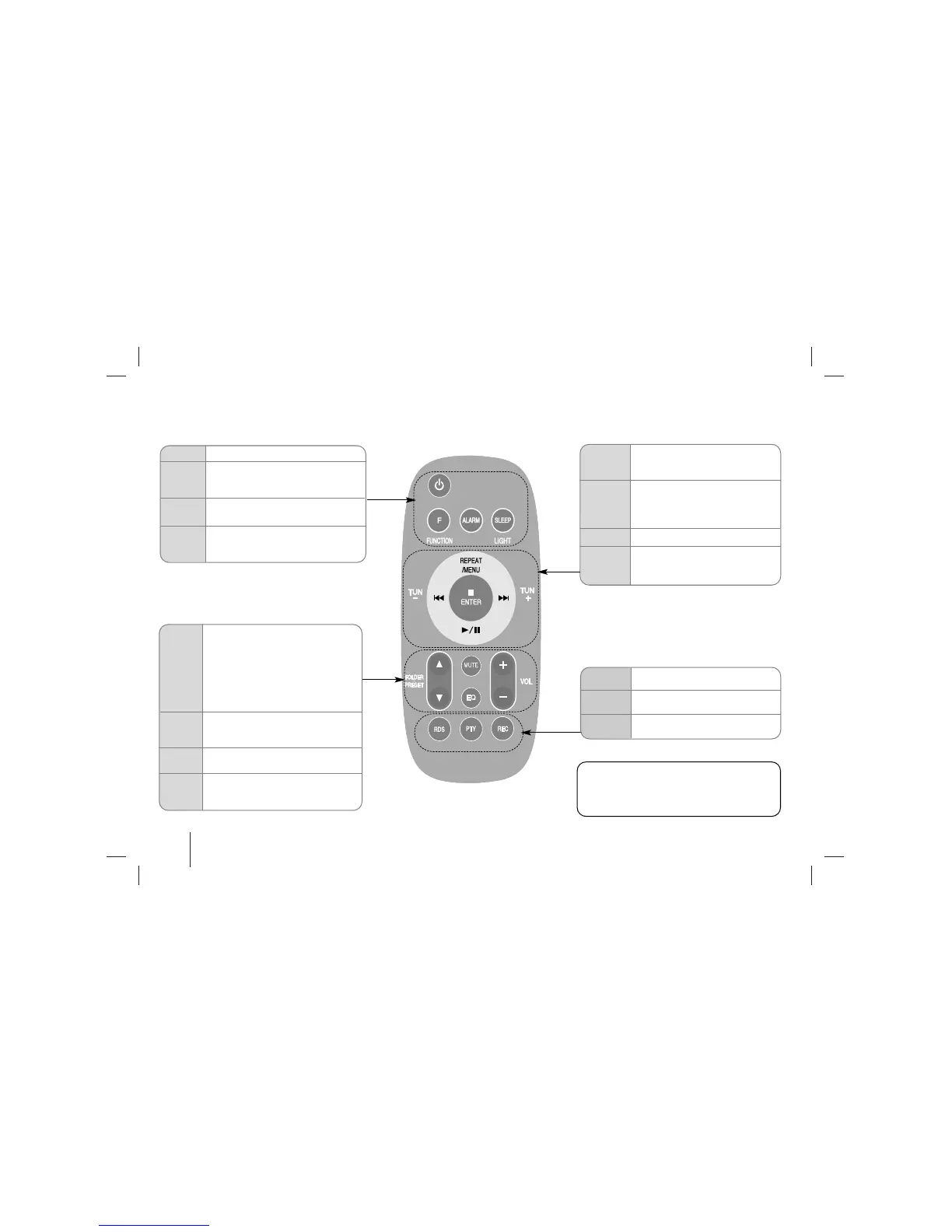
• Listen to your tracks repeatedly or
randomly.
• Select another tracks. (iPod Docking)
• Stops playback or recording
• Saves radio stations.
• Sets the alarm function
• Starts or pauses playback
./>
TUN
-/+
BB
/
XX
• Selects the radio station.
• Search for a section within a track.
• Skips Fast backward or Forward.
REPEAT
MENU
xx
ENTER
• Power on/off
• Fall asleep while listening to your
unit.
• Dim the display light.
• You can wake up to music or a
radio program at a preset time.
F
ALARM
• Changes the functions.
Change the functions among iPod,
PORTABLE, FM, CD, USB.
11
SLEEP
LIGHT
• Search for a folder of MP3/ WMA
Files.
When a CD containing MP3/ WMA
files in several folders is being played,
press FOLDER•PRESET to select the
folder you want to play.
• Choose a ‘preset number’ for a
radio station.
• Control the volume when using any
function.
• Sound quality adjustment.
You can choose sound impressions
MUTE
EQ
• Temporarily stop the sound
Press the button again to return to the
sound.
VOL
FLDER
•
PRESET
v
v
+
-
z
REC
• Recording button
PTY
RDS
•
Views the various displays
of the RDS
• Radio Data System
Put the battery in the remote control
Make sure that the + (plus) and - (minus) on the
battery (size AAA) match those on the remote
control.



 To Next Page