7
ENG
ENGLISH
ASSEMBLING AND PREPARING
y
This illustration depicts the general model of
connection. Your monitor may differ from the
items shown in the picture.
y
Do not carry the product upside down holding
only the stand base. The product may fall
and get damaged or injure your foot.
CAUTION
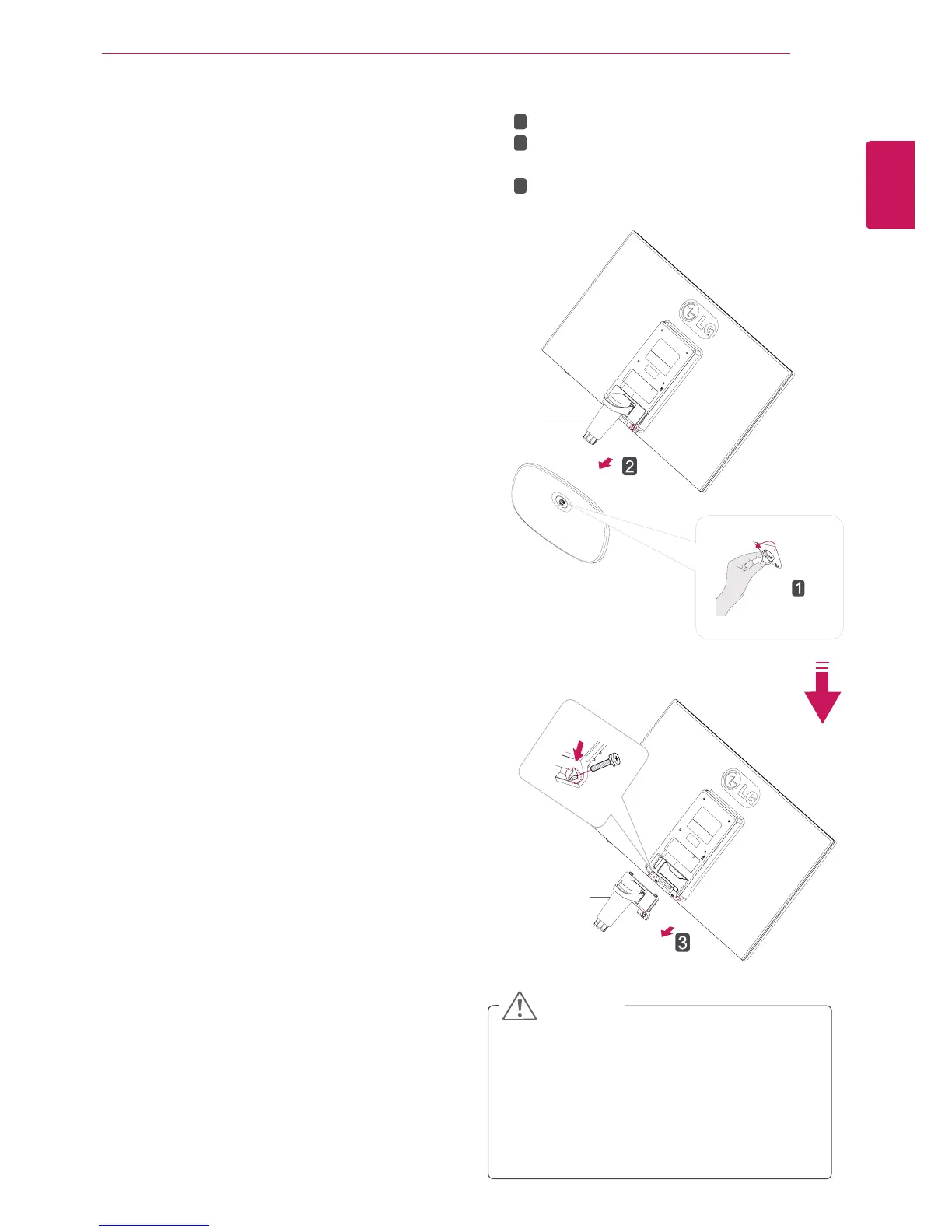
Detaching the Stand Base
1
Place the Monitor set with the screen side
down on a flat and cushioned surface.
Stand Body
Stand Body
Turn the screw to the left.
Pull out the
Stand Base
from the
Stand
Body
.
Remove two screws and pull out the
Stand
Body
from the monitor set.
1
2
3
2



 To Next Page