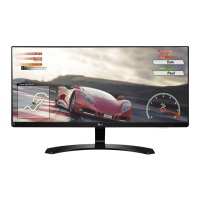
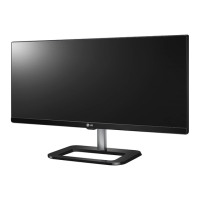
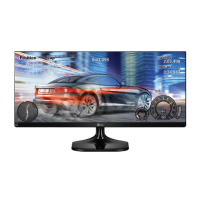
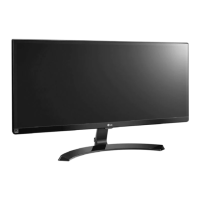
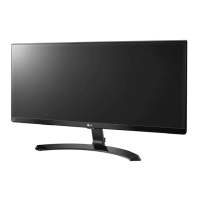
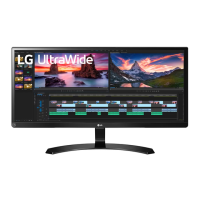
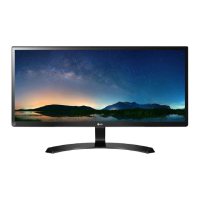
This document is an owner's manual for an LG IPS LED Monitor, specifically models 29UM68 and 34UM68. The manual provides comprehensive instructions for assembling, setting up, using, and maintaining the monitor, ensuring users can maximize its performance and longevity.
Function Description
The LG IPS LED Monitor is designed to display digital video and audio signals from various sources, including personal computers (PCs) and AV devices. As an IPS (In-Plane Switching) display, it offers wide viewing angles and consistent color reproduction, making it suitable for a range of applications from general computing to gaming and professional tasks. The "LED Monitor" designation clarifies that it is an LCD monitor utilizing LED backlighting for illumination, which typically results in a thinner profile, better contrast, and improved energy efficiency compared to traditional CCFL backlighting.
The monitor supports a "Plug and Play" feature, allowing for easy connection to computers without requiring extensive manual configuration or driver installation. It can receive video and audio signals via HDMI and DisplayPort connections, offering versatility in connecting to different types of devices. The monitor also includes a headphone port for connecting external audio devices, providing a private listening experience.
A key feature of this monitor is its intuitive control system, centered around a single joystick button located at the bottom of the monitor. This joystick allows users to easily power the monitor on/off, adjust volume, and navigate through the On-Screen Display (OSD) menu to customize various settings.
The monitor offers several display modes and features to enhance the user experience:
- Picture Modes: Includes various preset picture modes such as Custom, Reader, Photo, Cinema, Color Weakness, FPS Game 1, FPS Game 2, and RTS Game. These modes optimize the display settings for specific content types, from document viewing to different genres of gaming. The Color Weakness mode is particularly useful for users with red-green color blindness, making it easier to distinguish between these colors.
- Picture Adjustments: Allows fine-tuning of image quality parameters like Sharpness, Black Level, Dynamic Contrast Ratio (DFC), and Gamma.
- Game Adjustments: Features like Response Time and FreeSync are crucial for gamers. Response Time can be set to High, Middle, Low, or Off to reduce motion blur, while FreeSync synchronizes the monitor's refresh rate with the graphics card's output, eliminating screen tearing and stuttering for a smoother gaming experience.
- Color Adjustments: Provides extensive control over color temperature (Warm, Medium, Cool) and individual Red, Green, and Blue color channels. The Six Color feature allows for precise adjustment of hue and saturation for six primary and secondary colors, catering to users who require accurate color representation.
- Sound Features: Incorporates MaxxAudio® technology, a suite of studio-quality sound tools from Waves, to deliver a superior listening experience. Users can enable or disable MaxxAudio and access detailed settings like MaxxBass, MaxxTreble, MaxxDialog, and Maxx3D to enhance bass, treble, dialogue clarity, and spatial sound effects. A Midnight Mode is also available for enjoying rich sound at lower volumes.
- General Settings: Includes options for language selection, SMART ENERGY SAVING, Power LED control, Automatic Standby, and Buzzer sound. The OSD Lock feature prevents unintended changes to settings.
- PBP (Picture-by-Picture) Mode: This advanced feature allows the monitor to display content from two different input sources simultaneously on the same screen. Users can select the input for both the main and sub-screens, adjust sound output, swap screen positions, and control the aspect ratio for each displayed picture.
Usage Features
The monitor is designed for ease of use from initial setup to daily operation.
- Assembly: The manual provides clear, step-by-step instructions for assembling the stand base and body, including illustrations for both 29UM68 and 34UM68 models. It emphasizes careful handling to prevent scratches or damage during assembly.
- Ergonomics: The stand allows for height adjustment (up to 4.72 inches for the 34UM68 model) and angle adjustment (tilt from -5° to 20°), enabling users to position the screen for optimal viewing comfort and to reduce strain.
- Cable Management: A cable holder is integrated into the stand design to help organize and conceal cables, contributing to a tidy workspace.
- Connectivity: The monitor offers multiple HDMI inputs and a DisplayPort input, allowing users to connect various devices like PCs, gaming consoles, and media players simultaneously. The headphone jack provides convenient audio output.
- Wall Mounting: For users who prefer a wall-mounted setup, the monitor supports standard VESA wall mount plates. The manual provides guidelines for safe installation, including recommended distances from the wall for ventilation and screw specifications.
- Kensington Lock: A Kensington security system connector is included, allowing users to secure the monitor to a table or other fixture, deterring theft in public or shared environments.
- OSD Menu Navigation: The joystick button simplifies interaction with the OSD menu. Pressing the joystick activates the main menu, and moving it up/down or left/right allows for navigation and setting adjustments. A long press can turn off the monitor.
- Troubleshooting: The manual includes a comprehensive troubleshooting section to help users diagnose and resolve common issues such as no display, power LED status, "OUT OF RANGE" messages, "No Signal" messages, image sticking, and display instability. It also addresses issues related to display color and sound output.
Maintenance Features
Proper maintenance ensures the monitor's longevity and consistent performance.
- Cleaning: While not explicitly detailed as a separate section, the assembly instructions advise covering the screen with a soft cloth when placing it face down, implying a general need for careful handling to prevent scratches.
- Safety Precautions: Throughout the manual, safety warnings and cautions are highlighted. These include advice to unplug the power cord before moving or installing the monitor to prevent electric shock, avoiding touching the screen to prevent damage, and using genuine LG components to ensure safety and product performance.
- Image Sticking Prevention: The troubleshooting section addresses image sticking (also known as burn-in) and recommends using a screensaver to extend the monitor's lifetime, especially when displaying still images for prolonged periods.
- Optimal Resolution: Users are advised to set the graphics card to the recommended (optimal) resolution to prevent blurred text, dimmed screens, or display misalignment.
- Cable Quality: The manual recommends using certified HDMI cables with the HDMI logo to avoid compatibility problems, screen display issues, or connection errors. It also suggests using genuine LG-certified generic cables to prevent image noises.
- Power Management: The SMART ENERGY SAVING feature helps reduce power consumption, contributing to lower energy costs and environmental impact. The Automatic Standby feature can be configured to turn off the monitor after a period of inactivity, further saving energy.
- Reset Function: The OSD menu includes a "Reset" option, allowing users to return all settings to their default values, which can be useful for troubleshooting or restoring preferred configurations.
In summary, the LG IPS LED Monitor is a versatile and user-friendly display device, offering a range of features for diverse applications, backed by clear instructions for assembly, operation, and maintenance to ensure a reliable and enjoyable user experience.


 To Next Page
 General