18
ADDITIONAL FUNCTION
ENGLISH
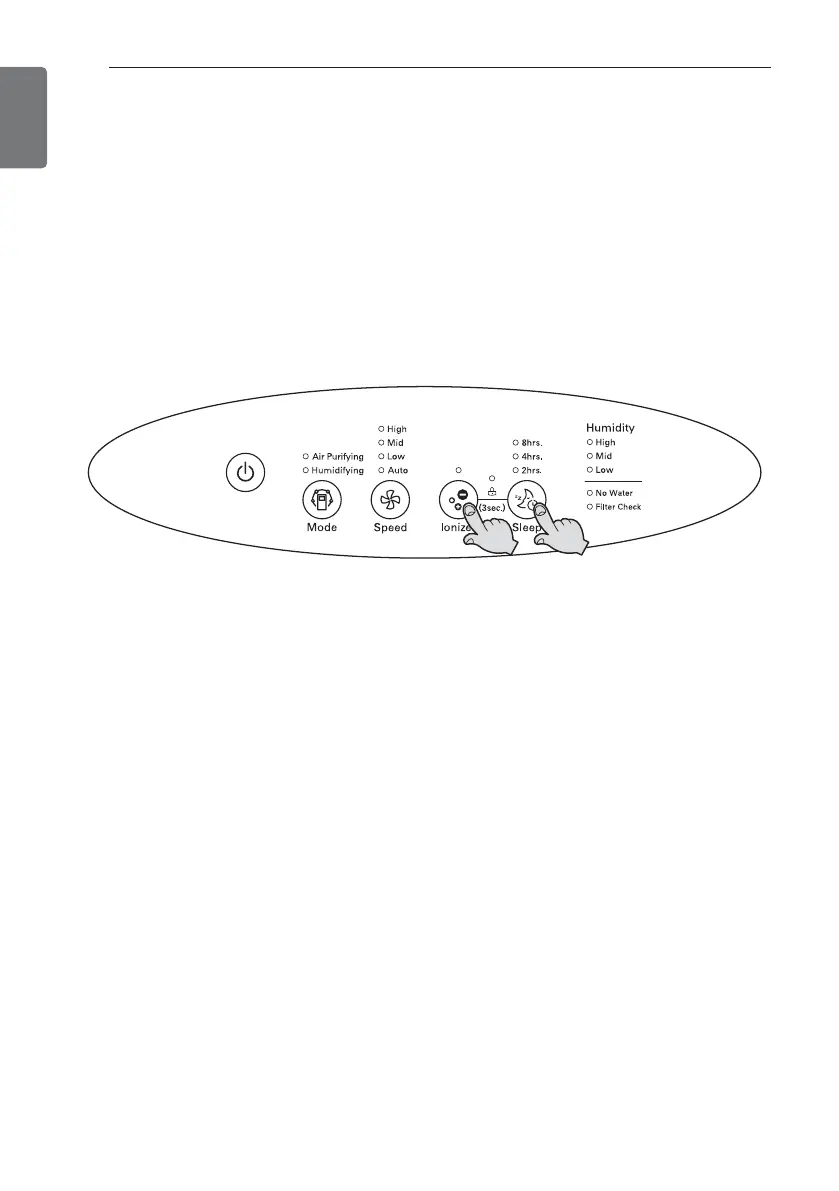
Lock Function
This is the function so that the button of the product will not be acted in unintended
condition.
1. During the operation, if pressing the Ionizer button and Sleep button for 3 sec-
onds simultaneously, the locking setup or release will be realized.
- If buttons are not acted during the product operation, check the locking indicator
of the display and release the locking setup.
- When the power cord is pulled out under the locking setup state, the locking setup
will be released.


 To Next Page