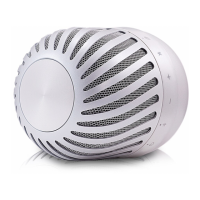
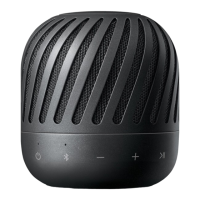
y
It takes up to 1minute to connect to dual play.
y
When you enjoy Dual Play, the multi pairing or
woofer station connection is not supported.
- Primary speaker (
) connects only one
Bluetooth device.
y
If you turn the power off and then on again, two
speakers need to be reconnection for using dual
play mode.
y
If the units fail to connect Dual play, go to step 1
and try again.
y
When Dual Play connection is on processing,
you cannot search the units on other Bluetooth
devices.
y
When you disconnect Dual Play connection,
press and hold the
buttons for 2 seconds of
one of the two speakers again.
y
When you enjoy Dual Play, you can adjust the
volume of both primary (
)and secondary ( )
speakers at the same time.
y
Secondary speaker (
) will be disabled
Bluetooth or Portable modes on Dual play
mode.
y
To change the Bluetooth device in Dual Play
mode, press and hold
j
for 2 seconds to
disconnect current Bluetooth device and
connect the desired Bluetooth device.
y
In Dual Play mode, you can connect only the
primary speaker(
) with the Bluetooth device.
y
When you connect Bluetooth device (iOS
device etc.) to this unit or operate the device,
the volume level can be synchronized with each
other.
y
In Dual Play mode, make the distance between
the speakers as close as possible each other.
y
Depending on network environment, the Dual
Play may not work well.
y
When speaker and woofer station is connected,
you cannot use Dual Play mode.
,
Note



 To Next Page
 Loading...