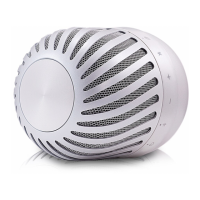
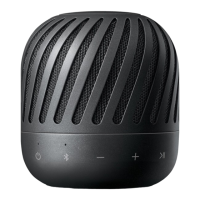
Dual Play Connection
(Optional)
You can enjoy the sound in stereo by using two
speakers. For enjoying Dual play, you need to
purchase another speaker.
1. Press and hold the each speaker’s button for
2 seconds. Then the speakers are ready to
Dual play mode.
- Beep sound is heard and Dual Play LED will blink
white fast.
When the speakers enter Dual play mode, the
connection between the woofer station and the
speaker is disconnected.
,
Note
2. If two speakers are connected, blinking Dual Play
LEDs will stay white with beep sound.
-
speaker : Primary speaker is to set L (left)
channel and turns on Dual Play LED and
Bluetooth LED.
-
speaker : Secondary speaker is set to R
(Right) channel and turns on Dual Play LED.
3. Play the desired music on the Bluetooth device
or external device.
y
Using Dual play is limited to below model.
- Available PJ series model : 3, 8, 9
y
If you have same PJ model, primary speaker is
decided depending on speaker connection.
(Portable>Bluetooth)
y
If two speakers connections is equal, primary
speaker is decided arbitrarily.
y
If you are not connected to Bluetooth device,
primary speaker's Bluetooth LED blinks.
,
Note



 To Next Page