31
ENGLISH
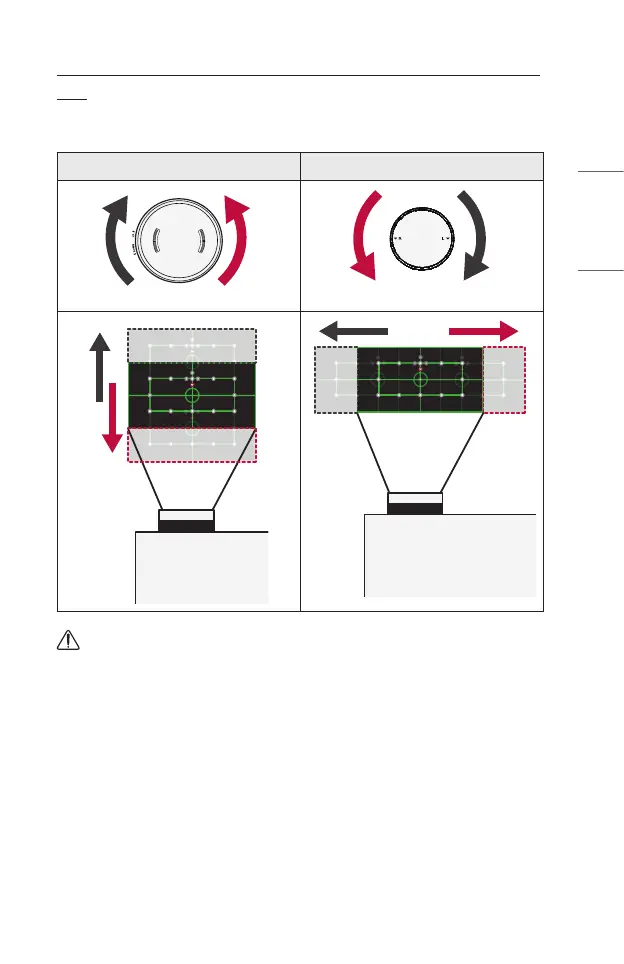
HowtoUsetheProjectionScreen(Lens)PositionAdjustment
Dial
You can use the dial to move the position of the projection screen (lens) without
moving the projector.
Up/Down Dial Left/Right Dial
CAUTION
• Clicking sounds while rotating the dial indicates that no further adjustment can
be made. Continuing to rotate the dial after reaching the maximum position may
cause damage to the dial.



 To Next Page