Basic Functions 28
Power control options
Press and hold the Power/Lock key, then select an option.
• Power off: Turn the device off.
• Power off and restart: Restart the device.
• Turn on Airplane mode: Block telecommunication-related functions,
including making phone calls, messaging and browsing the Internet.
Other functions remain available.
Installing the SIM card
Insert the SIM card provided by your mobile service provider to start using
your device.
• Be careful with the ejection pin since it has a sharp edge.
• In order for the water-resistant and dust-resistant features to work
effectively, the card tray must be inserted correctly.
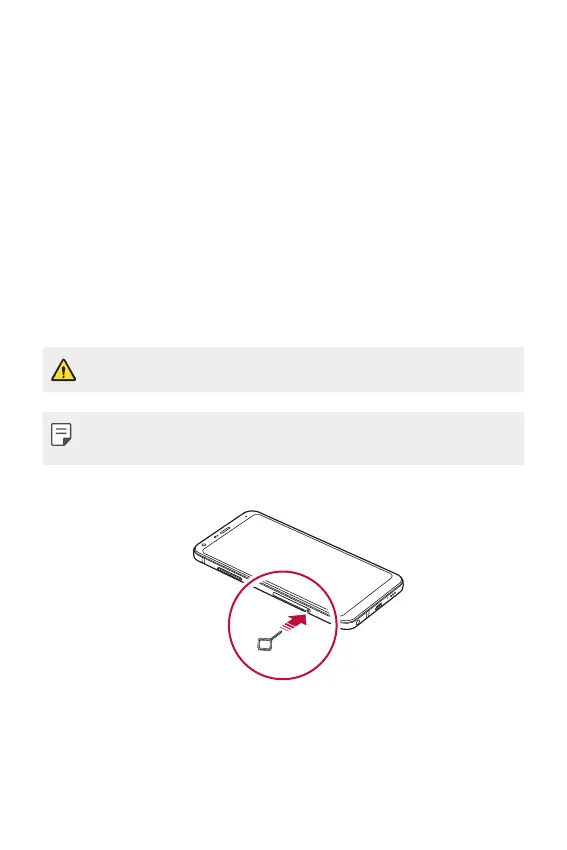
1
Insert the ejection pin into the hole on the card tray.


 To Next Page