Basic Functions 31
3
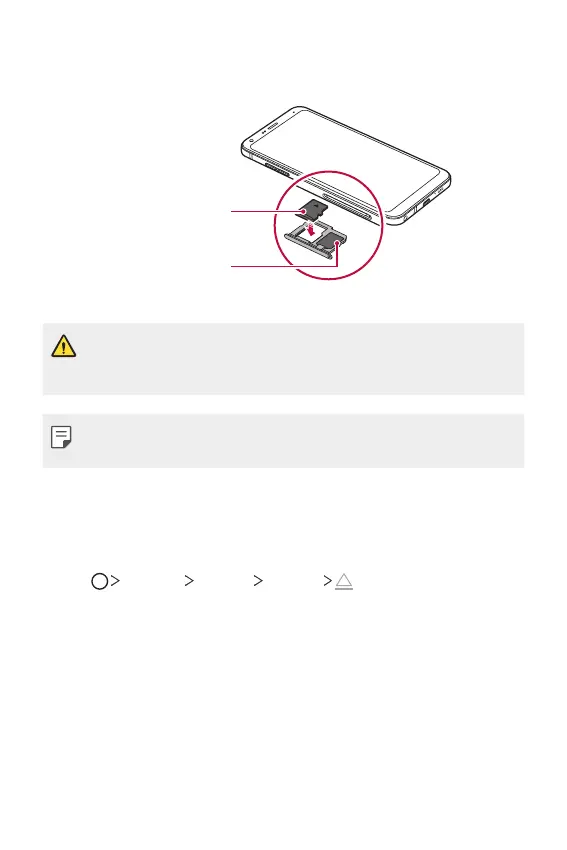
Put the memory card on the card tray with the gold-colored contacts
facing downwards.
SIM card
Memory card
(optional-sold separately)
4
Insert the card tray back into the slot.
• Some memory cards may not be fully compatible with the device. If you
use an incompatible card, it may damage the device or the memory card,
or corrupt the data stored in it.
• Frequent writing and erasing of data may shorten the memory card
lifespan.
Removing the memory card
Unmount the memory card before removing it for safety.
1
Tap Settings General Storage .
2
Insert the ejection pin into the hole in the card tray and then pull out
the card tray from the device.
3
Remove the memory card from the card tray.
4
Insert the card tray back into the slot.



 To Next Page