Useful Apps 68
Changing the camera mode
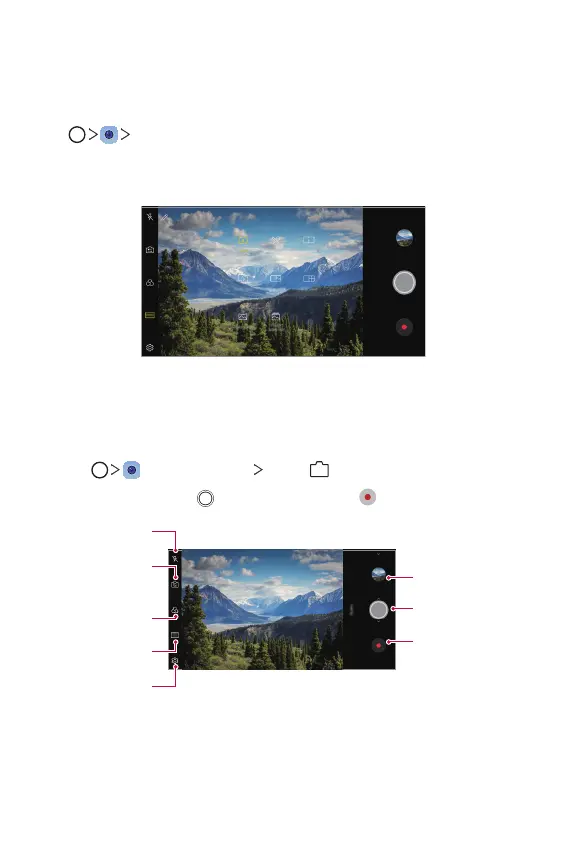
You can select a camera mode that suits your environment to take a
photo or record a video easily and conveniently.
Tap
MODE, then select the desired mode.
• Press and hold a Mode icon and drag it to the desired location to
change the order.
Auto mode
You can take photos or record videos by selecting a variety of camera
modes and options.
1
Tap , then tap MODE Auto (
).
2
To take a photo, tap . To record a video, tap .
Change the
camera options.
Apply a film filter
effect.
Select a camera
mode.
or off.
Switch between
front and rear
cameras.
Record videos.
Take photos.
Open Gallery.


 To Next Page