52
Dubbing from HDD to DVD
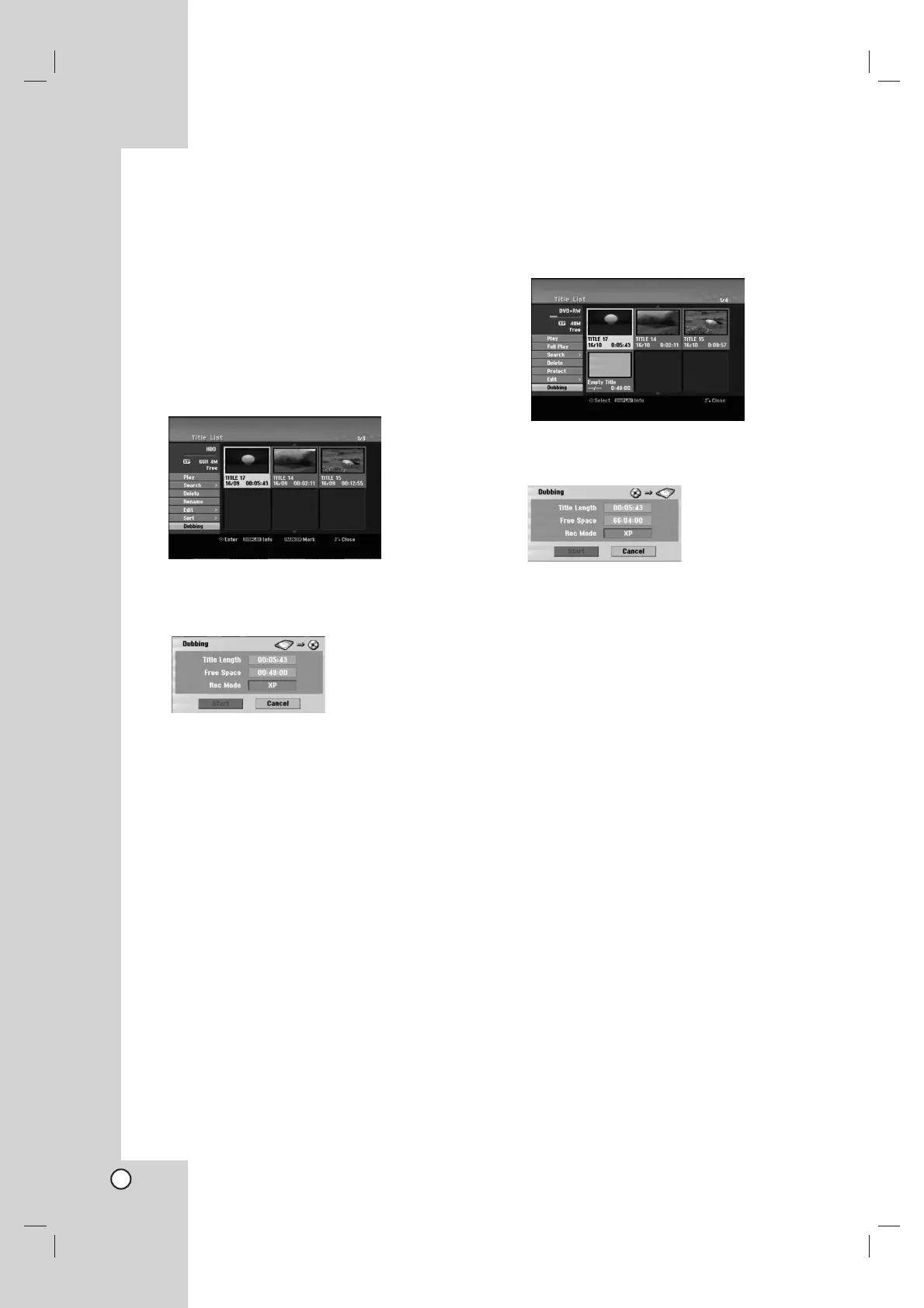
1. On the Title List-HDD menu, select a title you want
to dub then press ENTER.
Selecting multiple titles on HDD
1. Press MARKER.
A check mark appears on the title.
Press MARKER again to cancel the marked
title.
2. Repeat step 1 to mark additional title.
You can add the titles up to 10 titles.
The menu options appears on the left side of the
screen.
2. Use v / V to select [Dubbing] option then press
ENTER.
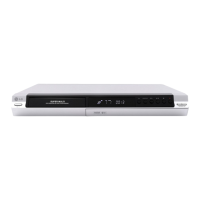
Dubbing menu appears.
3. Use b / B to select record mode (XP, SP, LP, EP,
MLP, AUTO or Fast), then press V.
‘Start’ icon is highlighted.
Fast: See page 51 for more information on Fast
copying.
4. When [Start] icon is highlighted, press ENTER.
Dubbing starts.
5. To stop dubbing at any other time, press
STOP (x).
Notes:
The recording time of [Fast] mode could be varied
depending on data size of source.
Stopping dubbing in [Fast] mode partway through
will cancel the recording and any data recorded up
to that point will be lost.
If the remaining space on the disc is insufficient, the
[Fast] mode is not available.
When you dub the title on the HDD to VR mode
DVD-RW or DVD-RAM disc, the [Fast] mode is not
available for edited HDD title and Clip Recording
title.
Dubbing from DVD to HDD
1. On the Title List menu, select a title you want to
dub then press ENTER.
Menu options appears on the left side of the
screen.
2. Use v / V to select [Dubbing] option then press
ENTER.
Dubbing menu appears.
3. Use b / B to select record mode (XP, SP, LP, EP,
MLP, AUTO or Fast), then press V.
‘Start’ icon is highlighted.
Fast: Only available when copying VR mode disc
to HDD. (See page 51 for more information on
Fast copying.)
4. When [Start] icon is highlighted, press ENTER.
Dubbing starts.
5. To stop dubbing at any other time, press
STOP (x).
Notes:
Depending on the conditions of the recording
equipment or the disc itself, the dubbing may not be
capable.
Stopping dubbing in [Fast] mode partway through
will cancel the recording and any data recorded up
to that point will be lost.
The recording time of [Fast] mode can take up to 19
minutes.
The [Fast] mode is not available for edited title on
the DVD-RW with VR recording mode.


 To Next Page