EasyManua.ls Logo

LG SH52PH-C - User Manual

LG SH52PH-C
30 pages
Print Icon
To Next Page IconTo Next Page
Loading...
DVD KARAOKE RECEIVER
OWNER’S MANUAL
MODEL: XH-TK5020Q
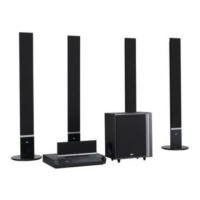
Main Unit - XH-TK5020Q
Speakers - SH52PH-F
SH52PH-C
SH52PH-S
SH52PH-W
Before connecting, operating or adjusting this product, please
read this instruction booklet carefully and completely.
Internet address ; http://ua.lge.com
Customer Information Center LG ; (380-44) 490-7777,
8-800-303-0000
.
HT502PH-XK.JA8ULLD_ENG_MFL34656534
R

Other manuals for LG SH52PH-C

Questions and Answers

  • L
    Leslie WatkinsSep 2, 2025
    How to eliminate loud hum or noise from my LG SH52PH-C?
    • C
      Christine ColeSep 2, 2025
      If you're hearing a loud hum or noise from your LG Receiver, try the following: * Clean the disc. * Ensure the speakers and components are securely connected. * Move the TV away from the audio components.
  • M
    Megan HuffSep 1, 2025
    What to do if there is no picture on my LG SH52PH-C Receiver?
    • B
      Beth HouseSep 1, 2025
      If you're not getting a picture from your LG Receiver, here are a few things to check: * Make sure the TV is set to the correct video input mode to receive the DVD signal output. * Ensure the video cable is securely connected to the jacks. * Verify that the connected TV is turned on.
  • K
    Kevin JohnsonAug 31, 2025
    How to fix an LG SH52PH-C Receiver that has no power?
    • S
      Sarah McgeeAug 31, 2025
      If your LG Receiver isn't turning on, the power cord might be disconnected. Ensure the power cord is securely plugged into the wall outlet.
  • P
    Peter GriffinAug 30, 2025
    What to do if my LG Receiver has no picture?
    • K
      Keith StevensonAug 30, 2025
      If there is no picture on your LG DVD/CD Receiver, make sure of the following: * The TV is set to the correct video input mode to receive the DVD signal. * The video cable is securely connected to the jacks. * The connected TV is turned on.
  • M
    Michael KingAug 29, 2025
    Why is there no sound from my LG SH52PH-C?
    • B
      Brian SmithAug 29, 2025
      If you're experiencing no sound or very low sound from your LG DVD/CD Receiver, here are a few things to check: 1. Ensure the equipment connected with the audio cable is set to receive DVD signal output. Select the correct input mode on the audio receiver. 2. Verify the audio cables are securely connected into the jacks. 3. Confirm that the equipment connected with the audio cable is turned on. 4. If the issue persists, the audio connecting cable may be damaged. Try replacing it with a new one.
  • V
    vanessa07Aug 28, 2025
    What to do if LG SH52PH-C Receiver remote control is not working?
    • K
      Katelyn EstradaAug 28, 2025
      If the remote control for your LG DVD/CD Receiver isn't working correctly, consider the following: * Ensure the remote is pointed directly at the receiver's remote sensor. * Make sure you are within 23 ft (7 m) of the receiver. * Remove any obstacles between the remote and the receiver. * Replace the remote's batteries with new ones.
  • C
    Crystal JacksonAug 27, 2025
    How to fix loud hum or noise heard from LG Receiver?
    • S
      sclarkAug 27, 2025
      Ensure the disc is clean. Check that the speakers and components are securely connected. Also, move the TV away from the audio components to reduce interference.
  • T
    Teresa HernandezAug 27, 2025
    What to do if the LG SH52PH-C Receiver remote control does not work properly?
    • A
      Angel WatkinsAug 27, 2025
      If the remote control isn't working, make sure you're pointing it directly at the receiver's remote sensor from a distance of no more than 23 ft (7 m). Remove any obstacles that might be blocking the signal. If it still doesn't work, try replacing the batteries with new ones.
  • S
    sboyleAug 25, 2025
    Why is there no sound coming from my LG SH52PH-C?
    • C
      Catherine TranAug 26, 2025
      If you are experiencing a lack of sound or very low sound from your LG Receiver, consider the following: * Ensure the equipment connected with the audio cable is set to receive DVD audio signal output. * Check that the audio cables are securely connected. * Verify that the equipment connected with the audio cable is powered on. * If the audio connecting cable is damaged, replace it.
  • S
    Sarah LunaAug 25, 2025
    Why is my LG Receiver remote control not working?
    • E
      Elizabeth RobinsonAug 25, 2025
      If the remote control for your LG Receiver isn't working correctly, consider these potential causes: * Ensure the remote control is pointed at the remote sensor on the receiver. * Make sure you are within 23 ft (7 m) of the receiver. * Remove any obstacles blocking the path between the remote and the receiver. * Replace the batteries in the remote control with new ones.

Summary

Introduction

Before Use and Manual Guide

Instructions for proper use and retention of the owner's manual.

Disc and Symbol Information

Details on playable disc types, symbols, and regional codes.

Installation and Setup

Front Panel and Rear Panel Overview

Identification of controls and connectors on the unit's front and rear.

TV Connection Guide

Connecting the DVD/CD Receiver to your television using various methods.

Connecting Optional Equipment

Connecting external devices like USB drives, antennas, and audio inputs.

Speaker System Setup

Connecting and configuring the surround sound speaker system.

Disc Information Display

Viewing playback details like track, chapter, and audio language on-screen.

Initial System Settings

Configuring picture, sound, language, and other initial parameters.

General Operation and Language Settings

Navigating menus and setting the display and audio language.

Display and Aspect Ratio

Adjusting TV aspect ratio and progressive scan for optimal picture.

Audio Configuration

Setting audio output options, dynamic range, and vocal effects.

5.1 Surround Sound Setup

Configuring individual speaker levels and distances for surround sound.

Parental Control and Lock Settings

Managing parental rating locks and passwords for restricted content.

Other System Settings

Configuring Playback Control (PBC) and DivX registration.

Operation

Remote Control Functions

Overview and usage of all buttons on the remote control.

General Playback Features

Basic playback controls like Pause, Skip, Scan, and Repeat.

Advanced Playback Options

Features like 1.5x speed, Time Search, and Marker Search.

System Display and Power Management

Screen saver, last scene memory, and system selection (PAL/NTSC).

TV Remote Control Integration

Using the remote to control basic LG TV functions.

Playing Audio CDs and MP3;WMA Files

Instructions for playing music discs and compatible file formats.

Programmed Playback and Track Management

Creating, managing, and repeating custom track playlists.

Viewing JPEG Image Files

How to display JPEG photos from a disc, including slideshow.

Playing DivX Movie Files

Instructions for playing DivX videos and handling subtitles.

Radio Tuning and Presets

Tuning FM/AM stations and saving favorite presets.

Timer, Dimmer, and Mute Functions

Setting sleep timer, adjusting display brightness, and muting audio.

Input Source Selection

Switching between analog, optical, and TV audio inputs.

Enhanced Sound Modes

Using XTS, XTS Pro, and Virtual Sound for audio enhancement.

Karaoke Mode Operation

Setting up and performing basic and advanced karaoke playback.

Karaoke Song Management

Reserving songs, changing tempo, and using shadow function.

Karaoke Menu and Playback Options

Navigating karaoke menus for song lists and score settings.

Music and Singer List Navigation

Browsing music tracks and singers by list and initial.

Classical Music and Composer Lists

Accessing classical music by composer or song title.

Random and Challenge Game Modes

Playing songs randomly or participating in a song game challenge.

Reference

Language and Area Code Reference

Lists of codes for setting languages and DVD regional compatibility.

Troubleshooting Common Issues

Diagnosing and resolving problems with power, picture, sound, and playback.

Product Specifications

Detailed technical specifications including power, dimensions, and audio output.

LG SH52PH-C Specifications

General IconGeneral
BrandLG
ModelSH52PH-C
CategoryReceiver
LanguageEnglish

Related product manuals