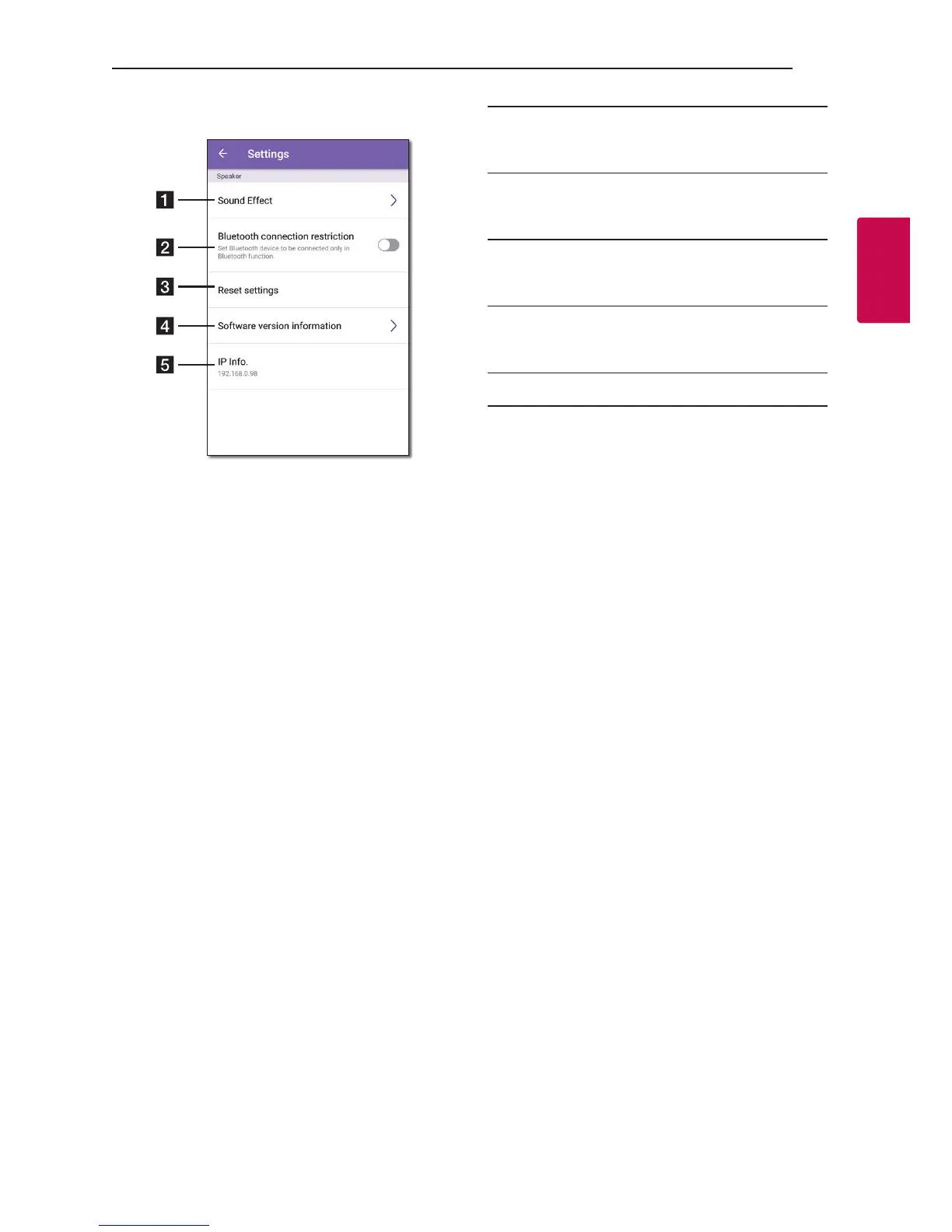
Settings of the connected speaker appear.
a
[Sound Effect] - Selects a sound effect mode
(Clear Vocal+Enhanced Bass, Clear Vocal,
Enhanced Bass or Standard). (Page 8)
b
[Bluetooth connection restriction] –
It enables you to connect Bluetooth device only
on Bluetooth.
c
[Reset settings] – Resets the speaker settings
(Volume, Sound effect, Function, Bluetooth
setting).
d
[Software version information] – Displays
the current Software version information and
updates the software to latest version.
e
[IP Info.] - Shows the IP address of the speaker.


 To Next Page