EasyManua.ls Logo

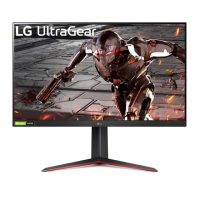
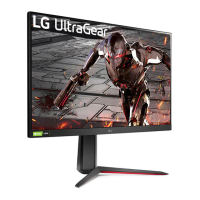
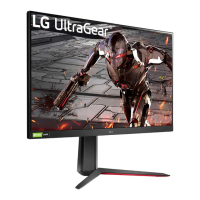
LG UltraGear 32GN55R - User Manual

LG UltraGear 32GN55R
46 pages
Print Icon
To Next Page IconTo Next Page
Loading...
LED Monitor*
Owners Manual
* LG LED Monitor applies LCD screen with LED backlights.
Please read this manual carefully before operating your set and retain it for future reference.
24GN65R
27GN65R
32GN55R
www.lg.com
Copyright © 2022 LG Electronics Inc. All Rights Reserved.

Other manuals for LG UltraGear 32GN55R

Questions and Answers

  • I
    idavisAug 12, 2025
    What to do if nothing is displayed on my LG UltraGear 32GN55R Monitor screen?
    • J
      Joshua WilliamsAug 12, 2025
      If nothing is displayed on your LG Monitor screen, try the following: Ensure the power cord is correctly plugged into the outlet. Check the power cable connection and press the power button. Verify that the connected input is enabled by going to Menu > Input. If the monitor is in sleep mode, move the mouse or press any key. Also, ensure your computer is turned on. If the signals from your PC are out of the monitor's recommended range, see the Product Specification section of this manual to set the appropriate frequency. Check the signal cable between the PC and the monitor, and reconnect it if necessary. Finally, install the display driver from the LG website and ensure your graphics card supports Plug and Play.
  • J
    jessejamesAug 21, 2025
    How to get sound from the headphone port on my LG UltraGear 32GN55R Monitor?
    • M
      Michael WoodsAug 21, 2025
      If there is no sound from the headphone port on your LG Monitor, ensure that the headphone connections are properly made. Try increasing the volume using the joystick. Also, set the audio output of the PC to the monitor you are using. On Microsoft Windows, go to Control Panel > Hardware and Sound > Sound and set the Monitor as the default device.
  • G
    ghughesAug 31, 2025
    Why does my LG UltraGear 32GN55R Monitor screen retain an image?
    • R
      Raymond PhillipsAug 31, 2025
      Displaying a still image for a prolonged time may cause damage to the screen of your LG Monitor, resulting in image retention. To extend the monitor's lifetime, use a screensaver.

LG UltraGear 32GN55R Specifications

General IconGeneral
BrandLG
ModelUltraGear 32GN55R
CategoryMonitor
LanguageEnglish

Related product manuals