28
OPERATING INSTRUCTIONS
ENGLISH
Press button to move to 'Minute'
setting mode. (the 'Minute' segment will
flash)
7
Setting Minute value by pressing
button.
8
Press button to finish.
9
In the process, press
button to release and exit
from setting mode.
(In case of exit with
incomplete information, it will
return to the previous setting)
❈ When exiting without pressing set
button, the manipulated value is not
reflected.
10
1,MFL67870326,영영 17. 7. 18. 영영 3:28 Page 28



 To Next Page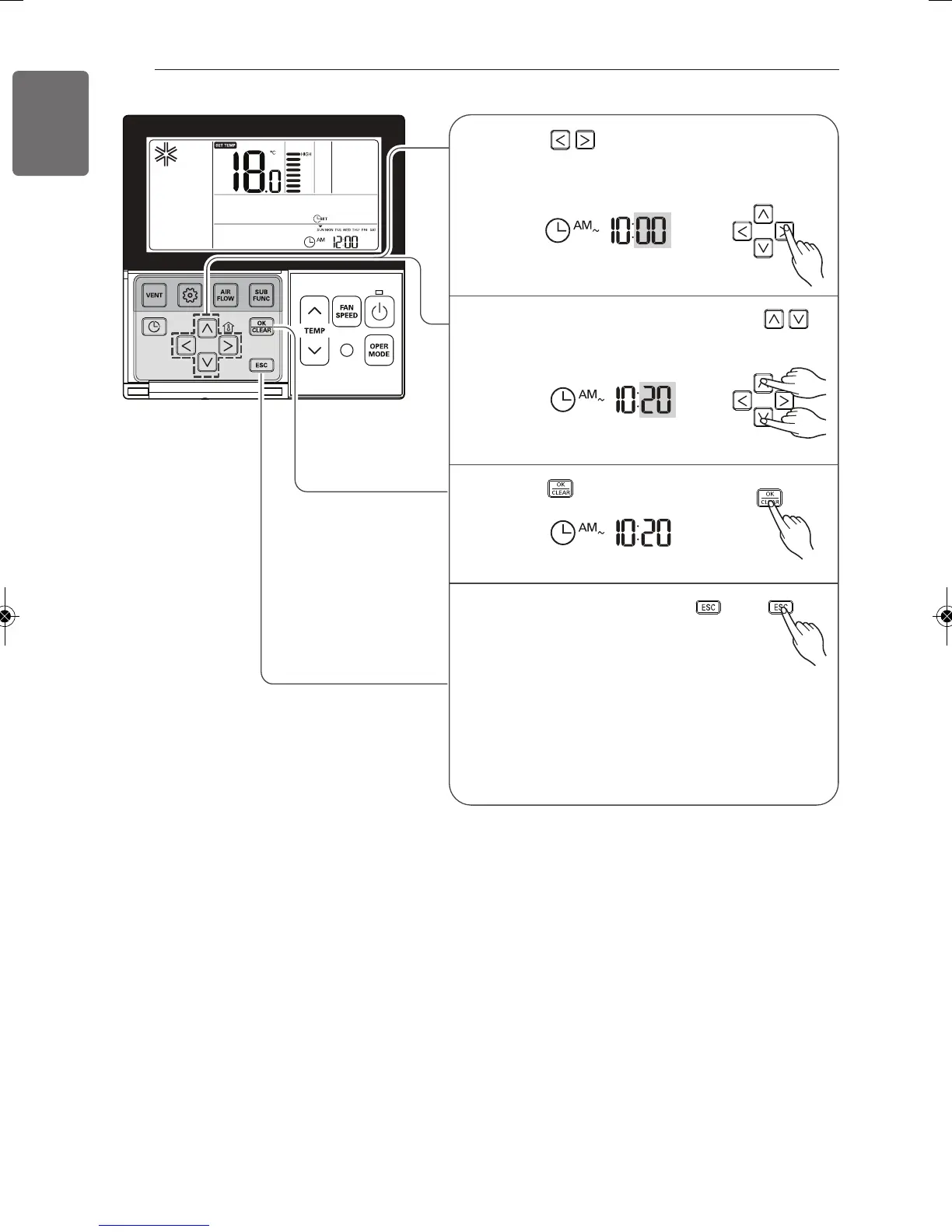
![Preview: LG ATNH24GPLED[UT24 NPD]](https://data.easymanua.ls/products/561090/200x200/lg-atnh24gpled-ut24-npd.webp)