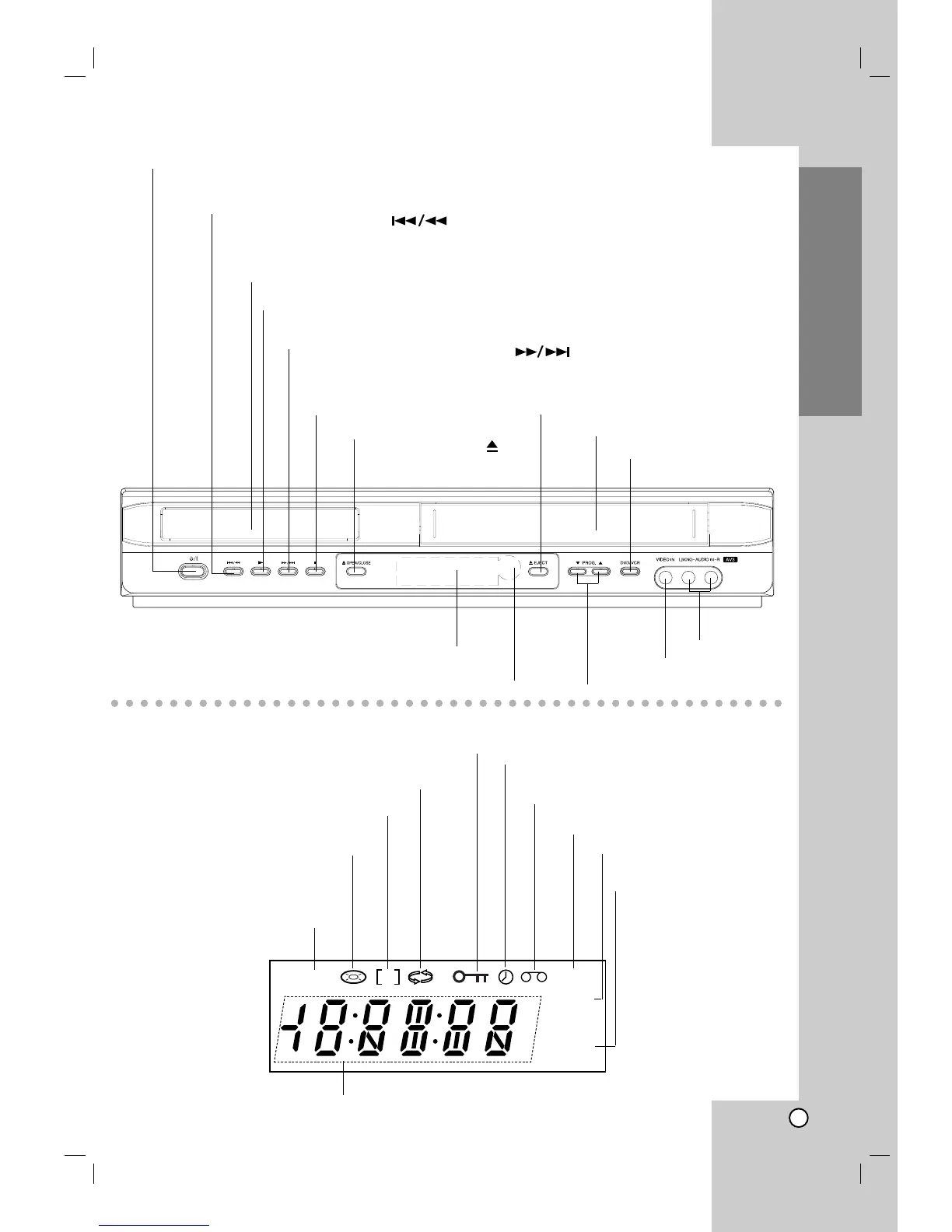
VCR deck is selected.
DVD deck is selected.
Indicates repeat mode.
Indicates TV mode.
(See Notes on page 24.)
Indicates total playing time/elapsed time/current time
A disc is loaded in the DVD deck.
(Lights when a disc is loaded in the
DVD deck and flashes when no disc is
loaded.)
DVD+VCR is in timer recording or a
timer recording is programmed.
Indicates the Progressive
Scan is set to On mode.
A Cassette is in the VCR deck.
VCR recording is engaged.
DVD to VHS copy is in progress.
Child Lock is engaged
Forward Skip/Scan, Fast-Forward ( )
Go to NEXT chapter/track.
Press and hold for two seconds for a fast forward search.
Winds the tape forwards.
Reverse Skip/Scan, Rewind ( )
Go to beginning of current chapter/track or to PREVIOUS chapter/track.
Press and hold for two seconds for a fast reverse search.
Rewinds the tape.
STOP (
ÁÁ
) Stops playback.
Tape Compartment
PLAY ( G)
Starts playback.
DVD OPEN/CLOSE ( )
Opens or closes the disc tray.
Remote Sensor
Point the remote control here.
Display window
Shows the current status of the unit.
DVD/VCR Selector
Video IN Jack
Tape Eject
Audio IN
(L/R) Jacks
Disc Tray Insert a disc here.
POWER
Switches the unit to ON or OFF.
Channel Programme Selectors
.



 To Next Page